Categories
Game Design Game Development Geek / Technical

Freshly Squeezed Progress Report – Finishing the Final Training Level, Muting Audio

As I said in the previous sprint report for Toy Factory Fixer development, I had spent time adding feedback to the player and fixing defects, including a major one that ended the game prematurely even if you had plenty of toys to craft.

I continued work on finishing the last of the training levels in this past sprint.

Sprint 45: Training levels

Planned and Complete:

  • Create floor training levels/tutorial

Unplanned and complete:

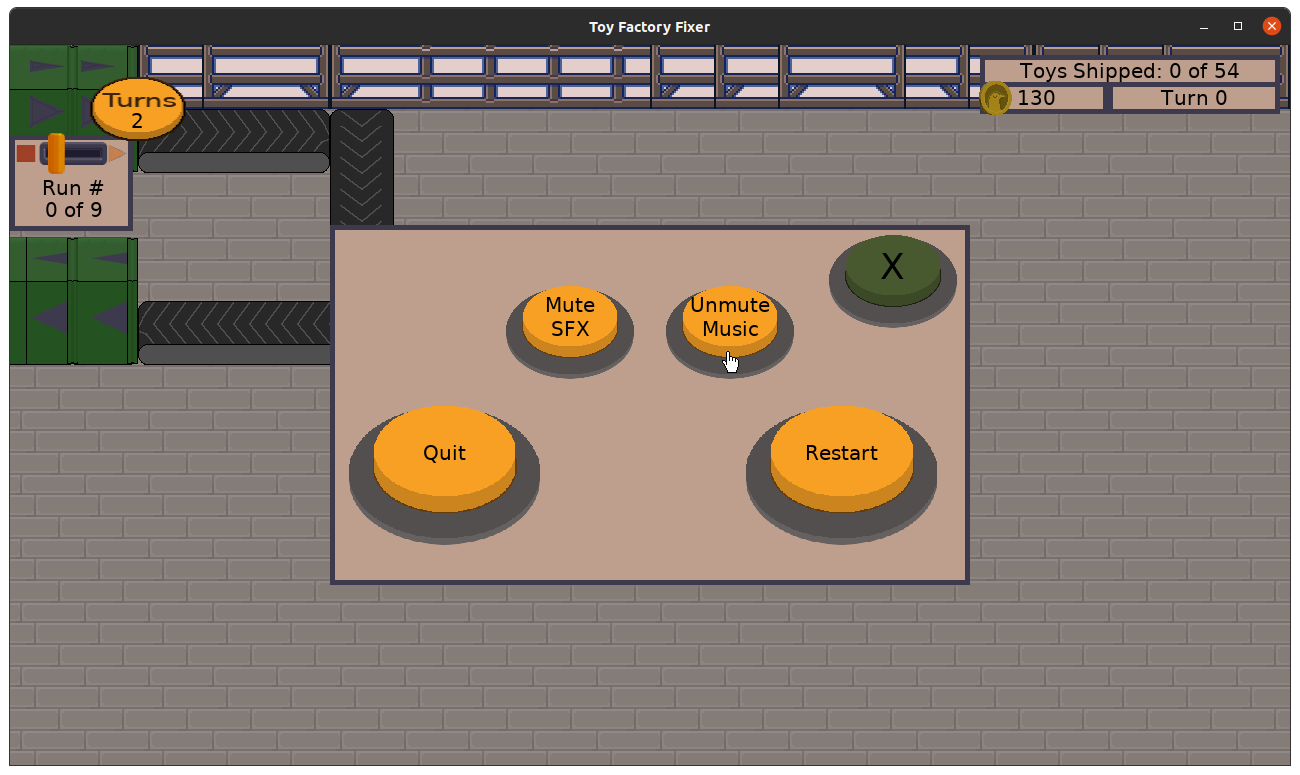
  • Allow player to mute SFX and music

The only task I wanted to focus on was finishing the final training level that introduces the sewing specialist. Originally the layout was derivative of a level I was using to do general play testing and experimenting, but I modified it so that workers placed near the beginning of the conveyor belt were less effective than those placed farther down the line.

Toy Factory Fixer - original play testing level layout

Toy Factory Fixer - finalized training level layout

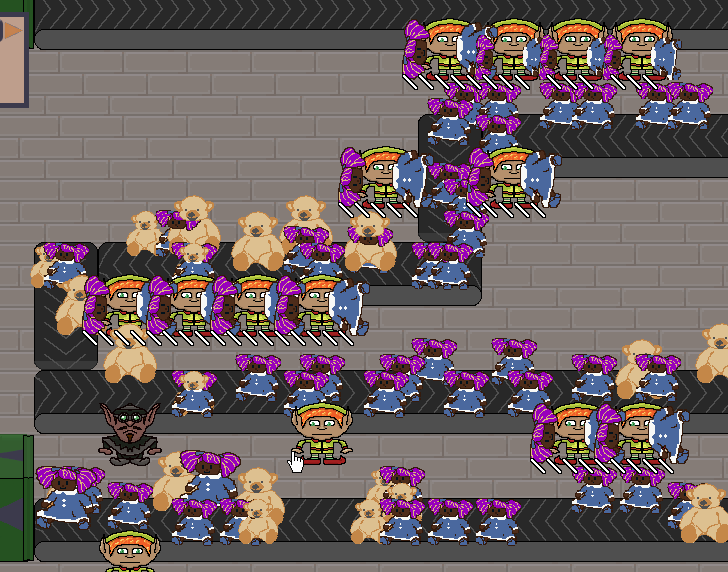
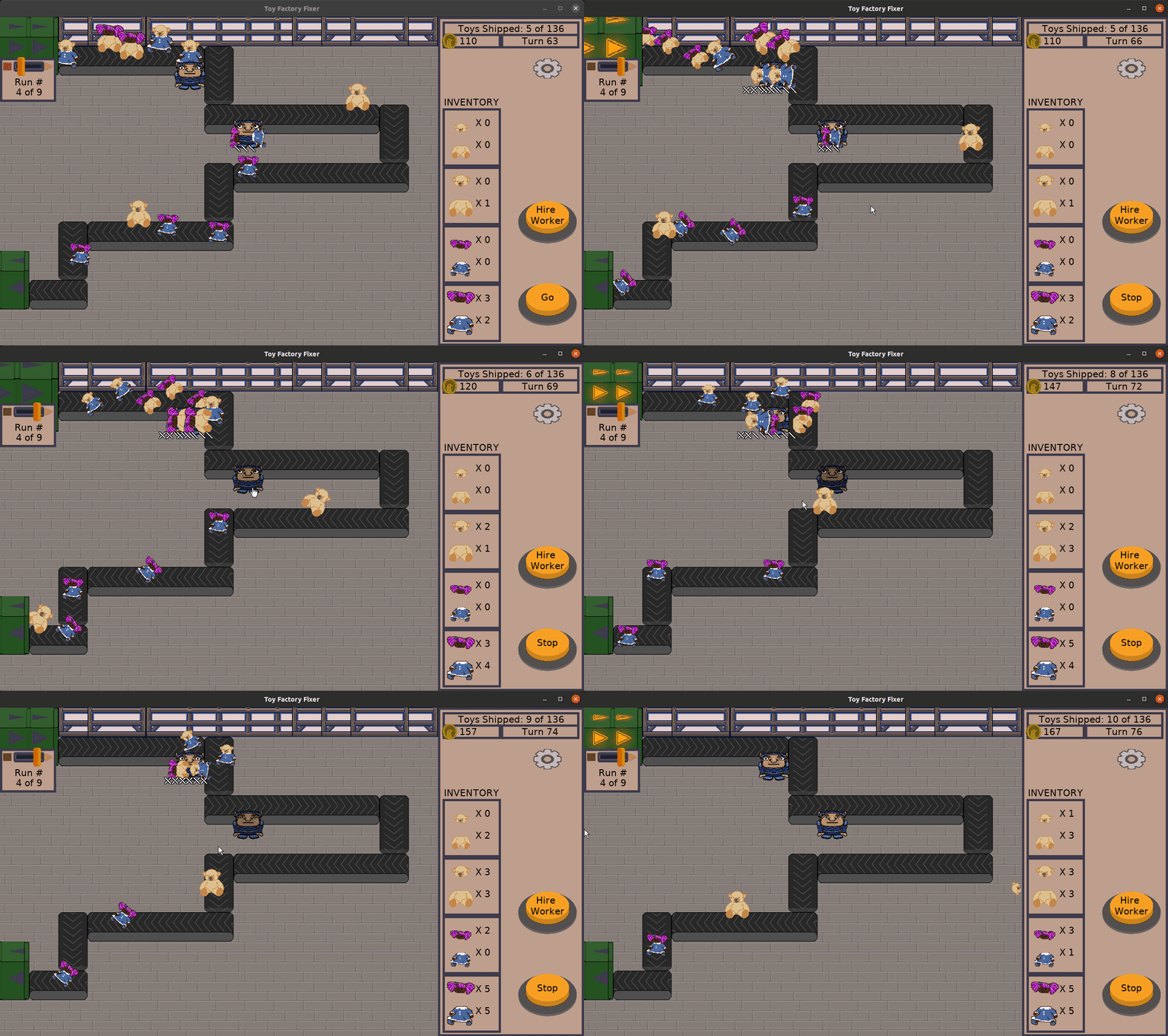
Most of my time was spent designing the production runs of toys, and my main worry is that this training level is too intense.

Toy Factory Fixer - too intense?

However, it is possible to finish the level with an A+ rating in all three criteria.

Determining the First Release Criteria

Since I finished creating the level and it was the only task in my sprint, that meant I had time to work on something else. But what?

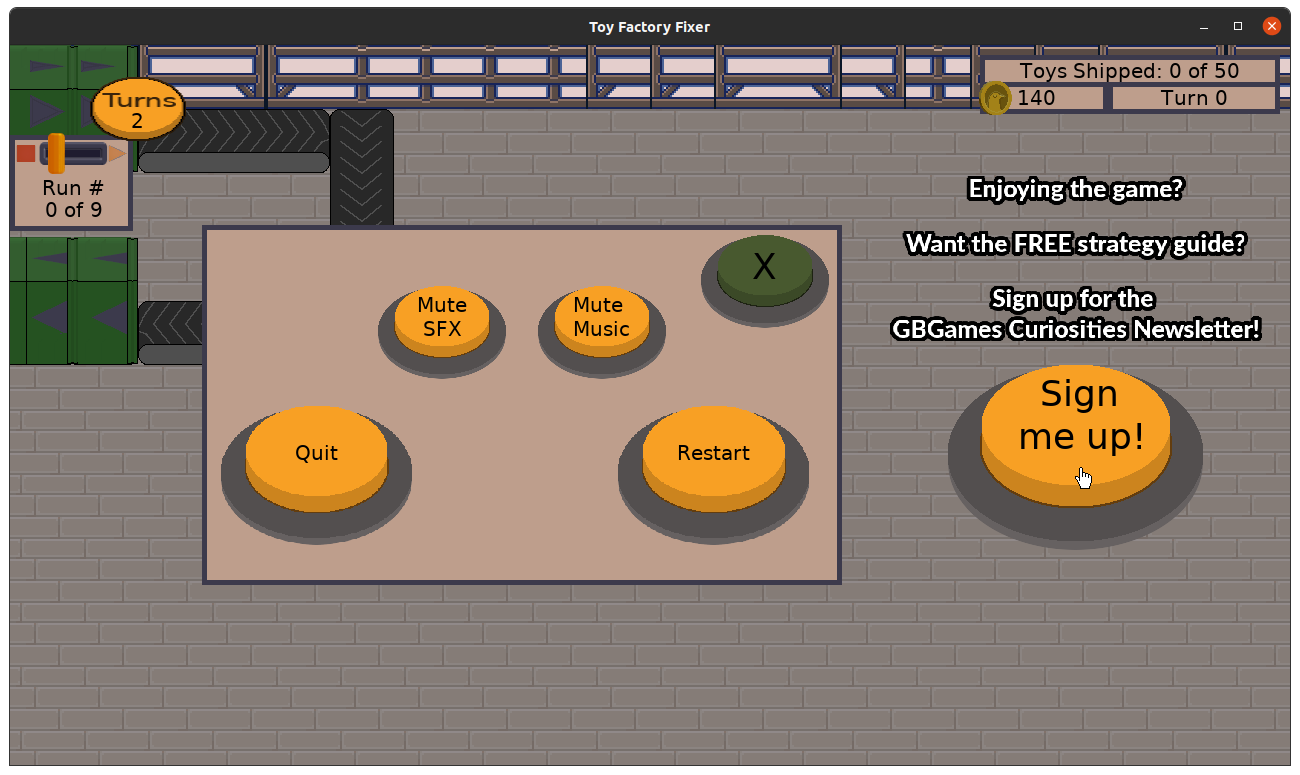
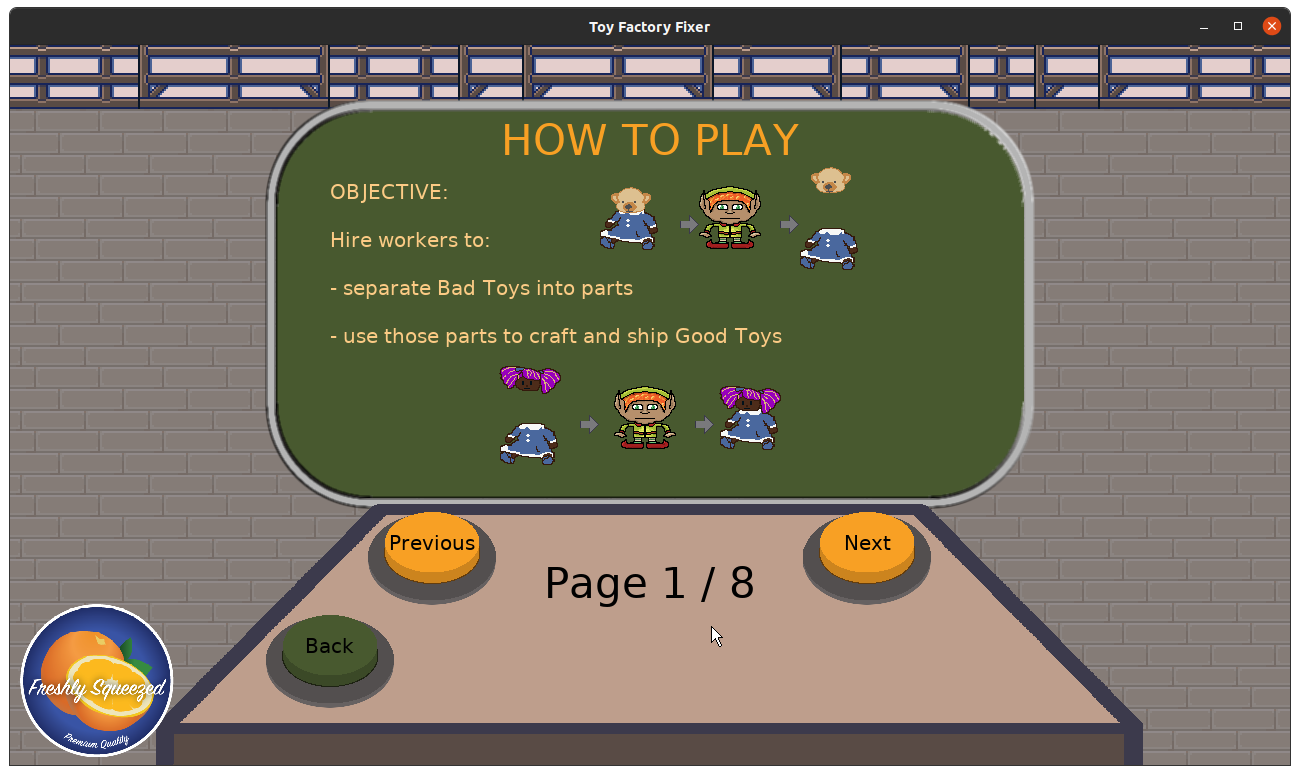
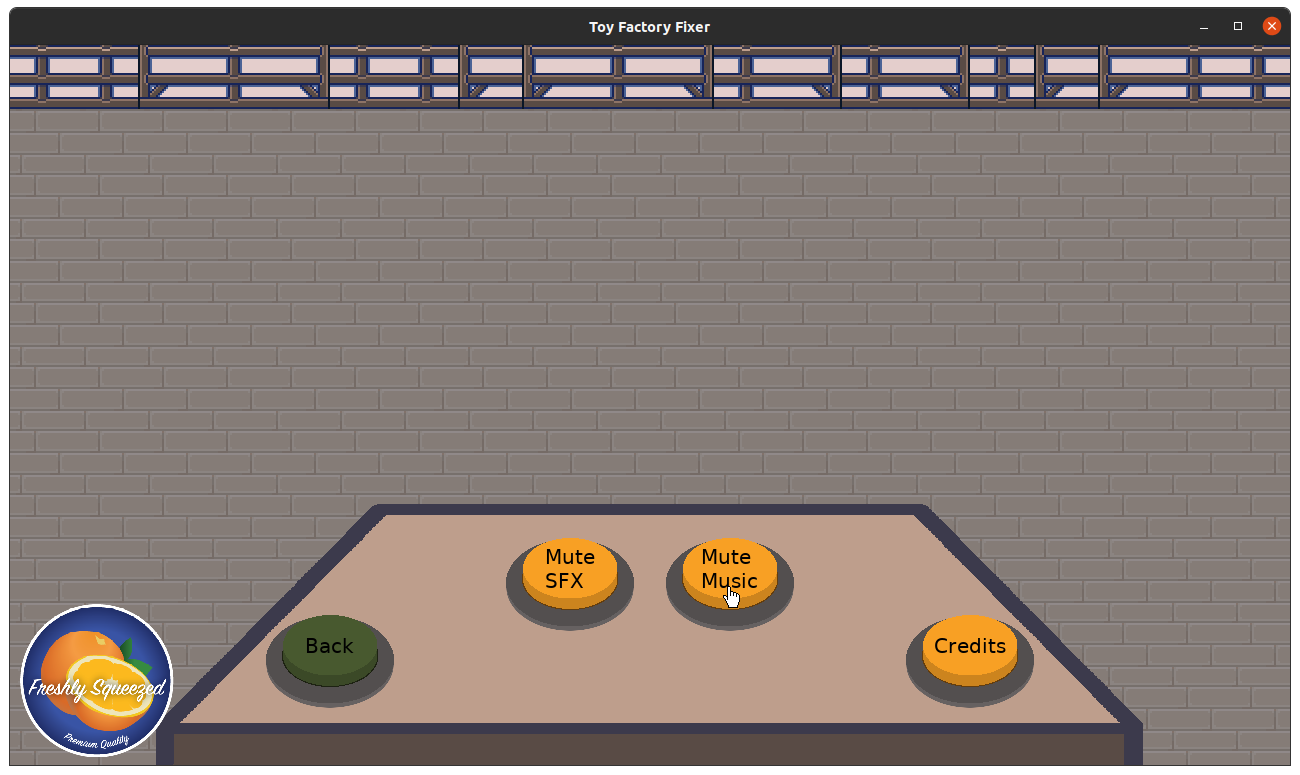
I decided that at the very least the player should have the option to mute the sound effects or music, so I started working on that functionality. It is mostly there, and the only thing left is to make the button labels change from “Mute” to “Unmute” when pressed.

Meanwhile, every Saturday I try to work on a non-routine improvement, and one of my goals this month was to put together a solid set of criteria for things that must be done before I feel comfortable creating a v1.0 release of this game.

So here’s the list I came up with:

  • Number of levels
    • 4 training levels
    • At least 1 non-training level
  • Polish
    • Worker grunts need to be worker-type specific
    • Need music/audio background for main menus
  • Need call to action (sign up for GBGames Curiosities)
    • Main Menu
    • Options Screens
  • In-game help
  • Create a strategy guide
  • Allow player to mute

I decided against any kind of persistence for this first release, even though I have some ideas and plans for it, such as a factory map with levels/floors that unlock as you finish them.

I’m most sad about not creating a Free Play level, which is a play tester request that I loved and also had plans for. Also, having only one more non-training level for a total of five levels may not sound like much when many other games have something like 20 or 100 levels, but this is a v1.0 release of a free game. Maybe I’ll work on a new update that includes more levels and features if there is enough feedback from players, but for now, I need to cut scope if I want to release this game anytime soon.

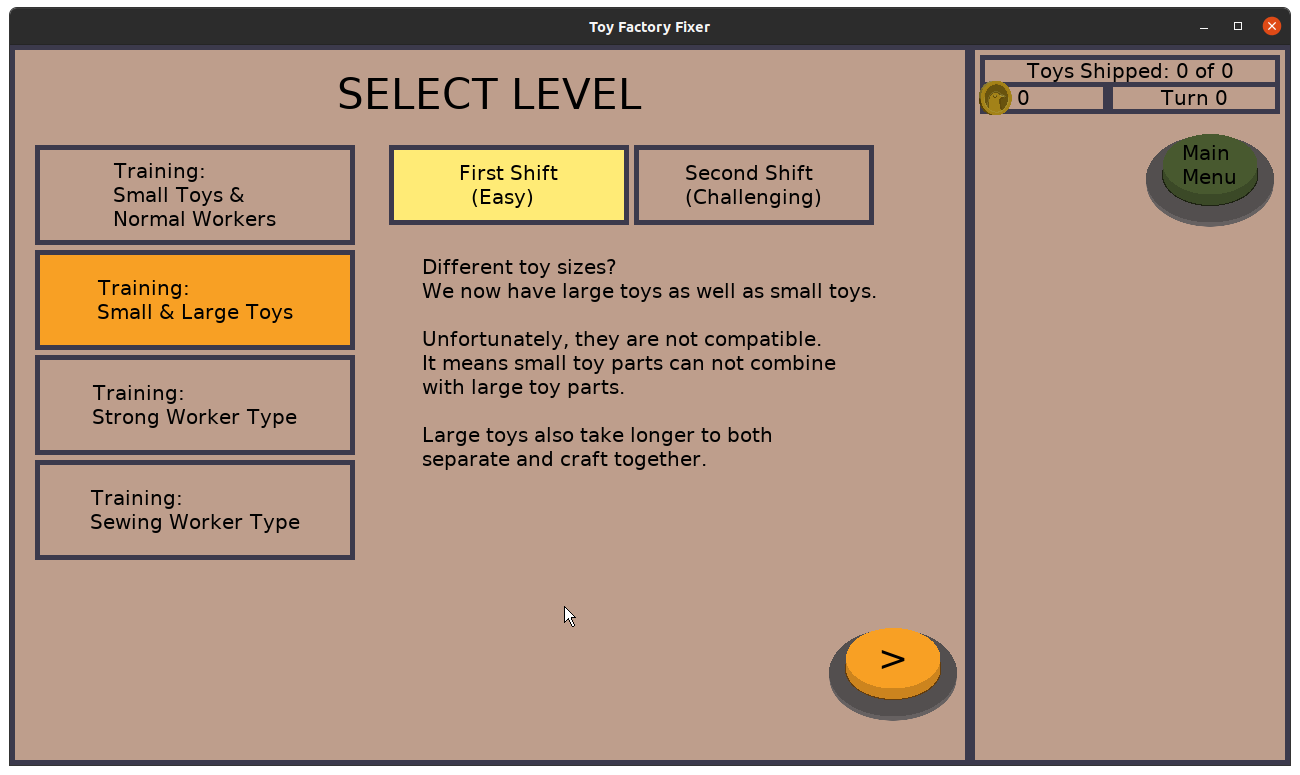
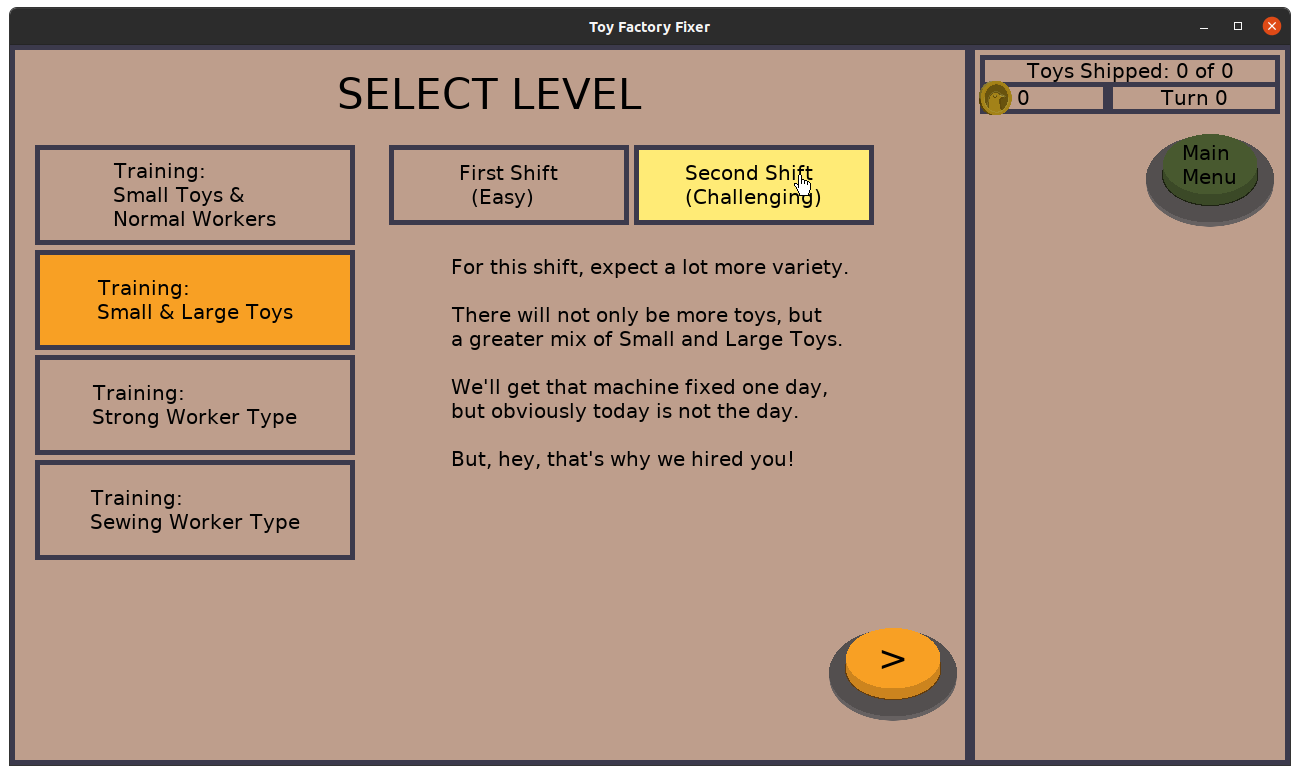
Then again, I keep worrying that these training levels are way too hard, and I think that I could always create shorter, easier versions as the training levels and use the existing level designs as more intense versions of them. I had originally envisioned the idea of reusing a level layout with different “shifts”, so each shift acts as a separate level with different production runs. So I could take the existing four levels and double it to eight levels if I create easier versions of them, getting both quantity AND an easier onboarding process for new players. Hmm…

Now, dear reader, you tell me. Is this actually feature creep, or is this just the nature of wearing multiple hats, including the producer hat?

Thanks for reading!

Want to learn when I release updates to Toytles: Leaf Raking or about future Freshly Squeezed games I am creating? Sign up for the GBGames Curiosities newsletter, and get the 24-page, full color PDF of the Toytles: Leaf Raking Player’s Guide for free!
Categories
Game Design Game Development Geek / Technical

Freshly Squeezed Progress Report – Providing Important Player Feedback

Last week, I reported that I had a desire to communicate some feedback to the player in order to make the sewing specialist worker effective in the game Toy Factory Fixer. Unfortunately, my capacity to get it done had been more limited than usual.

But I finally got it done this past sprint.

Sprint 44: Training levels

Planned and Complete:

  • Make sewing worker unique

Unplanned and complete:

  • Show money earned as hanging value over chute
  • Defect: Worker specialty button isn’t highlighted on worker menu
  • Defect: Cannot change worker specialty in worker menu
  • Defect: Game ends prematurely even though there are plenty of toys possible to ship

Planned and Incomplete:

  • Create floor training levels/tutorial

From last week’s report, here are the things I wanted to get done in order to communicate to the player things I never needed to communicate before:

  • If the worker is idle and can’t craft due to missing parts, I want the player to know this fact instead of wondering why this worker isn’t crafting.
  • When the worker starts crafting, I want to make it clear that toy parts disappeared from the inventory, something that wasn’t necessary when the player was manually deciding when toys were being crafted.

I am happy to say that this past week was a lot more productive and that I finally got these pieces of feedback into the game.

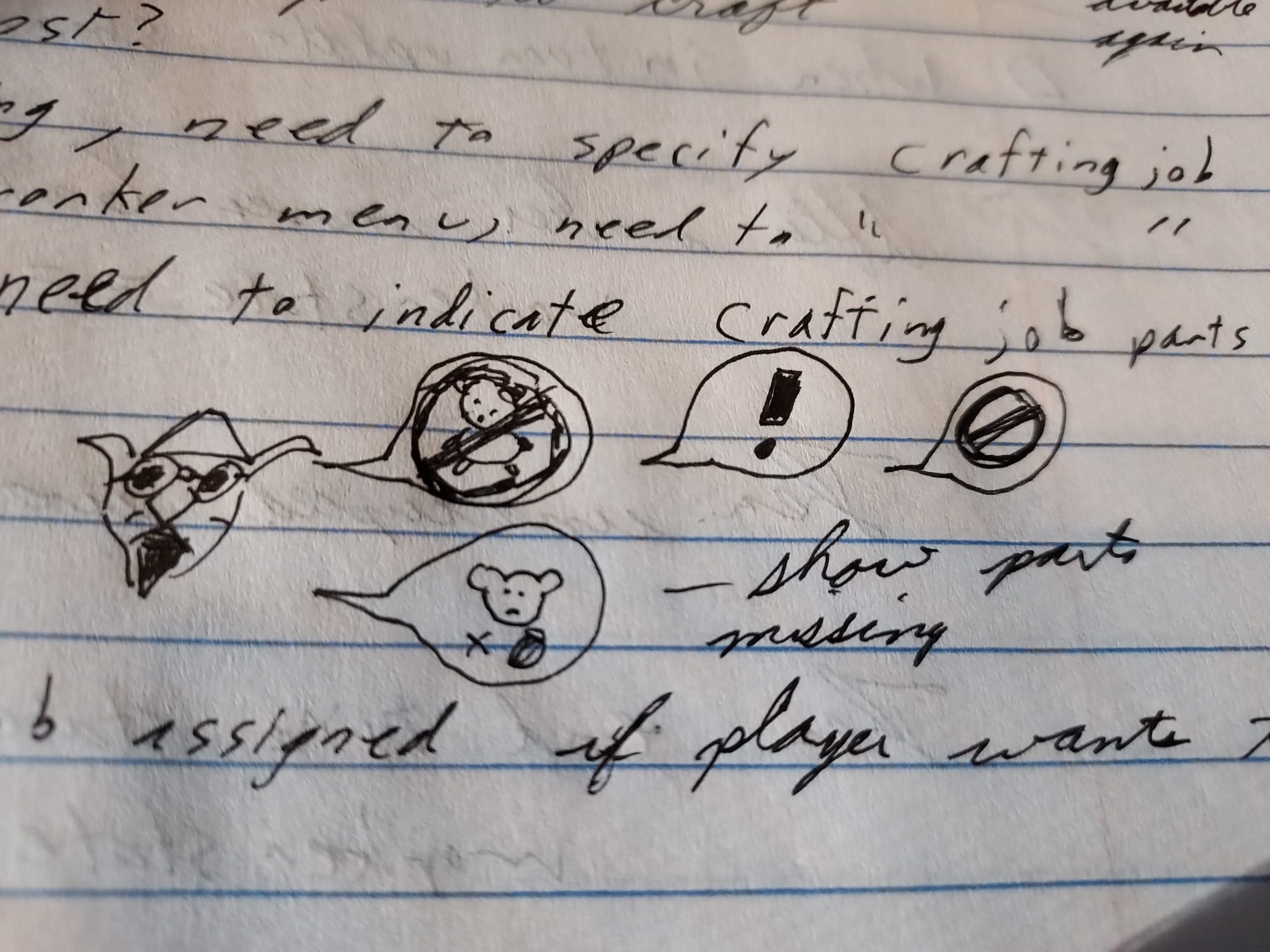
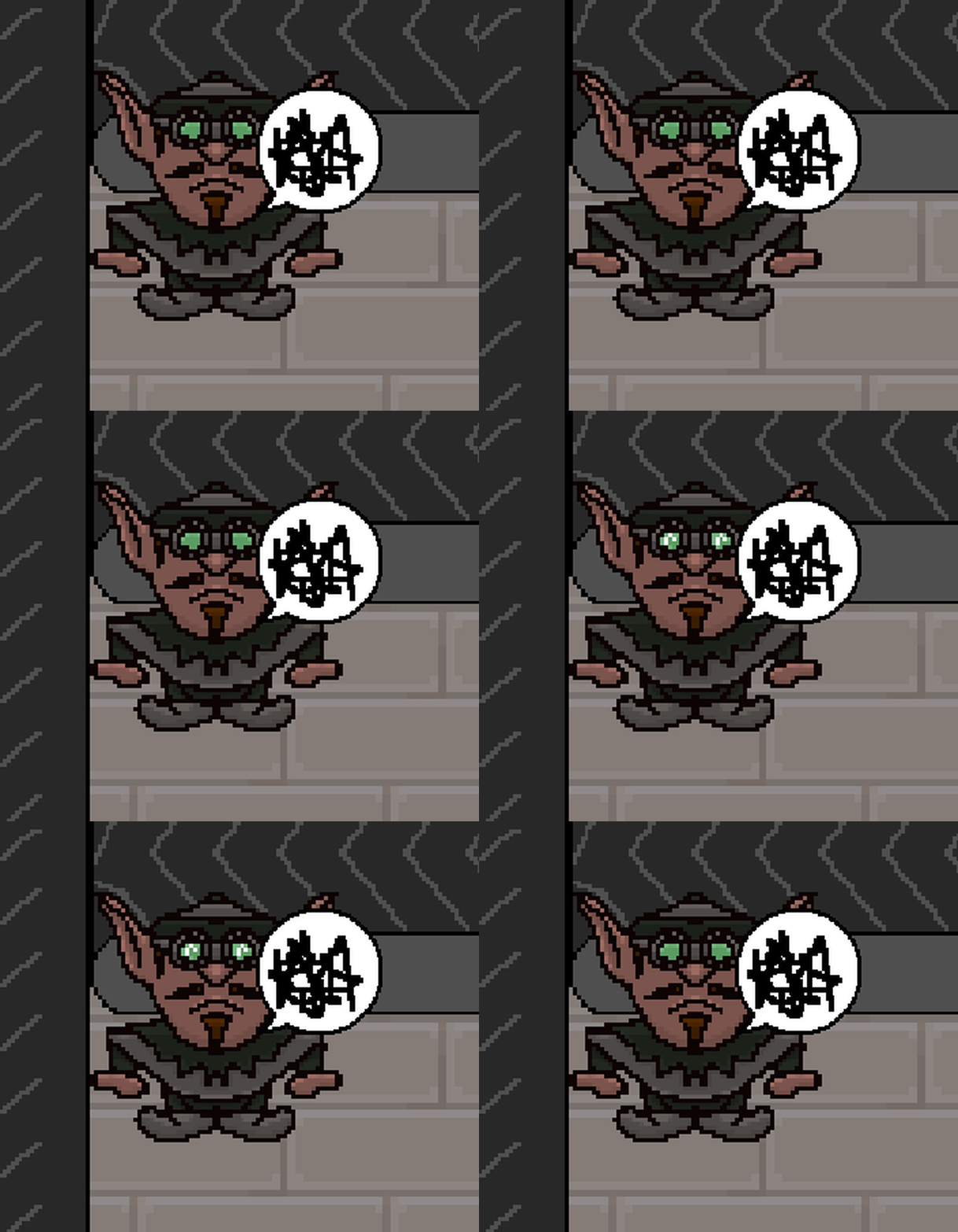
While I did have plans to create something custom for this game, instead I stole a speech bubble and some angry scribbles from one of my other games, Toytles: Leaf Raking.

Toy Factory Fixer - designs for sewing specialist feedback

Toy Factory Fixer - frustrated sewing specialist

Whenever the sewing specialist doesn’t have the ability to do any work, they’ll express frustration, which lets the layer know when to change this worker’s orders to focus on crafting Good Toys from parts actually available in the player inventory.

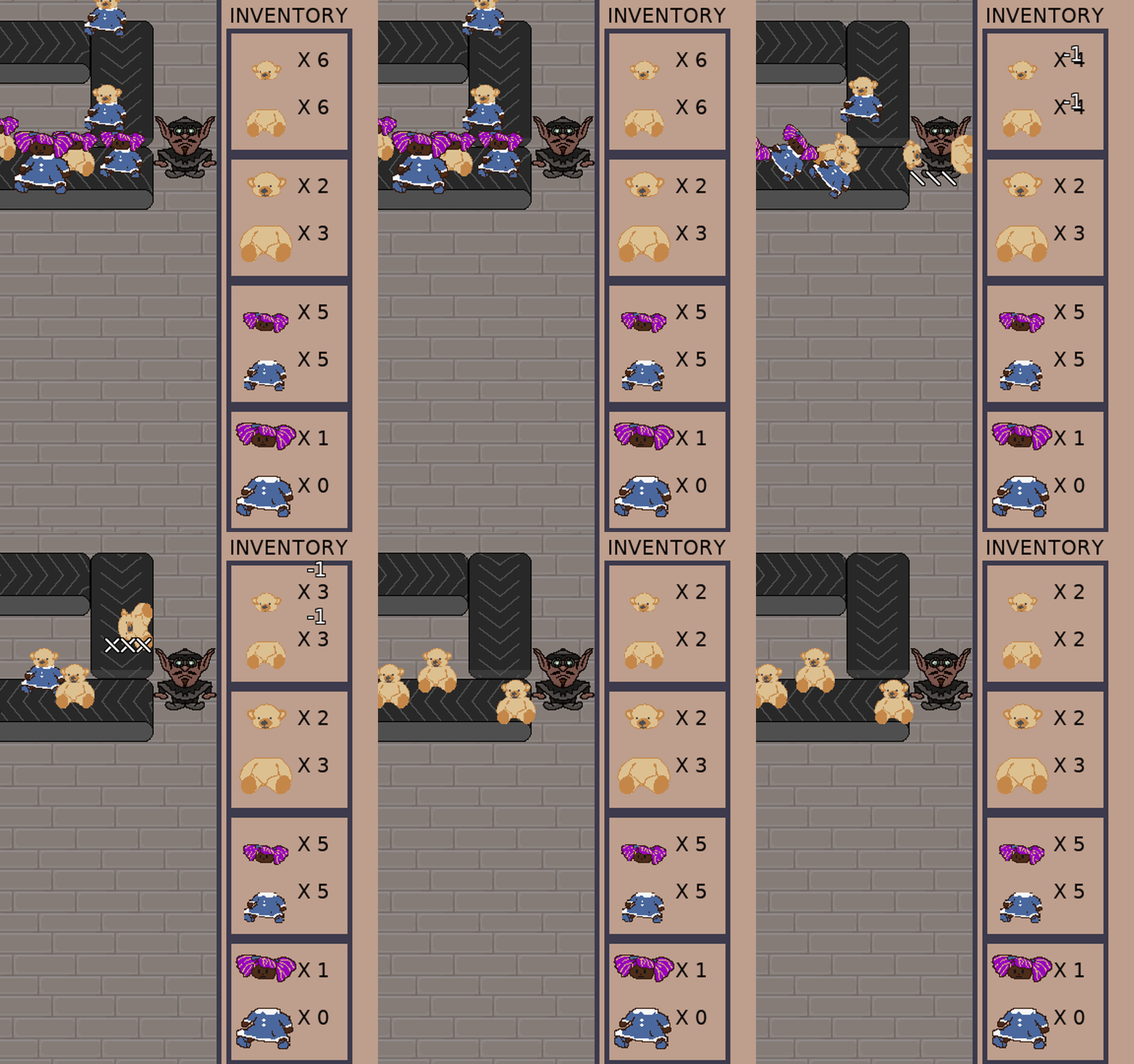
And speaking of inventory, I needed a way to indicate to the player that parts were being used by this worker type automatically. Before, it wasn’t necessary because it was obvious when the player was specifically commanding a worker to craft a particular Good Toy. If there weren’t enough parts, the button for that particular toy type would be disabled, and if there were enough parts, the player could easily see how many parts would be left if they command a particular worker to craft a toy.

So, something I’ve been meaning to put into the game anyway was floating number indicators. And it looks pretty good:

Toy Factory Fixer - sewing specialist in action

I think I need an audio effect to also indicate that toy parts are being taken, and I still like the idea that toy parts fly out of the inventory to the worker in question so it is even clearer, but I might not implement that last one before I release the game.

I also added floating numbers when toy parts get added to the inventory, but more importantly, I changed how the money bonus for shipping toys or starting a production run early looks. I already had the text showing the amount of money earned flying from the source of the money bonus towards the player’s money, but it was moving too fast for anyone to read.

So based on some feedback I’ve gotten from play testers and others I’ve talked to, I use the same text floater with different colors and a larger font:

Toy Factory Fixer - money text floaters

I also fixed a few defects, a critical one being that the game would sometimes end even if the player still had toys to craft due to a logic error in determining if the game was over.

Unfortunately I barely started work on the level that introduces the new sewing specialist, so that work will need to continue this sprint.

Thanks for reading!

Want to learn when I release updates to Toytles: Leaf Raking or about future Freshly Squeezed games I am creating? Sign up for the GBGames Curiosities newsletter, and get the 24-page, full color PDF of the Toytles: Leaf Raking Player’s Guide for free!
Categories
Game Design Game Development Geek / Technical

Freshly Squeezed Progress Report – Starting to Create Floating Numbers

As I reported last week, I settled on the features that would make the sewing specialist unique and implemented them in Toy Factory Fixer. Namely, this worker automatically crafts Good Toys assuming there are parts in your inventory for the type of toy they specialize in.

Related to this new feature, I wanted to continue working on some enhancements to communicate a few things to the player.

Sprint 43: Training levels

Planned and Incomplete:

  • Make sewing worker unique
  • Create floor training levels/tutorial

For many sprints, I always planned to get more accomplished than I actually could, and it was kind of demoralizing, so I decided to not pretend I was going to work on the tooltips functionality.

My sprint plan was supposed to be very manageable. Now that I have a third worker type, I wanted to create a level that introduces that worker. And to really finish the creation of this third worker, I basically wanted to communicate two things to the player that I didn’t need to communicate before:

  • If the worker is idle and can’t craft due to missing parts, I want the player to know this fact instead of wondering why this worker isn’t crafting.
  • When the worker starts crafting, I want to make it clear that toy parts disappeared from the inventory, something that wasn’t necessary when the player was manually deciding when toys were being crafted.

That’s it. Two visual indicators of some kind and a new level, and I figured the level would take the most effort to design and play test.

But last week was very unproductive for me. I only did game development for a total of 2 hours, which is very low even for my normally very, very part-time efforts. The last time I did so few hours was the first week of January, and, you know, it was the holidays.

Between the day job and other commitments, I found myself struggling to make time or have the energy to work on this project. It was kind of demoralizing, especially since the previous week was also a low productivity sprint.

So what did I accomplish? Well, nothing I can show yet, but I started working on showing floating numbers to indicate that toy parts are getting removed from the inventory. When the turn starts and a sewing specialist starts crafting, I want to see “-1” float up and then hover above each of the toy parts that make up the new Good Toy being crafted.

I figure these numbers can show up when you manually craft toys as well.

And some feedback I’ve gotten is to have floating numbers appear to indicate how much money you’ve earned when you ship a Good Toy.

I hope this coming week will be more productive.

Thanks for reading!

Want to learn when I release updates to Toytles: Leaf Raking or about future Freshly Squeezed games I am creating? Sign up for the GBGames Curiosities newsletter, and get the 24-page, full color PDF of the Toytles: Leaf Raking Player’s Guide for free!

Categories
Game Design Game Development Geek / Technical

Freshly Squeezed Progress Report – Introducing the Sewing Specialist

Last week, I reported that I fixed a major defect and finished creating a level that introduces the strong worker, and I started thinking about ways to make the third worker type more interesting.

I had less development time on average both that sprint and this latest sprint.

Sprint 42: Training levels

Planned and Completed:

  • Make sewing worker unique

Planned and Incomplete:

  • Show tooltips during game based on triggers
  • Create floor training levels/tutorial

For clarity, that planned work to create floor training levels? It consisted of a few separate subtasks, each of which is creating a specific level with a specific purpose.

The last task is to create a level that introduces the third worker, the sewing specialist.

Which means I needed to finalize my plans for what exactly the sewing specialist is supposed to be.

As I said with the strong worker, originally the only difference between the workers was stats and unique art. So strong workers were great at separating Bad Toys but terrible at crafting Good Toys, sewing specialists were great at crafting and bad at separating, and normal workers were average at both tasks.

After some play testing with the level in which I introduced the strong worker, I found that the strong worker wasn’t actually compelling as an option, so I changed things. Now strong workers can work on two Bad Toys at once, making them even more excellent for that task compared to the normal worker and justifying their increased cost. Nice!

Now the sewing specialist could similarly be granted the ability to craft more than one toy at the same time, but…BOOOOOORRRRRIIIIING!!!!

Also, hard. Strong workers just pick up more than one toy if it is possible, and I had to change how those toys get rendered, but that’s pretty much it.

But how do you tell a sewing specialist to craft more than one toy at a time? I would need to change the existing UI significantly for this to work, and I would need to worry about how confusing it would be for a player.

There were a lot of questions about how to implement crafting more than one toy at once, and so I decided to do something else.

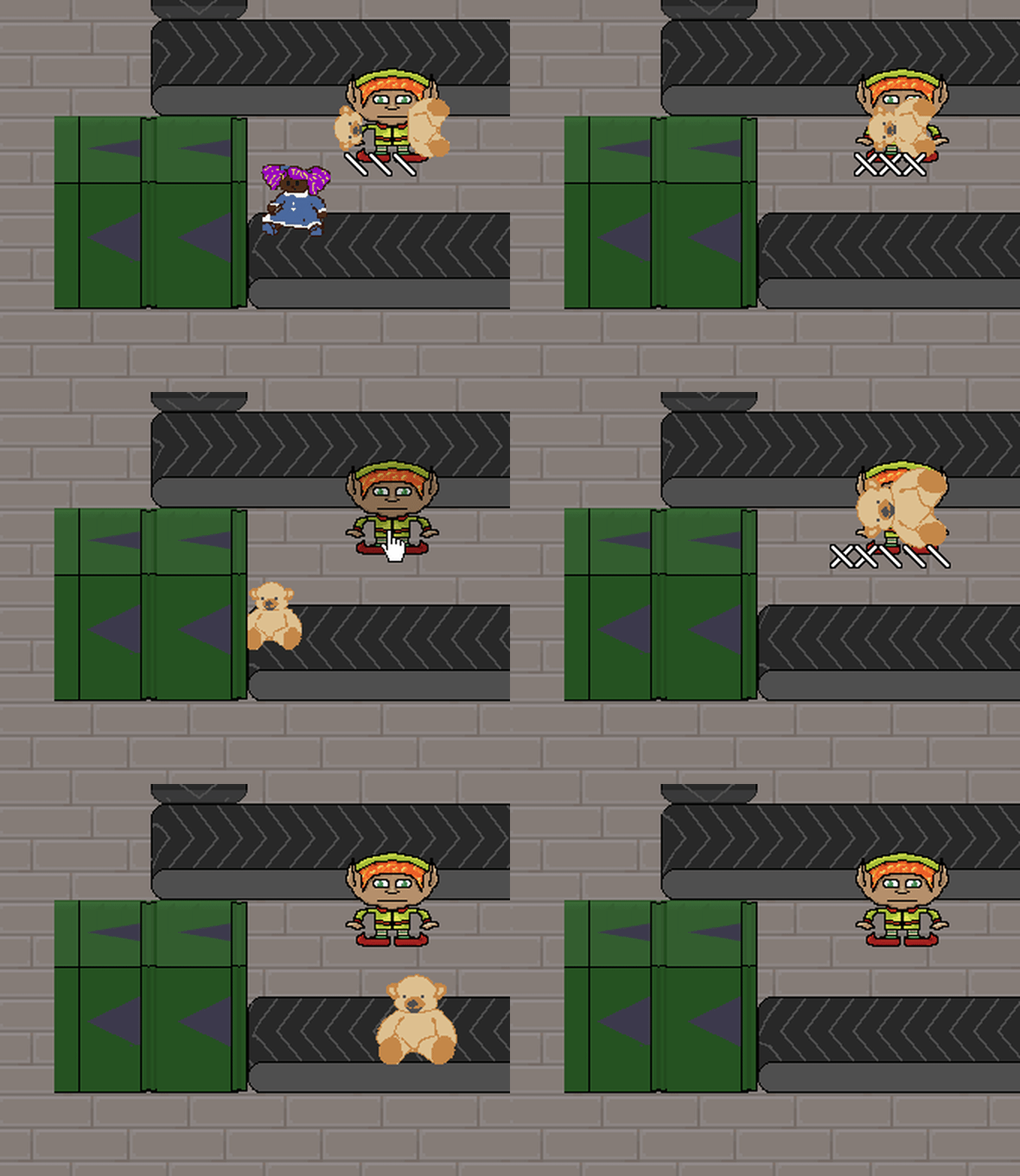
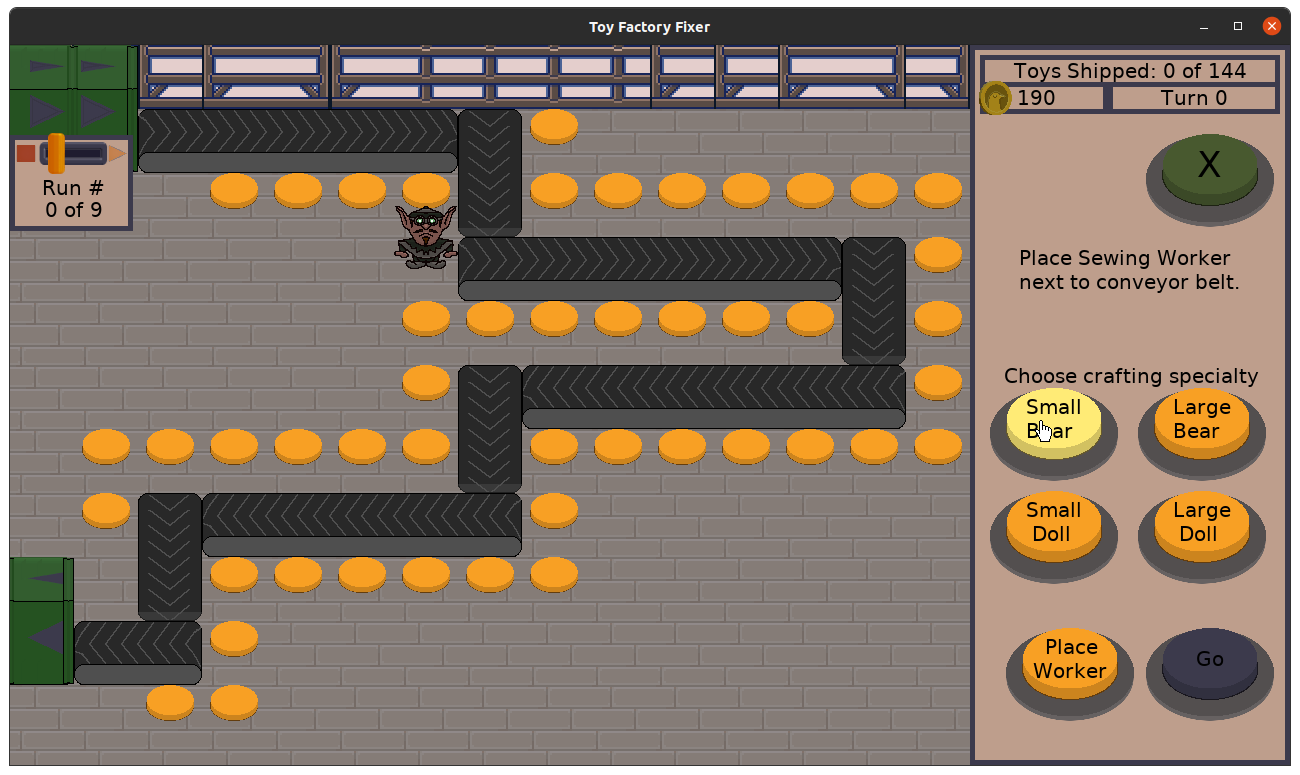
I decided that not only are sewing specialists really fast at crafting Good Toys, but they’ll do it automatically. You just tell them what kind of toy to specialize in, and they’ll focus on it. If the parts are available, they’ll immediately start crafting it when the next turn starts.

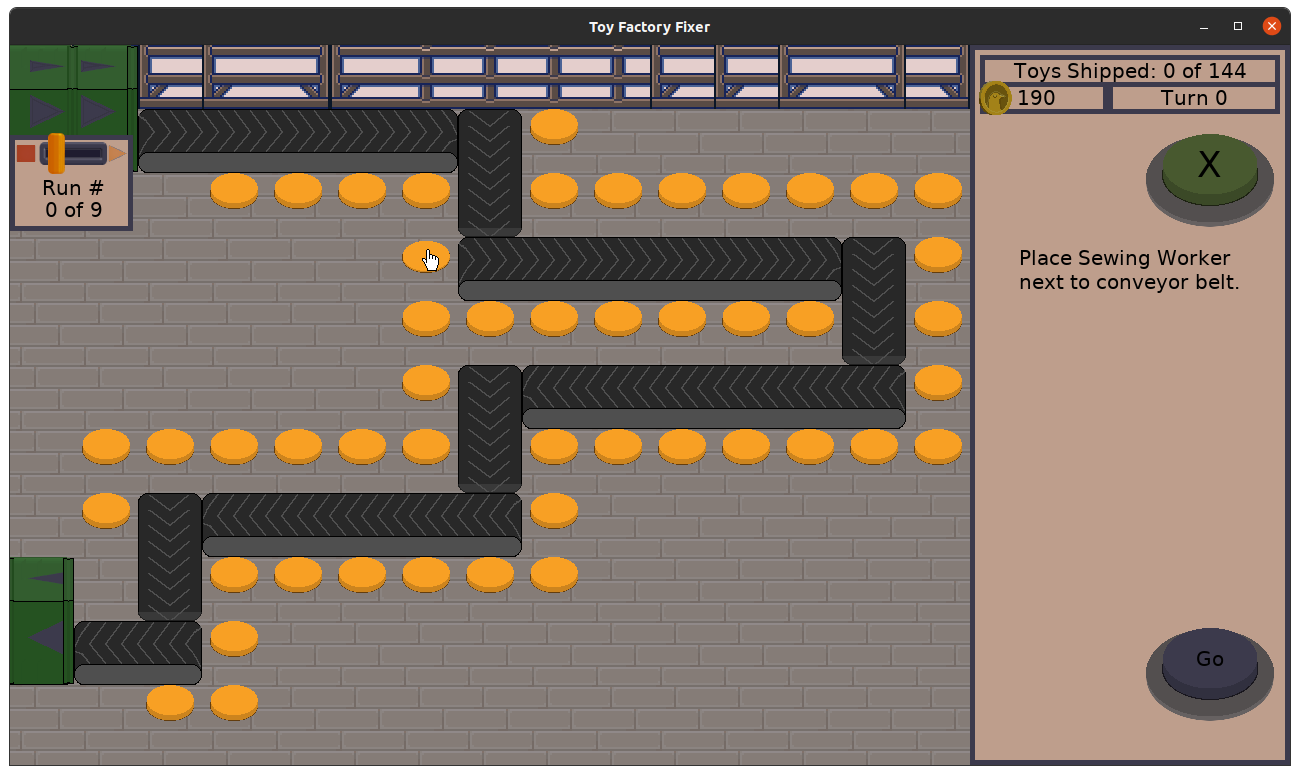
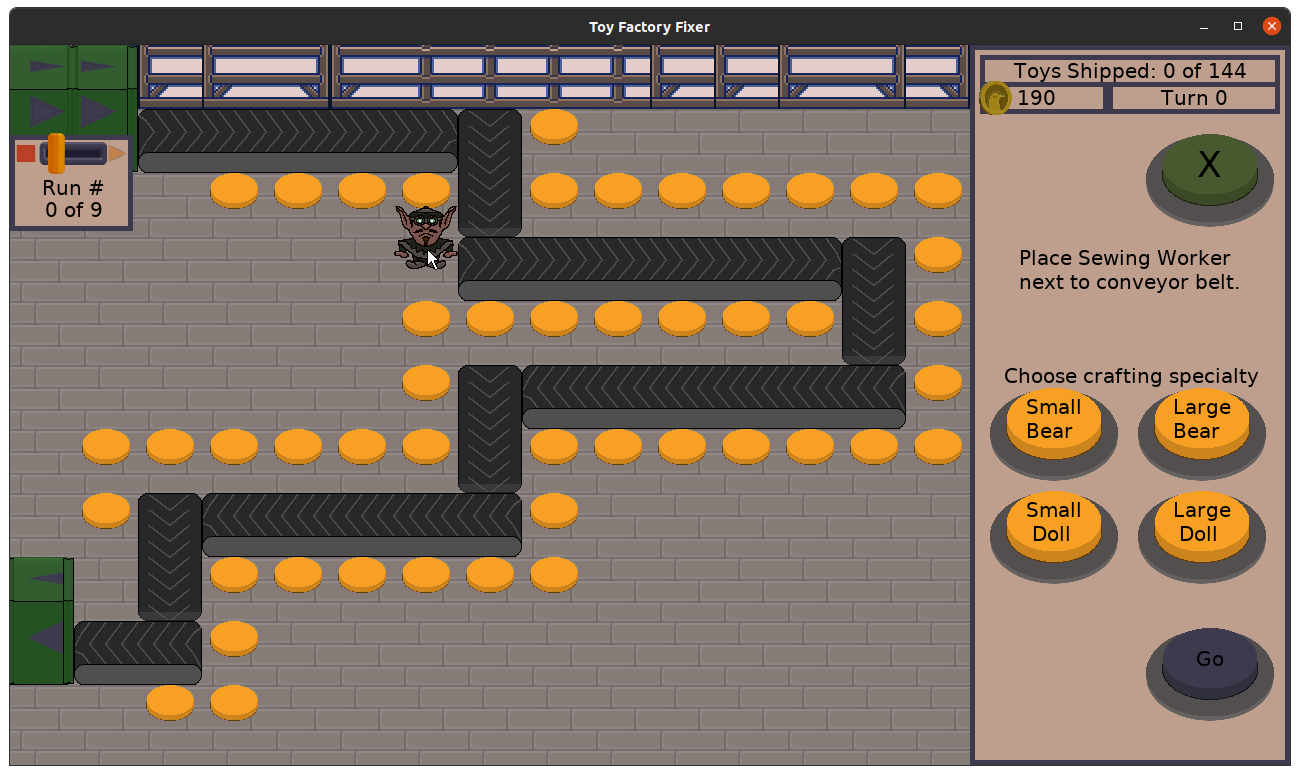
Toy Factory Fixer - selecting a sewing specialist

Toy Factory Fixer - selecting a sewing specialist

Toy Factory Fixer - selecting a sewing specialist

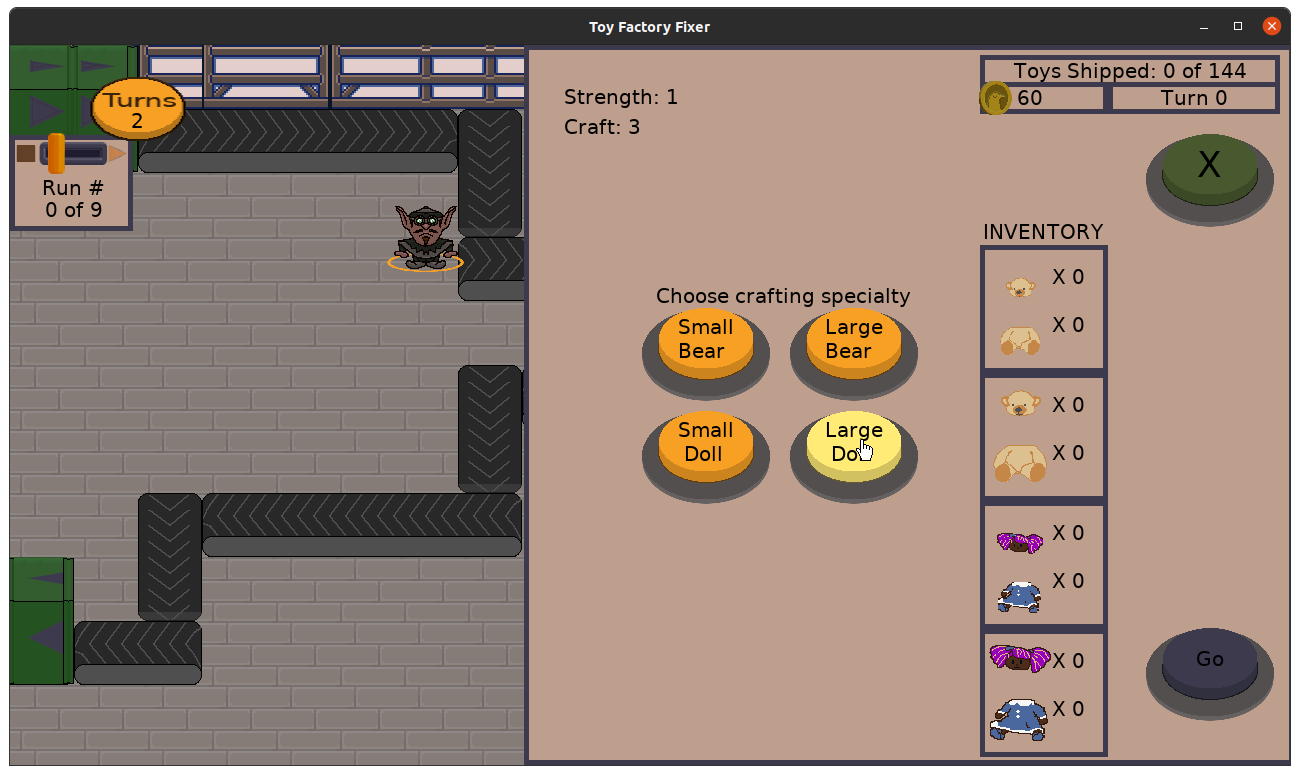
You can also change the specialist’s specialty whenever the worker is idle:

Toy Factory Fixer - changing specialties

What’s funny is that this way of assigning work was something I was toying with as an idea for all of the workers, partly out of concern that it is tedious to need to continually tap to tell workers to craft toys. Now it is a feature that helps to differentiate a particular worker.

The only downside? I decided that they MUST have a crafting specialty at all times, and they will NOT work on separating toys.

My thinking was that this was the big tradeoff you were making when hiring a sewing specialist: a faster worker you don’t have to micro-manage, in exchange for not expecting this worker to pick up any Bad Toys that pass them by on the conveyor belt.

And now I have three very unique worker types that I hope are each compelling.

Unfortunately, I ran out of time to actually create a new level for this worker, but I can focus on it next time, as well as some visual indicators to make it clear when this worker is idle and unable to craft new toys in their current specialty.

Thanks for reading!

Want to learn when I release updates to Toytles: Leaf Raking or about future Freshly Squeezed games I am creating? Sign up for the GBGames Curiosities newsletter, and get the 24-page, full color PDF of the Toytles: Leaf Raking Player’s Guide for free!
Categories
Game Design Game Development Geek / Technical

Freshly Squeezed Progress Report – New Training Level and Fixed Defect

In the last sprint report, I reported that I had made strong workers more valuable by giving them the ability to separate two toys at once, which was a more interesting way of balancing them against normal workers than merely modifying some stats.

I continued to work on creating the level that introduces them in this past sprint.

Sprint 41: Training levels

Unplanned and Completed:

  • Defect: Workers seem to hold onto toys long after they should have been separated, eventually letting them go

Planned and Incomplete:

  • Show tooltips during game based on triggers
  • Create floor training levels/tutorial

I spent less time on game development last week than I have since May, and it was one of my top four least productive weeks of the year according to my records.

And since I needed to spend time actually figuring out what tooltips will look like and how they will function, and I needed to figure out how the third worker type will be unique, the lack of time dedicated to it wasn’t great.

That said, I did manage to finish creating the third training level, which introduces the strong worker, and while play testing it, I discovered a serious bug that had a silly cause.

Investigating and resolving a major defect

At one point I noticed that some of the workers would hold on to a Bad Toy they’ve separated. They should immediately toss the parts into your inventory, but they wouldn’t.

I added some debugging text to figure out if it was a weird issue with the health of the bear or the type of worker or something, but eventually I figured out that it was due to the fact that toys now have unique IDs.

Since workers can now work on separating multiple toys, I needed a way to tie the toys they were working on to the worker and vice versa, mainly for rendering the correct things on the screen. Toys already knew which worker was holding them, but workers now knew which toys they were holding onto by their unique IDs.

Which is fine when those IDs are, in fact, unique, but weird things happen when two toys are on the screen with the same ID.

Which happens when I configure a level’s production runs by reusing toys that I add to the dispenser.

So basically on the third level, around production run 8, there are a set of toys that are dispensed and I wanted the same type of toys to get dispensed shortly afterwards, and basically I accidentally put toys with the same ID on the screen at the same time.

So a worker would work on, for example, a toy with ID 85, but another toy with ID 85 would be on the conveyor belt elsewhere. The worker would finish separating toy #85, but when the code looked to see which toys were finished being separated, somehow it would find the non-separated and pristine toy #85, and so the worker wouldn’t let go of the toy.

So the easy fix was to just configure the level with unique toys, but the risk is still there if I forget and do the otherwise easy-to-make mistake of re-adding toys that were already created.

Eventually I was happy with how well the third training level worked, and I started working on the fourth training level, which introduces the third worker, the sewing specialist.

Making the third worker also unique

One thing I liked about giving the strong worker the ability to work on multiple toys at once was that it made the strong worker more than a mere change in stats from the normal worker. They are truly two different types of workers.

Originally the strong worker was very strong at separating and very weak at crafting, and the sewing specialist was very strong at crafting and very weak at separating.

The obvious thing to do with the third worker was to allow them to craft two toys at once, to mirror the strong worker’s ability to separate two toys at once. It was a bit more challenging a task since I would need to change the crafting menu somehow to make it easy for the player to communicate that they want two toys to be crafted, and I would need to figure out what UI challenges to overcome there.

But the more I thought about it, the more I wanted to make this worker type similarly unique and not a mere mirror of another worker type. It just wasn’t compelling enough to me to have a worker that can merely craft two toys at once.

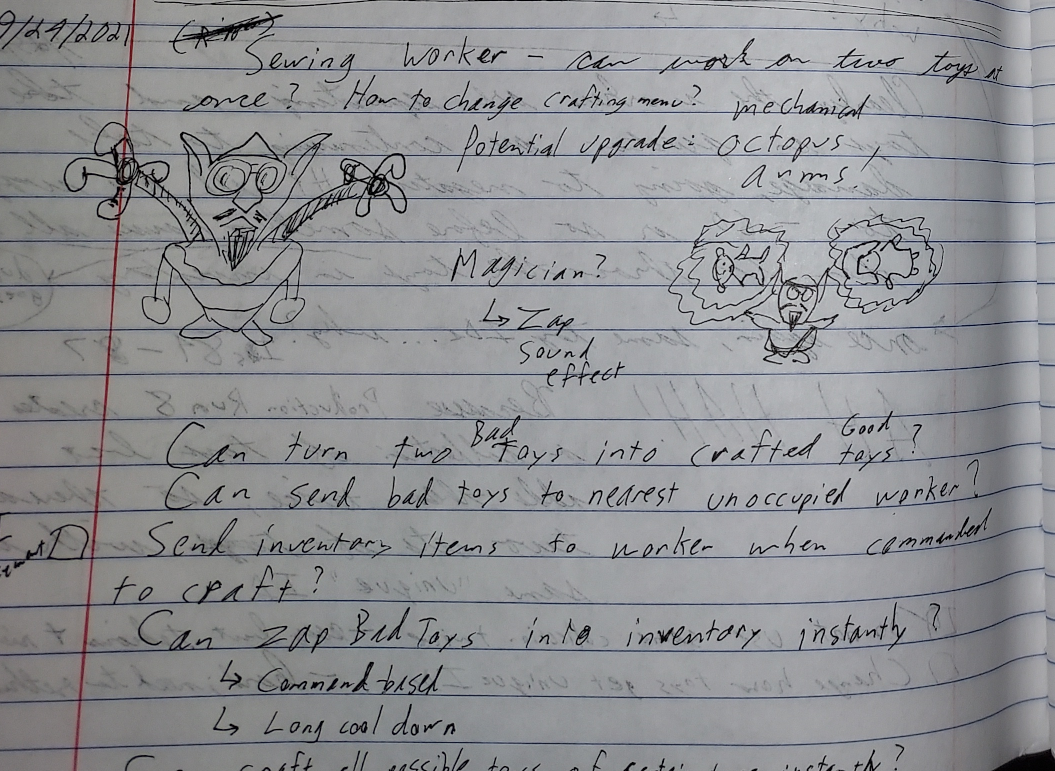
Toy Factory Fixer - notes for designing the third worker

I thought about how crafting serves a very different purpose from separating, and how important it gets towards the end of a level when you are no longer getting more parts in your inventory but are instead trying to get as many toys put together as possible.

Maybe the sewing specialist can take two compatible Bad Toys and instantaneously turn them into Good Toys? I liked this idea, but the problem was that the toys coming down the conveyor belt wouldn’t always be compatible. So should this worker pick up two incompatible Bad Toys and try to separate them? Or should they only pick up one Bad Toy at a time unless they can pick up two compatible toys? There was a lot of complexity here.

Then I reflected on how tedious it can be to tap on a worker, tap on a button to tell that worker to craft, and repeat.

I thought about having the worker instantly craft an arbitrary number of Good Toys at once, based on parts in inventory and the worker’s capacity (2, 3, or even 10?), with a potentially long cooldown period in which that worker couldn’t do anything. I still like this idea, but then I thought of another.

What if the sewing specialist’s unique ability is to be told to craft a certain toy type once, and they will continue to craft until the parts inventory is empty for that type, and will continue once those parts are available again?

It kind of reminds me of games like Cookie Clicker, in which you manually do some tasks, but eventually you can earn enough to purchase things that automate those tasks for you. Maybe there is value in giving an option to avoid the otherwise tedious activity? Which makes the tedious activity less of a design defect and more of a purposeful part of the game?

So what’s the downside to having this worker automatically crafting toys? Maybe you would prefer to choose a different worker in a different location to craft a particular toy, but you can’t stop this worker from doing so first, which might mess with your strategy if you were trying to finish a level in the fewest turns.

More obviously this worker can’t pick up and separate Bad Toys when crafting, but should this worker not have the ability to do it at all? Is there no such thing as this worker being idle, or can the worker be idle if there are no parts to craft and so is available to collect Bad Toys on the conveyor belt?

And if the worker is assigned to crafting a single type of toy, what if you want to switch them to a different type? Should there be a cost to reassigning the task? Is the cost money, or a worker who can’t do anything for a few turns?

Some of the work I have ahead of me is figuring out how to communicate to the player which kind of toy this worker is trying to craft when they are otherwise looking like they are idle.

But the role of this third worker clearly needs more time to marinate.

Thanks for reading!

Want to learn when I release updates to Toytles: Leaf Raking or about future Freshly Squeezed games I am creating? Sign up for the GBGames Curiosities newsletter, and get the 24-page, full color PDF of the Toytles: Leaf Raking Player’s Guide for free!
Categories
Game Design Game Development Geek / Technical

Freshly Squeezed Progress Report – Now Separating Two Bad Toys at Once

In the previous sprint’s report, I made it clearer how much a toy is worth when you ship it, and I spent time designing and thinking about some aspects of the game’s levels and UI.

This past sprint I focused on changing the way the Strong Worker behaves.

Sprint 40: Training levels

Planned and Completed:

  • Make strong worker able to work on two toys at once

Planned and Incomplete:

  • Show tooltips during game based on triggers
  • Create floor training levels/tutorial

There was a lot going on at the day job as I wrapped up a project there, so I once again didn’t put in as much time on this project as I would have liked.

As I mentioned a few sprints ago, I realized that the Strong Worker wasn’t as valuable as hiring two Normal Workers. I could try to tweak the hiring costs to balance things, but then the Strong Worker would be merely a variation on the Normal Worker, which did not feel very interesting at all.

So I decided to enhance the Strong Worker by giving them the ability to separate two Bad Toys at the same time.

And it turned out to be a bit more complex than initially anticipated, even though I spent a bit of time anticipating.

Originally toys knew if they were held by a worker, but they didn’t know whether they were being crafted or separated. Workers didn’t know about the toys they held, but they knew if they were crafting or separating. And somehow this worked fine.

But now workers had a capacity for how many Bad Toys they could separate, which meant they needed to know what toys they were holding at once. And rendering the toys required knowing if they were being held by a worker who was holding another toy so that they toys would be offset from each other.

And I noticed that when the worker threw both toys at the inventory that you couldn’t easily see it, so I added variations to the arcs of the throws.

And then I had to fix the problems I introduced in which toys would disappear if they were technically still considered “held by” a worker who didn’t think they were working on any toys resulting in messed up math.

But in the end, it looks relatively good, and now I can see how much impact on the balance of the game there is to have a Strong worker who can do the job of potentially two Normal Workers.

Toy Factory Fixer - Strong Workers separating two toys at once

Which of course got me thinking about what could make the third worker special and unique.

Thanks for reading!

Want to learn when I release updates to Toytles: Leaf Raking or about future Freshly Squeezed games I am creating? Sign up for the GBGames Curiosities newsletter, and get the 24-page, full color PDF of the Toytles: Leaf Raking Player’s Guide for free!
Categories
Game Design Game Development Geek / Technical

Freshly Squeezed Progress Report – Communicating Good Toy Value

In the previous sprint report, I had created a number of enhancements to make Toy Factory Fixer easier to understand and play. More importantly, I got some great insight into how the Strong Worker actually works and decided I wanted to change it.

I had some big ambitions for this past week’s sprint, but other priorities took over.

Sprint 39: Training levels

Planned and Completed:

  • Show Good Toy rewards in crafting menu

Planned and Incomplete:

  • Make strong worker able to work on two toys at once
  • Show tooltips during game based on triggers
  • Create floor training levels/tutorial

While I managed to put in more game development hours than I normally do, the lion’s share of that time was actually spent on updating Toytles: Leaf Raking, my leaf-raking business simulation game.

Both Google and Apple have updated their requirements for apps in their stores, and so I needed to update the game to work on the latest Android and iOS devices. I have been putting it off, but with autumn starting in the northern hemisphere soon, and since the game is about running a business raking leaves, I wanted to ensure the game works for everyone.

Which meant that I didn’t get to make much progress on Toy Factory Fixer.

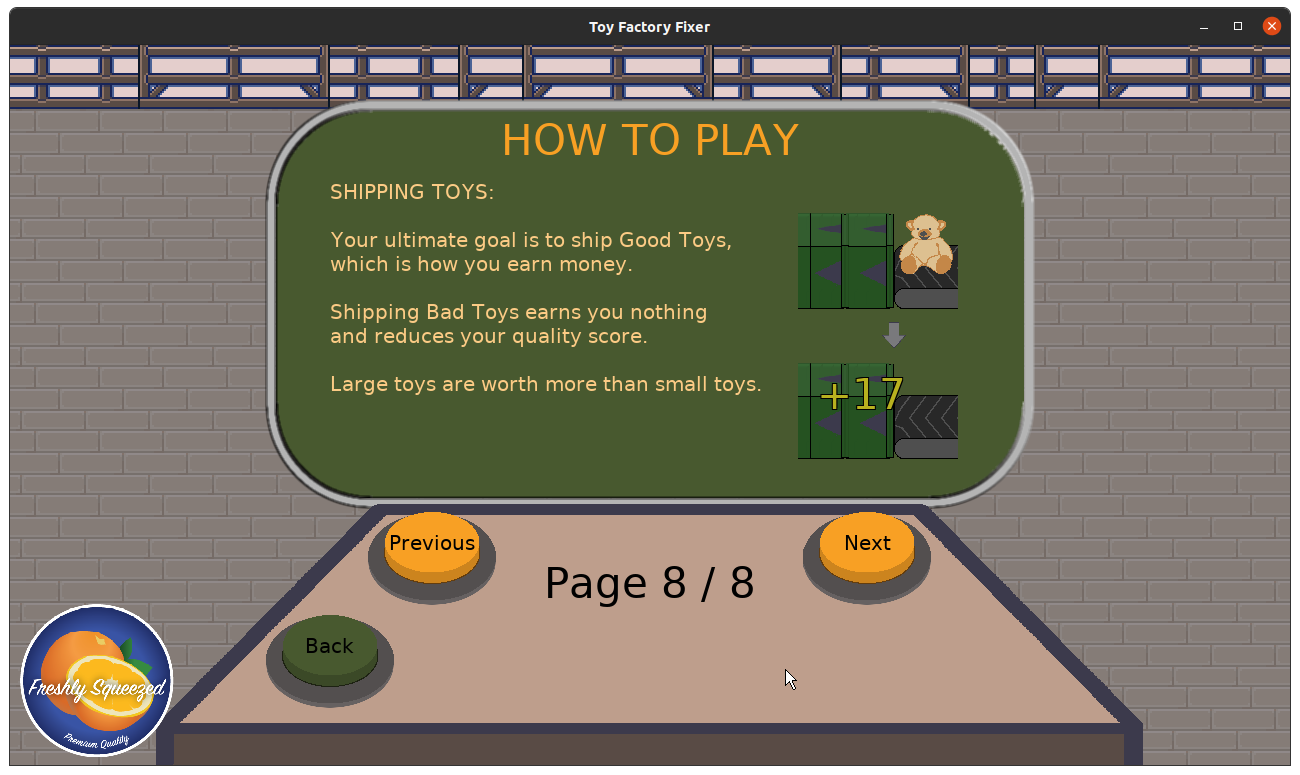
I did spend a bit of time trying to make it clearer to the player how much Good Toys are worth AND make it clear that they need to be shipped to get that value.

So after some good advice from people on Twitter, I ended up changing how money was shown in the game in order to create as concise a visual formula as I could.

If you recall from last time, I added the new pigeon gold coin, and any monetary amounts were shown next to that coin. The problem was that the icons to show “ship something to get XYZ money” were getting kind of long and awkward.

Well, rather than have the money amount next to the coin icon, I decided to put the amount on top of the coin.

Which meant I needed to change the saturation so that the letters read better. Here’s what it looked like before:

Toy Factory Fixer - coins in UI

And here’s what it looks like now:

Toy Factory Fixer - updated coin text

And now here’s the crafting menu with the formula shown:

Toy Factory Fixer - Good Toy value formula

I think the shipping chute could use some more work to make it clear what it is. I was thinking about changing it into a van or truck, so the toys jump off the conveyor belt into the back of it, and so a small truck icon should read more clearly.

And of course, if there is a truck, it should drive away at the end of the level, right?

I otherwise spent time working on designing tooltips. First-time players seem to struggle with understanding what to do in the game, and so I think it makes sense to throw in some animated arrows or word bubbles that basically say “Tap here next!” at the appropriate times.

I was also thinking about the level design, wondering if I could create two or three separate levels using the same level layout. Basically, in an attempt to make the game challenging, I might have made it too difficult. And my first few levels are called “training levels” so maybe it makes sense for them to go easy on new players. Maybe I can make three levels and call them 1st shift, 2nd shift, and 3rd shift, and each gets progressively more challenging. Then you can move on to the next level layout’s three shifts.

And of course, I would love to implement the ability of strong workers to work on separating two Bad Toys at once. I have also been thinking about what that means for the uniqueness of the Quick Sewing Worker. Should they be able to work on multiple Good Toys at once? Is it enough that they work on one Good Toy very fast compared to Normal Workers? Should they be able to do something else entirely, such as throw Bad Toys at the nearest idle worker?

And at what point is it feature creep as opposed to merely trying to make sure this game makes a good impression when it is finally released?

Thanks for reading!

Want to learn when I release updates to Toytles: Leaf Raking or about future Freshly Squeezed games I am creating? Sign up for the GBGames Curiosities newsletter, and get the 24-page, full color PDF of the Toytles: Leaf Raking Player’s Guide for free!
Categories
Game Design Game Development Geek / Technical

Freshly Squeezed Progress Report – More Enhancements and Level Design Insights

Last week, I gave a report for two sprints in which I fixed a few defects, added a few enhancements to the user experience, and worked on new training levels.

My plan was to continue creating training levels this past week.

Sprint 38: Training levels

Planned and Completed:

  • Show current production number
  • Disable hire button if no workers can be hired
  • Create gear icon for Options menu in game

Unplanned and Completed:

  • Add delay when the production run button is available
  • Defect: Special effects can stay on screen if level reset while active

Planned and Incomplete:

  • Create floor training levels/tutorial
  • Show Good Toy rewards in crafting menu

You know how sometimes when you are play testing your own game that you wish you had more insight into what is going on? And you can always add debug text to help, but other times it is something that any player might want?

Yeah, I found it annoying that my levels have 9 production runs but that there is no indication which production run is currently in play. That is, I can see how many toys I’ve shipped compared to how many toys are possible to ship, but I had no in-game way to know which of the production runs I was in and which one would be next. So I added an indicator, which also has the nice bonus of giving the lever indicator a home to anchor to so it didn’t look like it was floating separate from the dispenser.

Toy Factory Fixer - production run indicator

Due to how the turn order operates, if there is a lot going on, there is a natural delay between turns. That is, if workers are grabbing toys, crafting toys, separating toys, and dropping toys on the conveyor belt in a single turn, there might be a substantial delay. But if none of those things are happening, then going from one turn to the next takes very little time.

Which is annoying when you are trying to tap the “next production run” button because you want to launch the next run early and get the sweet, sweet monetary bonus for doing so.

And in play testing, I see that people don’t generally realize they can tap that button. So I made it flash each turn, which should help highlight it to players, and I ensured that the flash will last a certain amount of time. If other things are happening, then the flash will likely be over before the turn is. If nothing else is happening, then the next turn won’t start until the flash ends.

Toy Factory Fixer - production run button flashing

It’s one of those kill two birds with one stone kind of things.

Addressing playtester feedback

Speaking of birds, I wanted to add pigeons to my games. Because I like pigeons. I also remember back when the N64 was new that every game had a penguin, and I figure there is a precedent for adding arbitrary birds to games.

While I had pictured a pigeon flying around the toy factory floor, periodically landing when the game is paused or stopped, but I couldn’t justify the time to do something like that when there is so much I still needed to do.

BUT! I decided that I could at least do something about how the cash in the game doesn’t really have any visual indicator except for the text “Money” in the UI.

While creating a visual money indicator meant that it would be easier for me to show what the reward for shipping different Good Toys would be, the real reason is because I wanted pigeons in the game.

So I created a gold pigeon coin:

Toy Factory Fixer - Gold Pigeon Coin

Blown up at full size, it looks a bit ugly and rough, but shrunk down, the coin looks decent enough.

Toy Factory Fixer - coins in UI

Toy Factory Fixer - coins in UI

Unfortunately, I wasn’t able to finish the work of indicating to the player how much a Good Toy is worth because I didn’t know a good way to do so. If I put it in the main inventory boxes, it could look like I was saying you had that much coin in there. If I put it in the crafting menu, it might look like I was saying that you would earn that money for merely crafting the Good Toys.

Maybe I needed to create a separate overlay that appears if you tap on the crafting formula or the inventory? Maybe I just put in some initial help text? I don’t know. I’m going to ask for advice from colleagues who might have more experience with UI development.

I disabled the “hire” button if you can’t afford to hire any workers, partly because I noticed that my wife would focus so much attention on managing the workers that she missed the fact that she had earned enough money to hire more workers to make it easier. So now, if the button is dark and unlit, you know it isn’t possible, but if it is orange and lit, you know you can.

I also replaced the options button with a gear icon. I’m not exactly happy with it. It doesn’t look like the other buttons, which is good because it clearly looks different enough that you won’t get confused with a regular in-game button, but now it might not look like you can press it at all.

Toy Factory Fixer - new gear icon

Learning more about the nature of strong workers

In the previous sprint, I had almost finished up work on a third training level which introduced the strong worker, who can separate toys much faster than normal workers but can’t craft as fast.

And the level seemed to work great as I did my own playtesting. Depending on how many workers I hired and where I placed them, I found more than a few strategies I could employ.

Then I decided to replay the level and not hire any strong workers at all, and I was disheartened to find out that it was actually easier to do very well without them. Whoops.

Part of this is because I didn’t do any real balancing yet. I had lowered the cost of hiring a normal worker when creating the first two levels, but I didn’t change the cost of hiring the strong worker yet. So it cost more than twice as much to hire a strong worker than a normal worker.

But strong workers aren’t twice as good at separating Bad Toys. I mean, they do take one turn to separate a small toy while a normal worker takes two turns, but you could always hire two normal workers instead of one strong worker, still be 10 pigeons ahead (haha, now my game has its own slang for money), and having two normal workers means you stop two Bad Toys from advancing while one strong worker still only stops one toy.

On top of it all? The strong worker’s role comes early in the game. That is, you want strong workers to grab toys as soon as they get dispensed, so you’ll place them near the beginning of the conveyor belt. If you want to get the best grades, you want to use as few turns as possible, so you don’t want workers near the beginning of the belt to do much crafting because then Good Toys have to travel a lot more around the conveyor belt, and therefore using more turns, before getting shipped.

But I found that the end of the level requires a lot of crafting, as your inventory is fairly full, so you’ll use your normal workers at the end of the conveyor belt to do that work, and your strong workers are fairly idle.

It makes me think that introducing strong workers should come after the workers who are experts at sewing.

I obviously need to lower the hiring cost of the strong worker, and I can model some in-game economics better in order to come up with a better number.

But I also wonder if the strong worker should have a special ability to work on two Bad Toys at once. Having a single worker who can be placed in an optimal position AND can do the work of two normal workers? And if I can create a fun animation, like the strong worker slamming the two Bad Toys together like a bouncer dealing with rowdy patrons? It seems so satisfying and fun. At least, in my head.

And this is when I worry about the difference between feature creep and must have.

I can imagine a future version of this game in which you can train workers to “multitask”, so it costs money to essentially upgrade a worker with the ability to work on two toys at once. I already have the ideas of training and purchasing items as things that won’t go into this version of the game.

But I think it would let the strong worker have more character if they aren’t just a normal worker with a different piece of art and slightly different stats. Merely lowering the hiring cost might not make them interesting enough, but having them be able to tackle two Bad Toys at once? That’s interesting.

Anyway, it’s September now, and the game is still continuing to get better and better yet hasn’t gotten to the point where I feel good releasing it yet.

Thanks for reading!

Want to learn when I release updates to Toytles: Leaf Raking or about future Freshly Squeezed games I am creating? Sign up for the GBGames Curiosities newsletter, and get the 24-page, full color PDF of the Toytles: Leaf Raking Player’s Guide for free!
Categories
Game Design Game Development Geek / Technical

Freshly Squeezed Progress Report – More Training Levels and Minor Fixes

I missed my sprint report last week due to being on a long weekend vacation with my family, so here’s double the report!

Two weeks ago, I reported fixing some major game play issues and getting the first level of the game into a finished state.

I continued working on the levels and addressing things as I saw them.

Sprint 36: UI enhancements and training levels

Planned and Completed:

  • Worker menu should allow other workers to get picked
  • Unpause after leaving a menu that auto-paused

Unplanned and Completed:

  • Defect: Hire menu doesn’t update when money is added
  • Defect: Clicking disabled button in crafting menu takes you to place worker menu, which crashes the game when used

Planned and Incomplete:

  • Create floor training levels/tutorial

Sprint 37: Focus on creating training levels

Unplanned and Completed:

  • Defect: Color changing doesn’t affect worker eyes, making them look weird

Planned and Incomplete:

  • Create floor training levels/tutorial

As I mentioned in the last sprint report, I made some changes to the flow of the game based on play tester feedback. One of those things was automatically unpausing the conveyor belts once you leave a menu that paused it.

Now, I’m worried it is a bit clunky, but I think part of the problem is that there is no visibility into whether you are merely paused or actually stopped. You can see the presence of the Stop button as a clue, but I think it is too subtle.

So I decided to revisit the lever widget I made, which sits on top of the dispenser sprite to indicate if the game has stopped or is playing. I want to make an intermediate state that shows the game paused instead.

I finished this work, which shows that the state is “paused” as opposed to “stopped.”

Toy Factory Fixer - paused indicator

I fixed a defect in which the hire menu would not update the buttons if you happen to earn enough money to hire a worker. Basically, when you bring up the menu, it checks the current state of the game and enables buttons if you can afford to hire a worker. But once you earned more money, you would need to exit and reopen the menu, which was ridiculous and also an easy fix.

I also apparently introduced a defect in which one of the crafting buttons, if disabled, was not using the correct value, so tapping on it would cause the wrong thing to happen, and in this case could lead to a crash. I fixed that issue as well.

One thing I found annoying was that I might be in a menu, and decide to tap on one of the workers to go to their crafting menu, but I couldn’t. I would need to exit a menu, THEN open the crafting menu. I changed it so that so long as the worker was visible on the screen, you could tap on them at any time, which made the game feel a lot less clunky to play.

And a minor defect that was really bothering me was that the blinking eye animation that I added to the workers was not changing colors with the rest of the worker. The changing color was an indicator that the worker was idle and could craft something, but since the eyes weren’t also changing color, it just looked wrong. It looks a lot better now.

Otherwise, I focused on putting together actual playable levels rather than the test levels I was using. I managed to get two training levels completed, introducing the different toy sizes and two of the three worker types.

Toy Factory Fixer - new training levels

My main challenge in creating these levels is that I want it to be possible to get A+ in each of the three grading criteria if you play perfectly, yet also get an OK grade if you make at least some effort. And I’m still figuring out what “playing well” looks like.

In one level, I set a target shipment deadline of 190 turns, and then I realized I had forgotten to add a ninth production run of toys, so I thought I would need to increase the required number of turns. Shortly afterwards I also discovered a new optimal way to place the workers which helped cut down the number of turns substantially enough that I got the level finished in 186 turns! So I kept it at 190 and did not put it at 186 because I figured a player would feel more delighted about doing better than the game suggests they could do.

I am finishing up work on the third training level that introduced the stronger workers who can separate Bad Toys faster. It mainly involves testing the game play and seeing if it needs to be more or less challenging, and then I’ll work on the fourth level which introduces the faster crafting workers.

Unfortunately, I don’t have a plan for the number of levels I want to release the game with. Perhaps I’ll add one more level with all of the elements in place.

Meanwhile, my wife play tested some of these levels, and she helped me uncover a few UI issues that I want to fix before the official release, such as how hard it is to realize you have enough money to hire more workers if you are busy paying attention to everything else.

It’s also perhaps too hard, especially for what are supposed to be “training” levels.

I had originally intended that the game play would be the opposite of frantic. It is technically turn-based, but I find that you still have to be fast to do well, stopping the advancement of turns at the right time. So it isn’t quite as forgiving as I wanted it to be, and I’m still figuring out how to address it.

The adage about the first 90% of the work being hard and the last 90% of the work being harder has some truth to it.

Thanks for reading!

Want to learn when I release updates to Toytles: Leaf Raking or about future Freshly Squeezed games I am creating? Sign up for the GBGames Curiosities newsletter, and get the 24-page, full color PDF of the Toytles: Leaf Raking Player’s Guide for free!
Categories
Game Design Game Development Geek / Technical

Freshly Squeezed Progress Report – UI Enhancements and Training Levels

In last week’s sprint report, I added more effects to make the workers seem more alive, streamlined the player’s start to the game, and updated the grading criteria for the end of the game. I also started work on creating the first level of the game.

My plan for the last week was to continue creating and tweaking the training levels as well as addressing some issues I noticed during recent play tests.

Sprint 35: UI enhancements and training levels

Planned and Completed:

  • Prevent worker menu from showing actions that aren’t possible
  • Make Options menu clearly separate from game play menus

Unplanned and Completed:

  • Defect: Prevent player from commanding worker until after turn is finished processing
  • Unpause after leaving a menu that auto-paused

Planned and Incomplete:

  • Create floor training levels/tutorial
  • Worker menu should allow other workers to get picked

So having other people participate in play testing is invaluable for a game’s development. I might regularly dive deep into an aspect of the game, but even if I come up for air and try to get a sense of the whole of it, I know too much.

I play the game based on my own understanding of it, which is much more comprehensive than someone hasn’t been working on it almost daily for 35 weeks.

All this is to say that it was very eye-opening to see what areas of the game made someone struggle that I wouldn’t have noticed, such as not knowing where to tap on the screen, knowing what to do at any given time, or even getting frustrated when trying to do something only to have the game simulation catch up and take the option away.

I watched my wife play the game for the first time in weeks, so there were a lot of enhancements since her last play test, and this was the first time she played on what is a candidate for a final version of a level that will make it into the game.

One thing she uncovered turned out to hide an insidious bug that I thought I had already addressed.

Preventing workers from doing two things at once

Basically, the game runs in turns. A turn runs in phases, such as moving all of the toys down the conveyor belt, or allowing idle workers to pick up nearby Bad Toys, or letting workers do their jobs, etc.

After a turn starts, it continues through the phases until it is done. So even if you tap on a button or a worker and open up a menu, the turn continues until all phases are done.

What was frustrating my wife was that she sometimes wanted to tap on a worker to open up its crafting menu, but before she could tell it to craft anything, it would pick up a Bad Toy and so would be unavailable to craft anything. Doh!

So I made a note to try to address that problem.

But what I uncovered in my own experimenting with it is that you can, in fact, tell the worker to craft a Good Toy while it is simultaneously grabbing a Bad Toy, which means two toys end up being held by the worker.

Oddly, due to how crafting and separating work, the very next turn would show the worker throwing a Good Toy on the belt, and I have no idea where the Bad Toy went.

So a minor annoyance was actually hiding a major defect.

I ended up making workers show as busy when a turn is progress, but as soon as the turn is over, the crafting menu will appear if it is available. So now it is impossible to get into that state, and despite my worries, it actually doesn’t feel terribly arbitrary.

You tap a worker, open up its menu, and you see “Worker is currently busy” for a moment, and then either the worker stays busy or the crafting menu appears.

It occurred to me only now as I write this sprint report that it is possible for certain phases to allow a pause. The reason why the turn phases finished no matter what was because when I didn’t have them do so, I ran into a similar defect. When you opened the worker menu, the crafting menu would appear, but one of the phases checks to see if a worker is idle and is ready to pick up a Bad Toy. So if you told the worker to craft after that phase, the worker would be seen as eligible when it really wasn’t, and so you would see the worker hold two toys (and sometimes lead to a crash).

But perhaps some phases, such as one before checking worker eligibility for picking up Bad Toys, could allow you to command a worker, so at the start of a turn the worker is idle, but partway through the worker would be busy, and so long as the change happens at safe times within a given turn, it would be fine AND might feel more responsive.

Well, maybe I’ll try that approach if I get more feedback about it or if the current approach starts to bother me enough.

Clearer UI and menus

I also noticed that it isn’t always clear which button to press, so I made a number of changes.

Before, the options menu looked like it was part of the game, which kind of hid the fact that it was basically asking you to quit the game.

Toy Factory Fixer - old options menu

The new options menu makes it very clear that it is separate and asking some very big questions:

Toy Factory Fixer - New options screen

I also changed the “Back” button and “Options” buttons to be more iconic and gave them a different color, which might help with communicating that they are different. I also made sure that the back button was in the same location on each menu, as before it was inconsistent, which means a player can’t use muscle memory and also means the game feels inelegant and awkward.

The back button was now a big X, which required updating the helper code that creates those standard looking buttons to allow me to pass in an arbitrary font.

And since I did so, I might a well make the bigger buttons use a bigger font.

Also, I added bigger buttons to certain menus to make it clear what the player is encouraged to do next.

Here’s the old level configuration options menu:

Toy Factory Fixer - Level Configuration

And here’s the new menu, with a bigger and clearer call to action:

Toy Factory Fixer - updated level configuration menu

Even the main menu, which already had a large button, now looks better with a bigger font:

Toy Factory Fixer - Game Play

vs

Toy Factory Fixer - enhanced main menu

A simple thing like making the font bigger on the bigger buttons really adds to the clarity of the game.

Automatically unpause the game

Another play tester gave me this same feedback across multiple builds, so I decided to experiment with a change that might address it.

The game runs in turns, but to avoid tedium, the player doesn’t have to advance turns manually. There is a Go button that starts the turns, and the turns will advance until the player hits the Stop button. Then the current turn will finish, and the next turn won’t start until the player hits Go again.

I wanted the game to be more about thinking than about dexterity, and so the expected way someone would play is that they might tap a button to open a menu, and when that happens, the continuous turns would stop automatically. Then the player can plan, tell a few workers to craft something, or even hire a worker, and do so on their own time. When they are ready, the player can hit Go.

But my play tester found that it broke the flow of the game. Basically, when he opened a menu, the game seemed to pause, but when he was done with the menu, either by taking an action or hitting back, he expected that the game would start back up again instead of requiring him to hit the Go button each time.

So I thought, “Why not?” and tried to implement a pause/unpause. So instead of a menu resulting in the continuous turns stopping, the turns would be paused, and exiting the menu would unpause. I changed the turn update code to only advance if the turns were advancing AND the game was not paused.

I needed to make sure that turns started advancing again once you unpaused, which introduced a problem.

Let’s say you have three idle workers. If you tap on one, you can tell the worker to craft a Good Toy. But as soon as you do, the next turn advances, and so you might find yourself wasting turns as you quickly try to tell the other workers to craft something.

So I decided to add the Go/Stop button to every menu, which required rearranging some things for some menus.

If the turns weren’t advancing, the Go button would be disabled in those menus, waiting until the player would get to the main in-game menu to hit Go. But if the game was merely paused, the player had the option of also stopping turns from advancing entirely.

Toy Factory Fixer - new crafting menu

Now, I’m worried it is a bit clunky, but I think part of the problem is that there is no visibility into whether you are merely paused or actually stopped. You can see the presence of the Stop button as a clue, but I think it is too subtle.

So I decided to revisit the lever widget I made, which sits on top of the dispenser sprite to indicate if the game has stopped or is playing. I want to make an intermediate state that shows the game paused instead.

Unfortunately, even though I updated the art and have all of the pieces pretty much in place in terms of code, I didn’t finish the implementation it by the end of the week.

So, expect to see it next week.

I got straight As for the first time!

On a side note, while playing the game myself, I’ve been struggling with balancing the first training level in a way that allows a player to actually ace it.

I had updated the grading criteria in the previous sprint, and I updated the level’s configuration to try to make it possible to not only ship all possible toys but also do so within a target number of turns and get a great Return on Investment.

And a few days ago, I got close to a perfect level:

Toy Factory Fixer - almost perfect grades

I know I missed those last few toys because it was impossible to get all of them with the workers I had hired and their placement. A player would not be happy to realize that it wasn’t possible, so as a developer, I need to tweak it so it isn’t impossible.

But I did recognize that I wanted to replay the level to try to get all A+ grades, which was a nudge telling me that this aspect of the game is important.

Thanks for reading!

Want to learn when I release updates to Toytles: Leaf Raking or about future Freshly Squeezed games I am creating? Sign up for the GBGames Curiosities newsletter, and get the 24-page, full color PDF of the Toytles: Leaf Raking Player’s Guide for free!