Categories
Game Design Game Development Geek / Technical

Freshly Squeezed Progress Report: Grabbing the Flashlight from Under the Bed

In my last report from three weeks ago, I created inventory slots visible on the screen for the player’s party and created furniture with its own inventory for The Dungeon Under My House, my second Freshly Squeezed Entertainment project.

Since then, I have not been terribly productive. Between preparing for my tax appointment, grieving over my cat Gizmo passing away, producing updated versions of my leaf-raking business game Toytles: Leaf Raking for the Spring Sale, dealing with a minor cold, and participating in various family outings and obligations, forward motion on this project took a pause.

But I am slowly getting back into the game dev habit.

Sprints 2024-8 and 2024-9: Intro sequence game play

Planned and complete:

  • Allow player to search objects in room

Unplanned and incomplete:

  • Flashlight automatically lights up dark dungeon

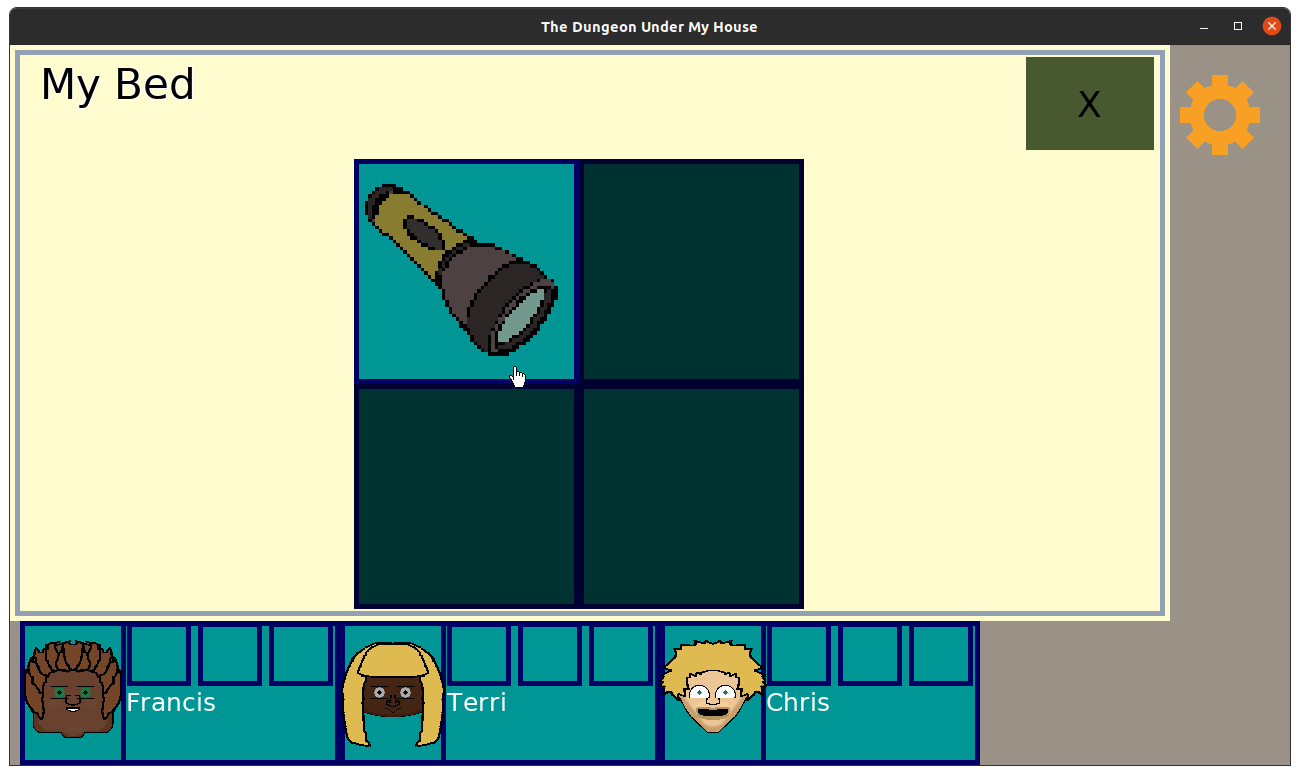
As I predicted, viewing the furniture’s inventory was straightforward, but interacting with it took some effort.

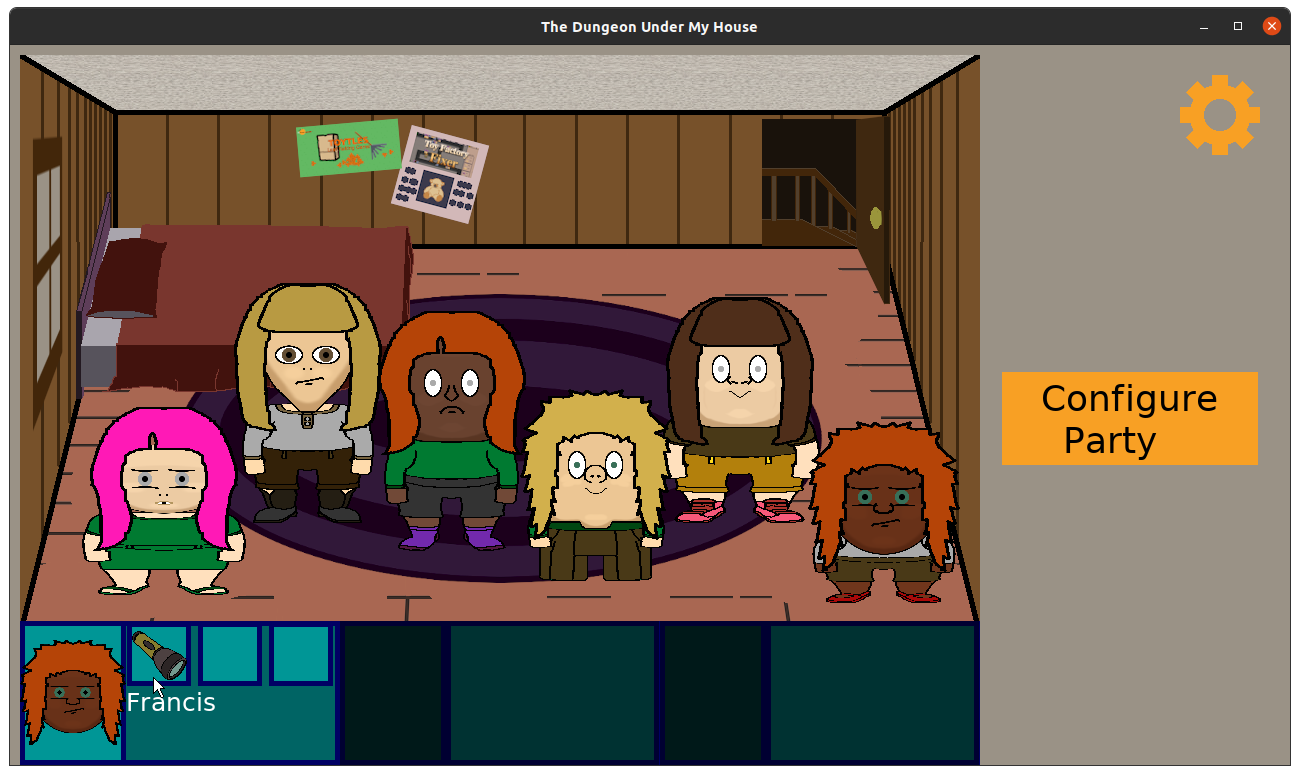
I did some fun math to dynamically create the grid for a furniture’s inventory. The bed has 4 inventory slots, and other furniture might have a different number. The more slots available, the smaller they can be, but with fewer slots, the slots themselves can take up more real estate on the screen.

The Dungeon Under My House - furniture inventory view

I liked the way it becomes obvious that it is the focus of the current screen’s interaction.

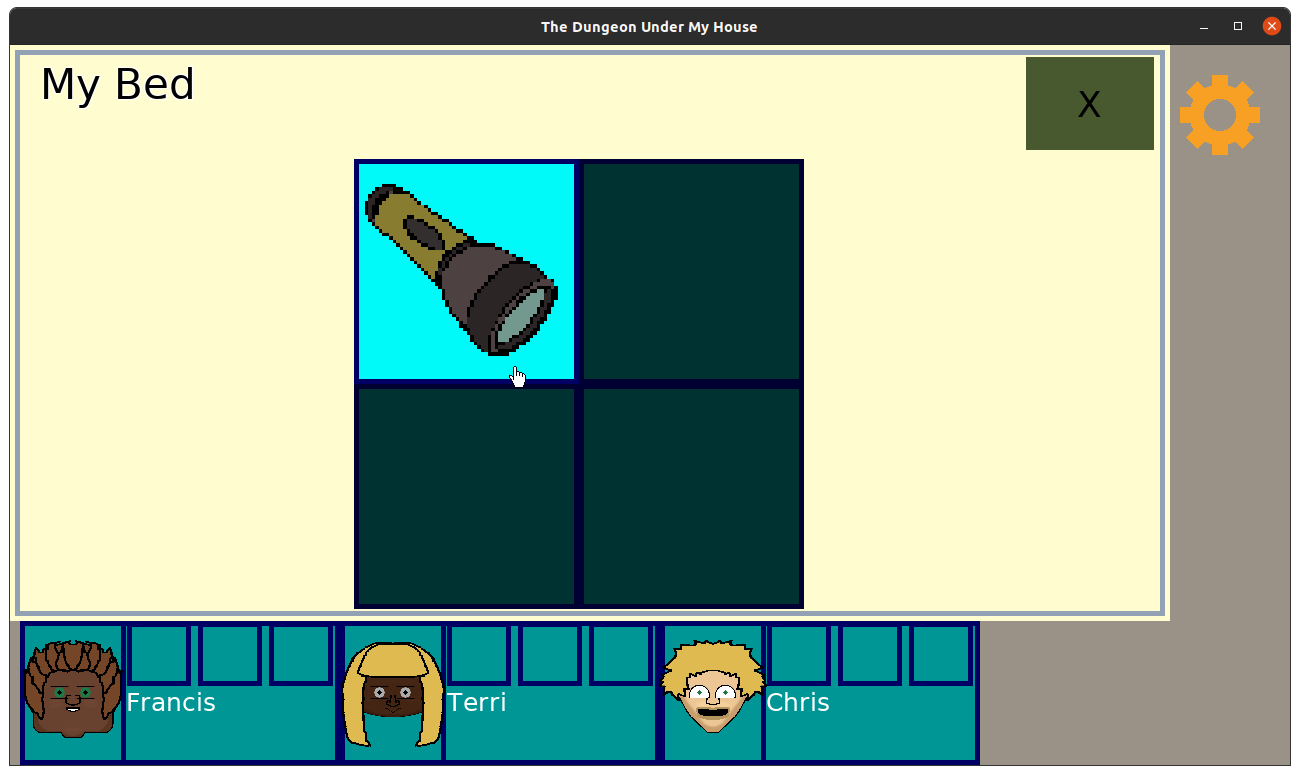
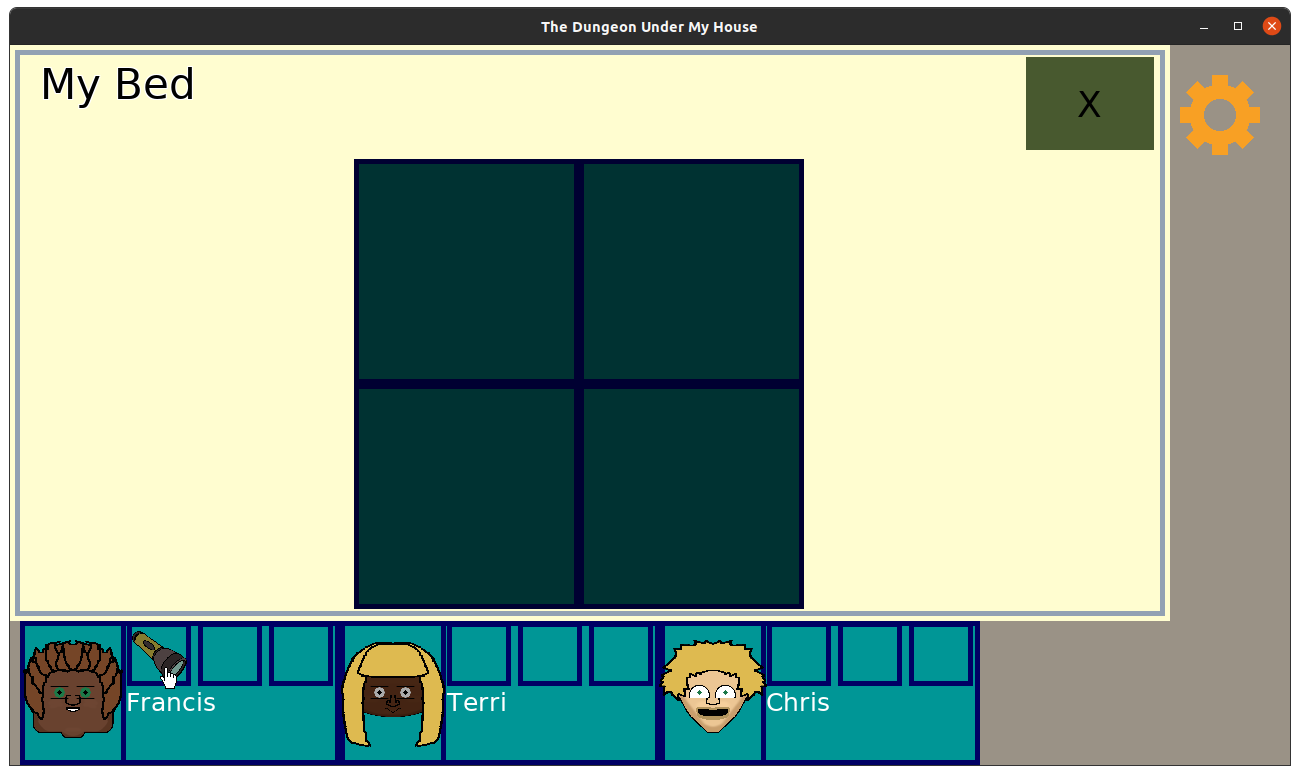
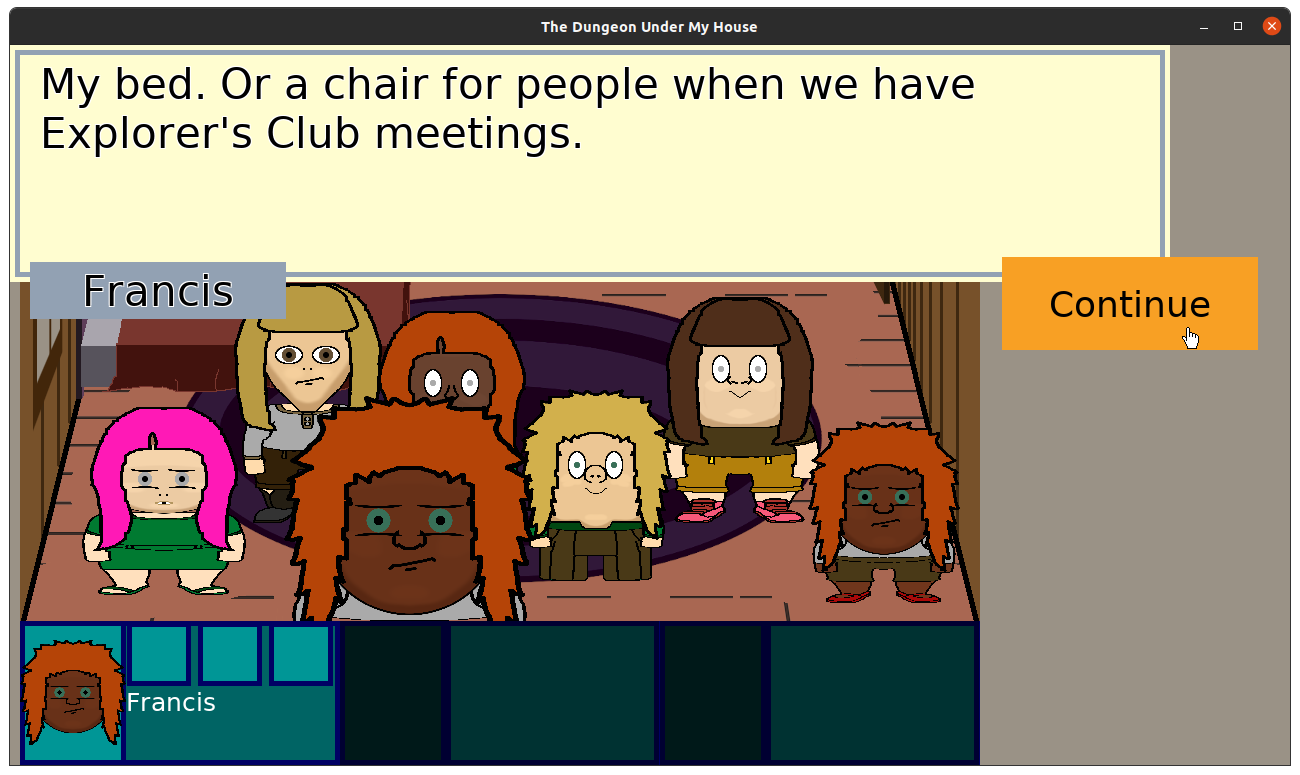
As for actually interacting with the furniture’s inventory slots, what I decided to do was allow the player to select two different inventory slots to swap them.

This decision nicely solves the problem of what to do when a character’s inventory is full, as the act of dropping something to make room for it becomes a natural part of the interaction.

At least, it does for individual items such as a Flashlight. I haven’t addressed what should happen if the item has a quantity, but that’s for Future Me to worry about.

Also, Future Me, when you read this, don’t forget that we’ll need to figure out how the player should interact with the party’s inventory when not actively viewing furniture inventory. Thanks, you’re the best!

The Dungeon Under My House - furniture inventory interaction

The Dungeon Under My House - furniture inventory interaction

Once I had the ability to acquire items from furniture, another key part of the intro game play was completed: the party can get a Flashlight to illuminate the darkest parts of the newly discovered dungeon.

An obvious game play thing to do is to allow the player to interact with the item, and in this case, toggle the flashlight on and off at will. Then I can introduce the need to conserve the flashlight’s batteries and provide a means of replenishment of those batteries, either by recharging or replacement.

But while those mechanics sound kind of neat, and maybe in a different game they would be interesting to play with, in this game? I think requiring the player to manually turn the flashlight on and off would be tedious.

Instead, I’d like the flashlight to turn on and off based on the current light conditions. So if the player is entering an area that is getting darker, then the portable light source turns on automatically, and once the player enters an area with getting brighter, the portable light source turns off automatically.

And to avoid the tedium of having the light flicker on and off when crossing over a single light boundary, I think it would make sense to have two different thresholds. So the light turns on when entering a dungeon cell that is starting to become quite dark, but if you immediately leave that cell, the light doesn’t turn back off right away. You have to enter into a slightly brighter area before that light turns off.

But I’ll playtest it to see if it feels weird.

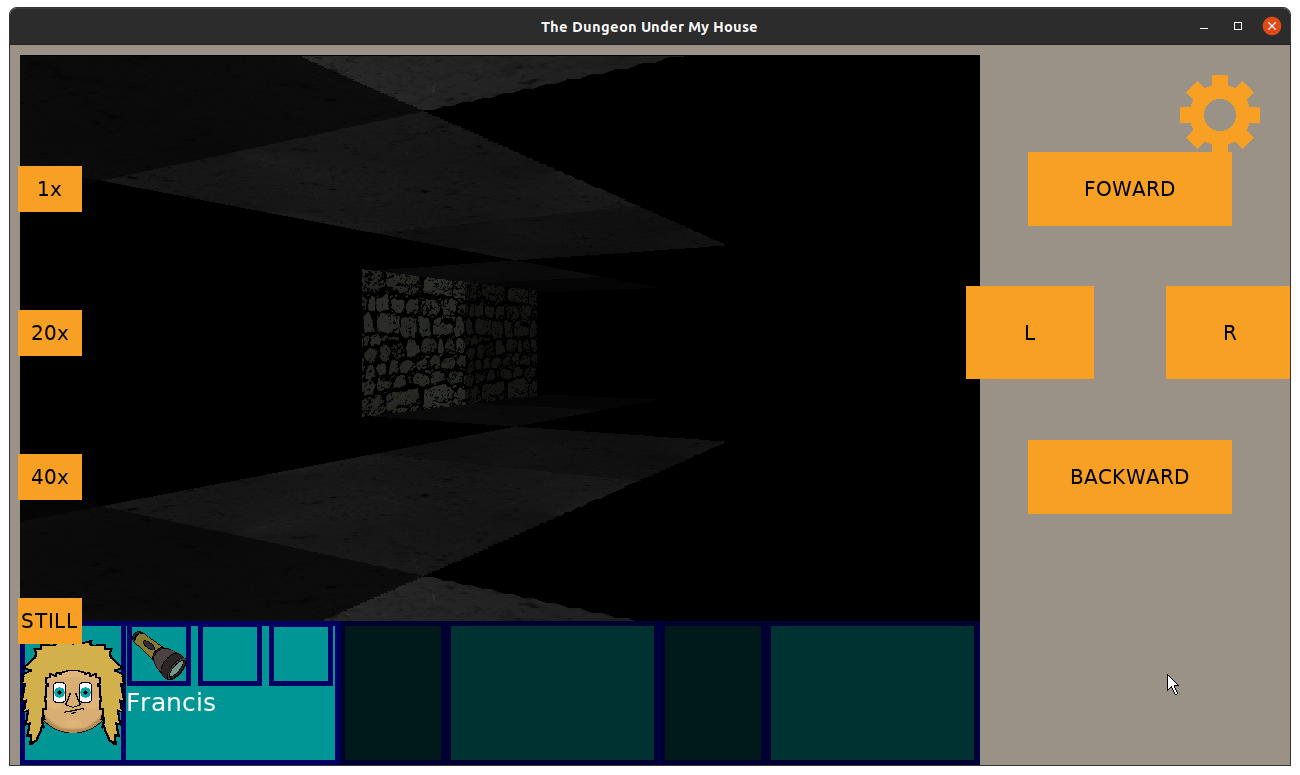
And naturally, the biggest concern is that if the flashlight is on, then the player should be able to advance into the darkest areas of the dungeon because they won’t be dark anymore. Which means rendering the dungeon by incorporating this temporary light level.

While the regular light levels spread out to adjacent cells, I think the effect of the flashlight on the light levels of the dungeon grid cells should mimic what a flashlight does. It will be a directional light, so the only cells affected are directly in front of the party.

Of course, what happens when the player turns to the left or right? I am sure I can mimic the arc of light that would occur naturally, but it might be a bit tricky.

But by the end of the week, most of this work was only on paper, so expect to see how I actually implemented it in my next sprint report.

Thanks for reading!

Want to learn when I release The Dungeon Under My House, or about future Freshly Squeezed games I am creating? Sign up for the GBGames Curiosities newsletter, and download the full color Player’s Guides to my existing and future games for free!

Categories
Game Design Game Development Geek / Technical

Freshly Squeezed Video Progress Report: Items & Inventory

Here’s the companion video for Monday’s Freshly Squeezed Progress Report: Items & Inventory:

Enjoy! And let me know what you think by replying below!

Categories
Game Design Game Development Geek / Technical

Freshly Squeezed Progress Report: Items & Inventory

In my last report, I prevented player navigation in the dark, then started working on the inventory system for The Dungeon Under My House, my second Freshly Squeezed Entertainment project.

I continued the inventory work this past week.

Sprint 2024-7: Intro sequence game play

Planned and complete:

  • Party member can carry items

Unplanned and incomplete:

  • Allow player to search objects in room

I started the week my rendering the inventory slots for individual party members. For now, each party member can have three items in their inventory, and you can see it in the HUD.

The Dungeon Under My House - inventory slots

And I created a sprite for the Flashlight and made sure that it displayed in those slots if a party member had it in their inventory.

The Dungeon Under My House - inventory slots

That worked when I temporarily coded it in, but the next thing was to have furniture in the room that the player could search and find items such as the Flashlight.

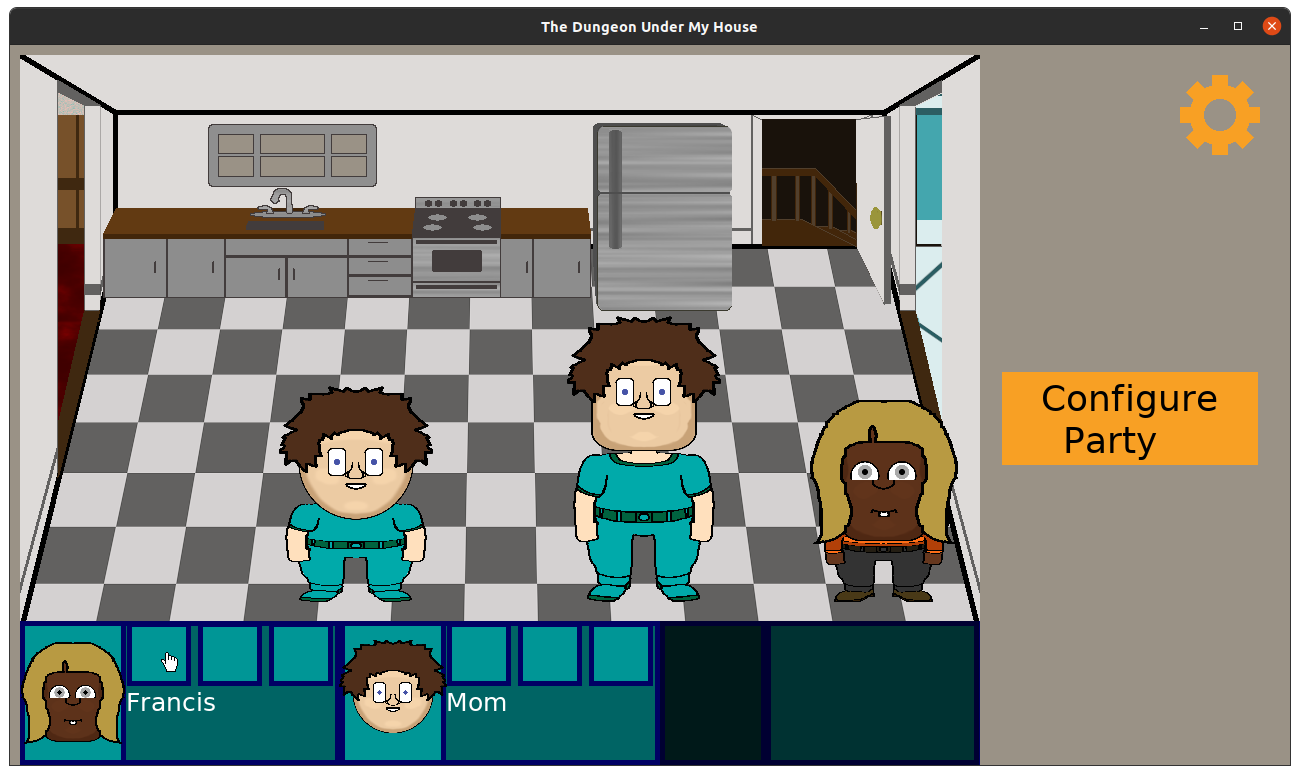
So I created the concept of Furniture. Right now, everything in the room is just drawn as part of the background, but now you can click on something such as the bed in the bedroom and get a description.

The Dungeon Under My House - furniture

Now the other interesting thing about Furniture is that it can have its own Inventory. I had trouble getting things to persist properly until I simplified my code and data structures a bit, unfortunately.

So by the end of the week, I still needed a way for the player to view a given furniture’s inventory slots, then allow the player to take items and put them into their own inventory.

I imagine that this week I’ll find the former is straightforward but the latter will require some effort to handle edge cases and user interface issues.

For examples of things I anticipate needing to worry about, how should the game respond if the player’s inventory is full? Can the player transfer items to the furniture as well? Can I create an interface that allows someone to either use the mouse or a keyboard?

Thanks for reading!

Want to learn when I release The Dungeon Under My House, or about future Freshly Squeezed games I am creating? Sign up for the GBGames Curiosities newsletter, and download the full color Player’s Guides to my existing and future games for free!
Categories
Game Design Game Development Geek / Technical

Freshly Squeezed Video Progress Report: Dungeon’s Too Dark, Can’t Proceed

Here’s the companion video for Monday’s Freshly Squeezed Progress Report: Dungeon’s Too Dark, Can’t Proceed:

Enjoy! And let me know what you think by replying below!

Categories
Game Design Game Development Geek / Technical

Freshly Squeezed Progress Report: Dungeon’s Too Dark, Can’t Proceed

Last time, I reported that I was replacing my test dungeon with the first actual locations for The Dungeon Under My House, my second Freshly Squeezed Entertainment project.

I set out to allow the player to interact with the new environment.

Sprint 2024-6: Pre-production and initialization

Planned and complete:

  • Prevent player navigation if dungeon area is pitch black

Unplanned and incomplete:

  • Party member can carry items

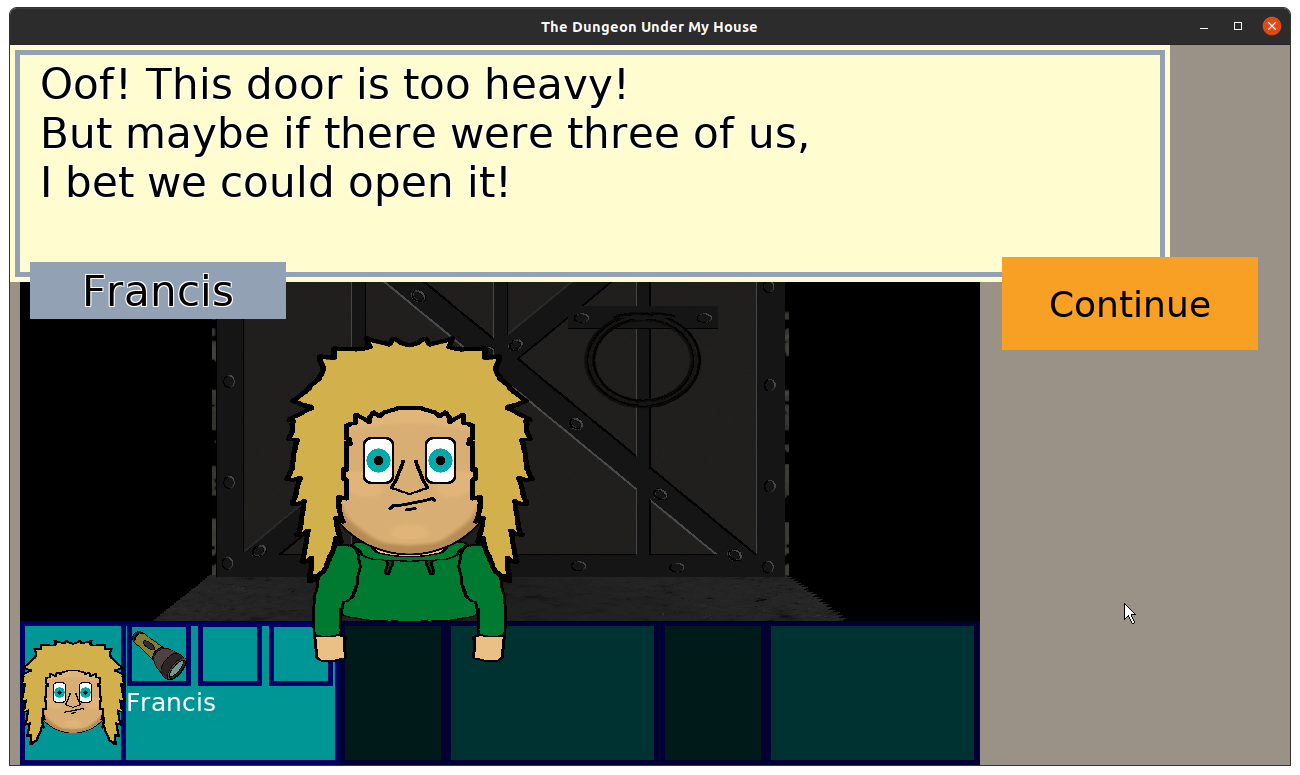
Last week started out quite productive, and I was able to knock out a feature that impacts the player’s navigation through the dungeon. If you are trying to move into a grid cell that is too dark, the game stops you from proceeding.

The way it does so is by treating the darkness as an obstacle, much a wall or closed doorway that prevents movement and tells you why.

The Dungeon Under My House - too dark to proceed

And in this case, it hints at the next set of features I need to implement. You need a flashlight to proceed, and that means the characters need to be able to carry items, which means the game needs an inventory system.

I created an inventory system that allowed for two different types of items: individual items that take up an entire slot, and items that represent quantities.

So a Flashlight exists as an individual item. If you get a second Flashlight, it takes up a second slot.

But a Pickle Jar represents not just a jar but also the contents of the jar. Maybe you eat some of the pickles but not all of them at once. The original Legend of Zelda game had two kinds of potions, and one of them was basically “you can use it twice.”

I like the idea that using up all of the pickles results in an Empty Pickle Jar, which can come in handy.

But that can come later.

I spent a little bit of time trying to figure out how complex adding items to the player’s inventory should be. What if you have get a second jar of pickles? Does it add to the quantity of the original jar, or do you just get two jars, each with a set quantity? Most games do the former, but practically speaking, who wants to merge pickle jars together? Ew.

But I decided that such design decisions can come later when I need to decide them. For now, I created a simple Inventory which I can assign to entities in the game. So I did, and my next job was to ensure that inventories can get persisted when the player saves.

Which did not work, and it was incredibly bizarre because the code looked like it should. Yet running the tests was telling me that it wasn’t.

So I ended the week by losing productivity because I had accidentally introduced a bug that was manifesting in weird ways. I had one unit test that kept insisting that as soon as I added an item to an inventory that the inventory was still empty, and other seemingly unrelated tests would inconsistently take up a ton of memory on the system, seeming to lock everything up for minutes at a time.

Ultimately what was happening was that I was initializing my inventory’s internal std::vector and the internal integer that initializes its size in the wrong order, which meant, well, most likely it is undefined what happens, but it includes in the realm of possibilities initializing the size of the vector of Items with a very, very large value.

Once I figured it out, partially due to lots of logging statements and mostly thanks to the amazing tool valgrind highlighting the exact problematic code (and thanks to my Past Self for having high standards so that there wasn’t a lot of other noisy output due to other problems to wade through), I corrected the mistake, but by that point, it was a few precious hours of development later.

Never code tired.

Anyway, this coming week I anticipate finally adding the ability for the player to inspect the inventory of a particular party member as well as find items in other parts of the game, such as the bedroom where the flashlight will be.

And once the player can acquire a flashlight, being able to light the way in the darkest areas of the dungeon comes next.

Thanks for reading!

Want to learn when I release The Dungeon Under My House, or about future Freshly Squeezed games I am creating? Sign up for the GBGames Curiosities newsletter, and download the full color Player’s Guides to my existing and future games for free!
Categories
Game Design Game Development Geek / Technical

Freshly Squeezed Video Progress Report: The Real Dungeon Appears

Here’s the companion video for Monday’s Freshly Squeezed Progress Report: The Real Dungeon Appears:

Enjoy! And let me know what you think by replying below!

Categories
Game Design Game Development Geek / Technical

Freshly Squeezed Progress Report: The Real Dungeon Appears

In my last report, I continued optimizing the dungeon rendering code for The Dungeon Under My House, my second Freshly Squeezed Entertainment project.

I decided to finish it up and move on to more interesting work for this past week.

Sprint 2024-5: Pre-production and initialization

Planned and complete:

  • Render dungeon based on light levels

Unplanned and incomplete:

  • Prevent player navigation if dungeon area is pitch black

So, right away, I took a lot of my optimizations for drawCeilings() and applied them to drawFloors().

I even applied a new optimization. When I apply lighting data to a given pixel, I multiply the light level by a value to indicate gradations in lighting, then multiply that value by the light color’s red, green, and blue values.

Well, since lighting data is basically precalculated anyway, why not precalculate that math, too?

So now, in my code that gets called for each rendered pixel, I went from this:

    // Apply lighting 
    Color color = lighting.lightColor;
    color.redness *= lighting.lightLevel*.1;
    color.greenness *= lighting.lightLevel*.1;
    color.blueness *= lighting.lightLevel*.1;
    convertedPixelColor.tintInline(color);

to this:

   convertedPixelColor.tintInline(lighting.processedColor);     

It saves not only the creation of a Color object and the various multiplications but also on any subtle data casting/conversion that might be going on between doubles and ints.

While drawCeilings()/drawFloors() are still the major bottlenecks in my dungeon rendering code overall, the major bottleneck in those functions is no longer the code that applies color changes.

It’s funny. Every time I think I’ve hit a limit with optimizing this code, I keep discovering new ways to either entirely eliminate unnecessary calls or moving them so they aren’t called as frequently.

And I know that each time I do, it makes the game less taxing on player hardware and conserves the player’s battery life on laptops and mobile devices.

But, for now, let’s say that optimization is “done enough” and move on to the work of making the actual game!

Since I started working on dungeon-related code, I have had a test dungeon in one form or another. For a long time, it was two rooms, one with the dungeon entrance in the form of a ladder, with a short hallway connecting to a door that opens into the larger room which features a small closet and a column.

The Dungeon Under My House - test dungeon layout

It allowed me to experience navigating the dungeon, opening and closing doors, and most recently see how lighting works.

Well, that test dungeon is now gone.

This past week, I set out to design the opening layout that you’ll actually see in the finished game. While I anticipate iteration and tweaks, I envisioned the ladder from the basement of the house descending into a long, dark hallway.

The Dungeon Under My House - early dungeon space

The only light source is the opening in the ceiling at the entrance itself, which means that as you look down the hallway, it gets darker and impossible to see what is beyond a certain point.

The Dungeon Under My House - early dungeon space

What’s at the other end of the hallway? You can’t find out yet…

Well, technically at the moment you can.

Currently, the game doesn’t actually prevent navigation into the darkness yet, because I had spent much of my time finally making it easier for me to actually create the dungeon spaces. Until now, each cell in the dungeon was individually defined in code. Each wall tile, floor tile, ceiling tile, and door or ladder or light source was coded to make the test dungeon.

So I wrote some helper functions in my dungeon creation code. Now I can define entire arbitrarily-sized rooms at once, as well as defining columns, which are like inside-out rooms, with walls defined in the adjacent cells to enclose a space.

To create my test dungeon, I was able to remove over 30 lines of code and replace them with 7 lines.

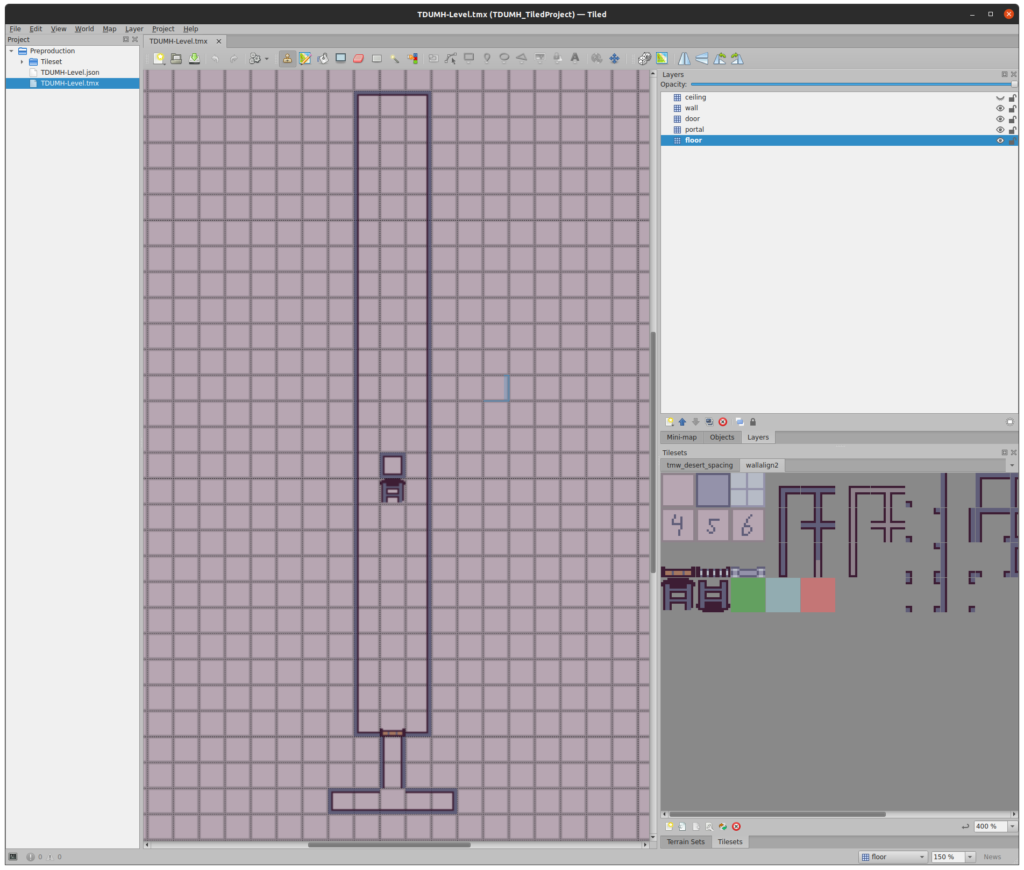
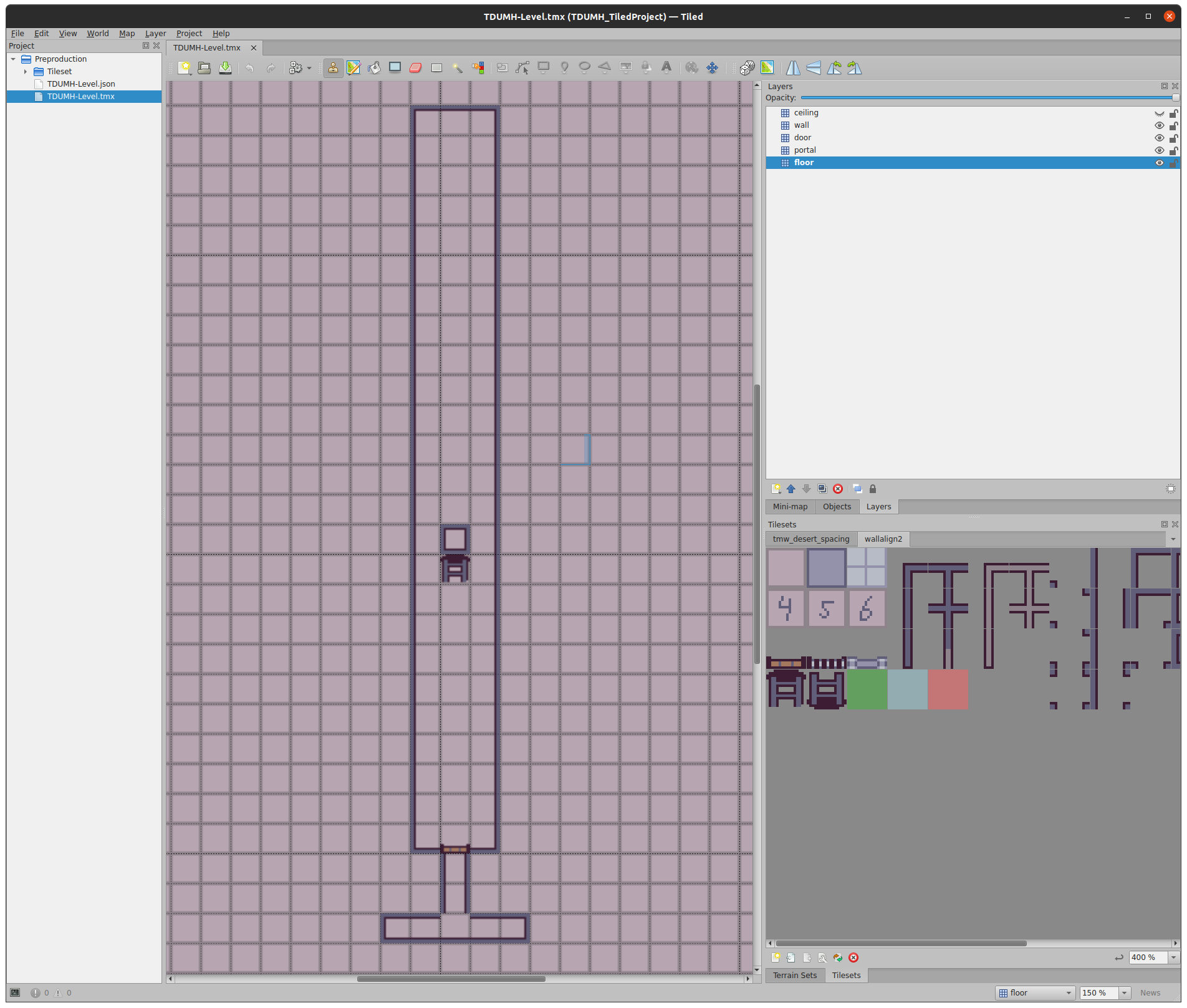
The entire time, I was also envisioning the creation of a tool to let me use a GUI to create the dungeon so I wasn’t writing it in code. Even with these helpers to reduce the code needed to generate all of the grid cells, it still gets hard to picture exactly where on my graph paper a particular cell will end up. Plus, it would be nice to have a tool that can generate walls, ceilings, and floors with variations in textures automatically that I can then tweak manually.

I’ve looked briefly into existing tools such as Tiled, and I should dig a bit more to see how I can leverage them rather than spend time on creating my own editor. Either way, having such a tool will pay dividends as I continue designing and creating spaces in the dungeon throughout the remainder of this project’s development.

Thanks for reading!

Want to learn when I release The Dungeon Under My House, or about future Freshly Squeezed games I am creating? Sign up for the GBGames Curiosities newsletter, and download the full color Player’s Guides to my existing and future games for free!
Categories
Game Design Game Development Geek / Technical

Freshly Squeezed Video Progress Report: Faster Dungeon Rendering At Last?

Here’s the companion video for Monday’s Freshly Squeezed Progress Report: Faster Dungeon Rendering At Last?:

Enjoy! And let me know what you think by replying below!

Categories
Game Design Game Development Geek / Technical

Freshly Squeezed Progress Report: Faster Dungeon Rendering At Last?

Last week, I reported I was optimizing the dungeon rendering code using a profiler for The Dungeon Under My House, my second Freshly Squeezed Entertainment project.

I continued optimizing, with an eye toward reducing the number of calculations that needed to occur when rendering the floors and ceilings, my main bottlenecks.

Sprint 2024-4: Pre-production and initialization

Planned and incomplete:

  • Render dungeon based on light levels

Two weeks ago, I reported that while I could light up the dungeon, it was too slow, but then I fixed a silly architectural representation issue that was slowing things down needlessly and it was much faster.

In the next week, I continued optimizing because while it was faster and rendering much more efficiently (and so uses fewer hardware resources and costs less electricity and saves battery usage on mobile devices), I wasn’t satisfied and wanted even more performance improvement.

The Dungeon Under My House - profiler output

Thanks to the use of an actual profiler, I could see the bottlenecks were specifically drawing the floors and ceilings, but I could also see that there wasn’t any one thing within those functions that was the bottleneck. There were a lot of different things that contributed to the slowness, and the main culprit was that so many pixels needed to be drawn each frame, each of which uses all of that processing capacity.

This past week, I got a late start on my game development efforts, but I managed to make some changes to draw pixels only when needed, which helped a lot, plus some other improvements.

At first, I thought I was going to need to draw the walls and doors and such to a buffer, then scan through the buffer to find pixels that weren’t drawn to yet, then draw the ceilings and doors for only those pixels.

But as I was working with SDL2’s textures, and textures by and large are not optimized to be read from, I was worried that this approach was going to be too slow even if I did cut down on the number of pixels I needed to process.

Instead, it turns out that I already had the information I needed when I drew the walls, so there was no need to read each pixel.

See, when I raycast walls, I keep track of the depth at each column. If I hit a wall, I know how far away from the camera it is.

This depth information was helpful for drawing things like doors and ladders around the existing walls, and it can now be helpful to draw the ceilings, which used to be drawn first and flood filled the background.

When I attempt to draw a ceiling pixel, I can check the projected distance associated with that pixel, compare it to the known depth of the wall, then draw only if the depth of the pixel is closer.

I was making many of my optimizations just for the drawCeilings() function, mainly so I can compare it to the drawFloors() function. Before optimization efforts started, those two functions looked very similar, so comparing their performance tells me if I am making actual improvements.

The Dungeon Under My House - profiler output

And it was an improvement, but it wasn’t as nice of an improvement as I was hoping for, mainly because the only calculations I skip are related to grabbing the texture and lighting data.

Many of the optimizations I did earlier were to move as much of the calculation out of the inner loop as I could, and I suppose now that the inner loop might be processed fewer times that it might make sense to move those calculations back, but I suspect the inner loop still does too much work and things will slow down again. After all, a smaller percentage of a lot of pixels is still a lot of pixels, relatively.

However, the profiler helped me to find that I was needlessly creating and deleting objects, so I did more inline calculations at the bottlenecks, and it helped get the performance of drawCeilings() significantly more efficient compared to drawFloors().

When I animate transitions normally, it feels very smooth, even without making the same kind of improvements to drawFloors() yet. However, if I increase the length of time to animate transitions, I can tell that my mouse cursor doesn’t render as often as when the screen is stationary.

It’s tolerable, I suppose, especially for this game which does not rely on real-time twitch muscles to play, and the mouse cursor isn’t relevant when playing on a mobile device, but I hate that it feels noticeably laggy at times.

That said, I should finish up my optimization work soon and move on to more game content work, such as creating a real dungeon level to replace the test dungeon I have come to know and love. The rest of the game needs attention, and I think I could spend forever on optimization code if I allow myself to.

Thanks for reading!

Want to learn when I release The Dungeon Under My House, or about future Freshly Squeezed games I am creating? Sign up for the GBGames Curiosities newsletter, and download the full color Player’s Guides to my existing and future games for free!

Categories
Game Design Game Development Geek / Technical

Freshly Squeezed Video Progress Report: Profilin’ and Optimizin’

Here’s the companion video for Monday’s Freshly Squeezed Progress Report: Profilin’ and Optimizin’:

Enjoy! And let me know what you think by replying below!