Categories
Game Design Game Development Geek / Technical

Freshly Squeezed Progress Report – Workers Working

Last week’s sprint report talked about getting workers into the game, as well as my focus on getting something playable as quickly as I can.

Sprint 8: main game loop

  • Process a single turn sequence
  • Create player inventory of toy parts
  • Allow player to command worker to put toy parts together
  • End game when last Good Toy enters shipping container

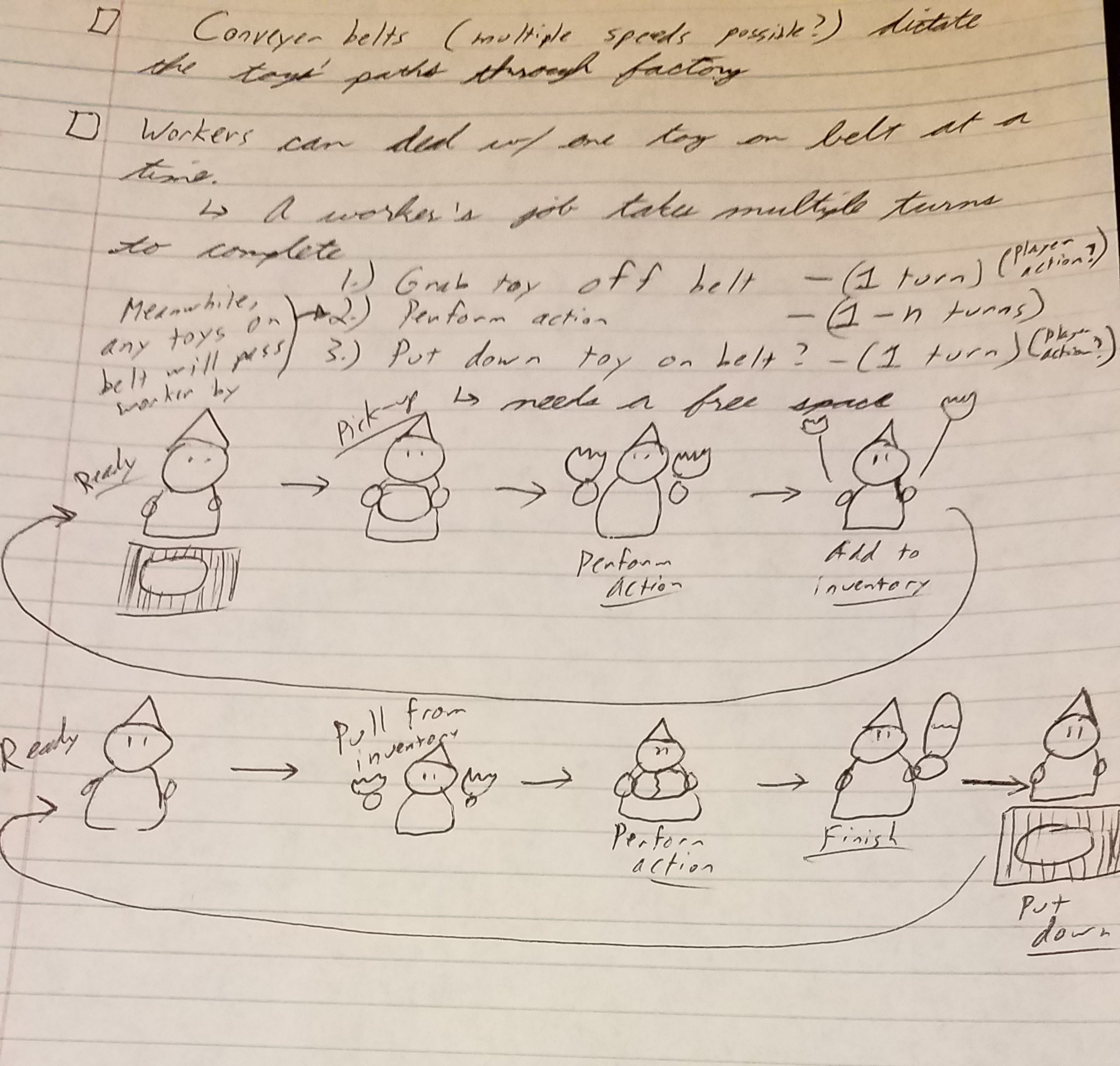
Last week I managed to get the workers to pull a Bad Toy off of the conveyor belt, then spend a few turns working on separating the pieces.

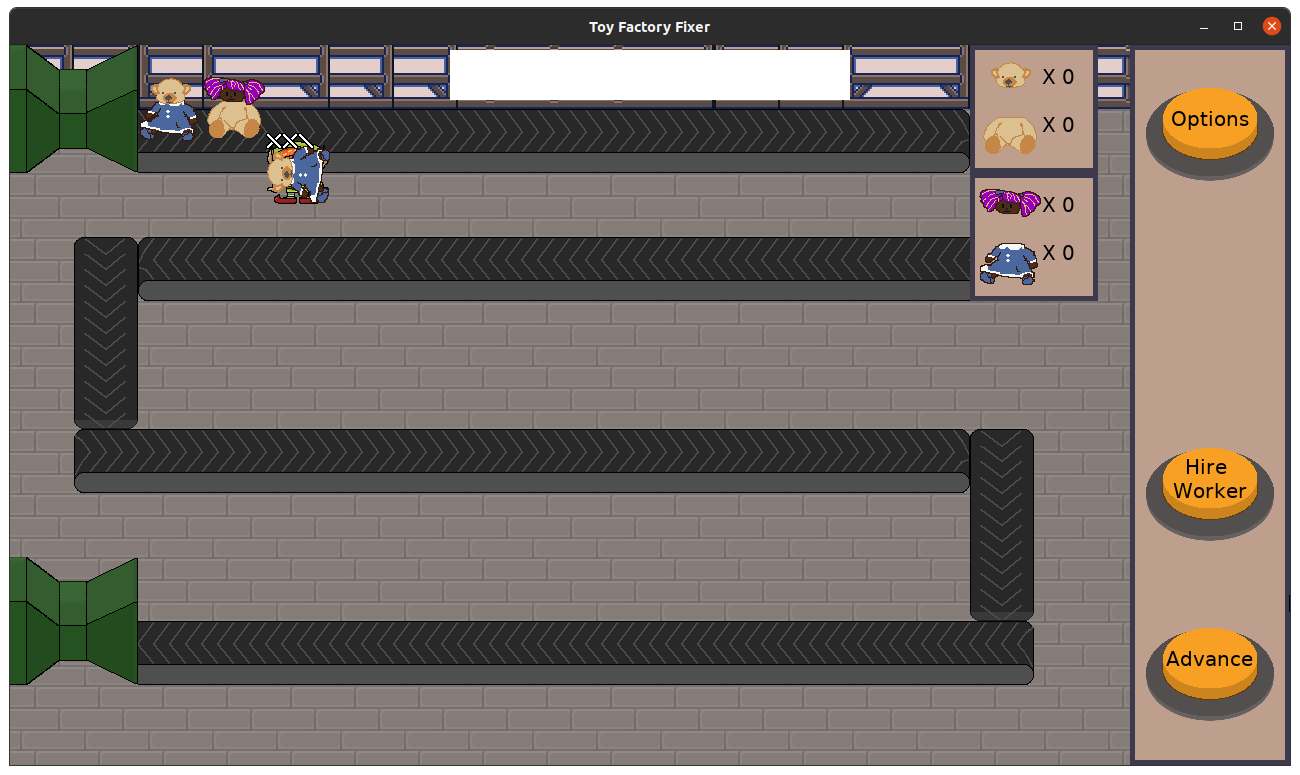
I tried to focus on fast implementation, but I also thought it would be good to make it obvious what state everything was. I found rotating the toy to be on its side when being worked upon and showing the worker’s progress in the form of stitches were quick ways to make it clear what was happening.

Toy Factory Fixer - Stitches

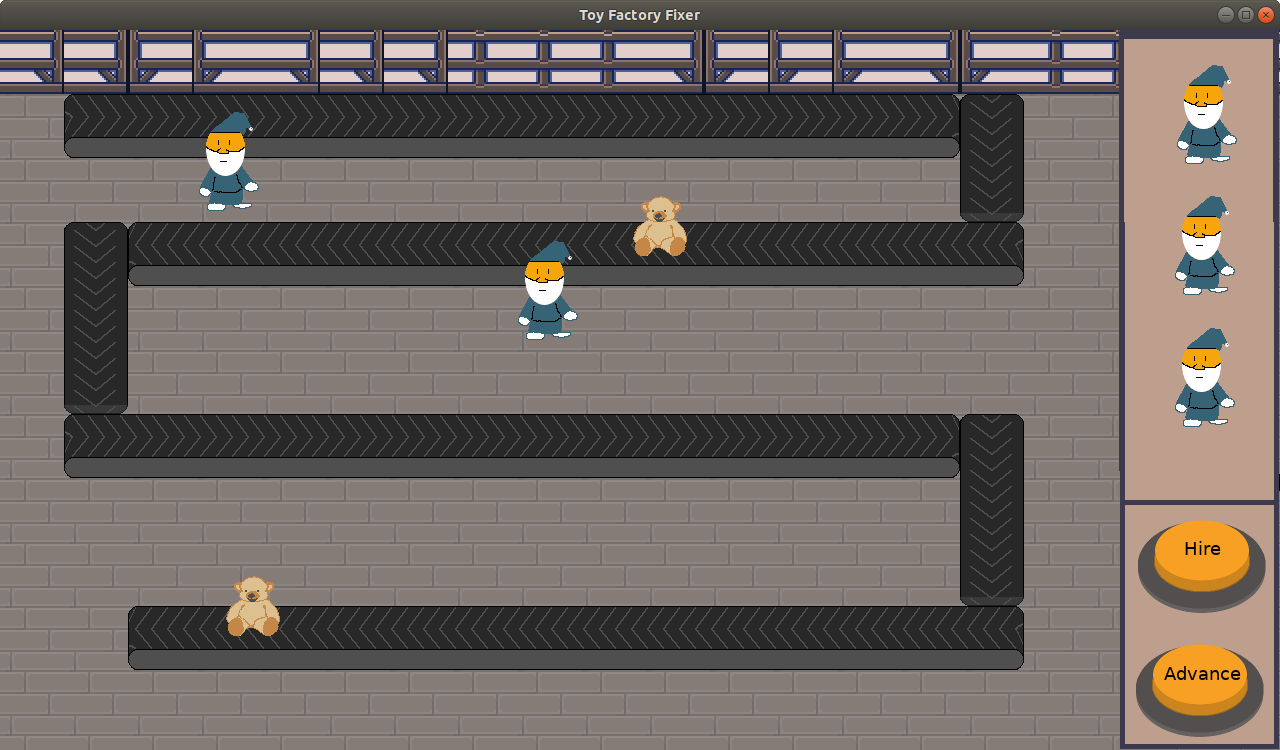
I also implemented an inventory of toy parts. There are currently two types of toys, dolls and bears, and each has a head and a body. I’m not a user experience expert, but I thought it would be helpful to group the inventory parts so it is clear when you have at least of each part to create a particular toy.

Toy Factory Fixer - Separating toys, with inventory

I did not get to the point of actually telling workers to craft Good Toys out of parts, so there are still no Good Toys in the game or a way to win.

I think some of the work went more smoothly this week. I had vague ideas of how the toy separating and putting together would operate, but I finally managed to get the details hashed out mentally.

But it also means that there was a lot more to do than I originally anticipated. It seems straightforward to separate toy parts across turns, but there are multiple steps to implement. Just collecting the toy off of the belt means first finding idle workers, figuring out if there is a toy adjacent to them, then kicking off animations to make it clear that the worker is picking up the toy.

And then of course testing it. What happens if there are two workers next to each other? I had a humorous bug in which a worker would steal the toy from an adjacent worker because I did not mark the toy as being worked upon.

But I’m finally playtesting a bit. Even though the core of the game is still incomplete, I found myself experimenting with changing the order of operations for a single turn. Does the worker collect a Bad Toy off the conveyor belt first, or do the toys move first? Should a worker be able to pick up a toy immediately after separating a toy, or should they wait until the next turn?

Putting together a Good Toy is next up, and I think I can really get into playtesting. I am pretty excited.

Thanks for reading!

Want to learn when I release updates to Toytles: Leaf Raking or about future Freshly Squeezed games I am creating? Sign up for the GBGames Curiosities newsletter, and get the 24-page, full color PDF of the Toytles: Leaf Raking Player’s Guide for free!

Categories
Game Design Game Development Geek / Technical

Freshly Squeezed Progress Report – Placing Workers

In last week’s sprint report for my new game project Toy Factory Fixer, I talked about moving toys down the conveyor belt and spending potentially too long creating new art for the worker in the toy factory. I also worried about the lack of progress towards getting something playable, and I wanted to renew my efforts on prioritizing work that allows me to play test the game rather than merely look at it.

Sprint 7: main game loop

  • Create a way to hire and place a worker
  • Create player inventory of toy parts
  • Allow player to command worker to put toy parts together
  • Process a single turn sequence
  • End game when Bad Toy enters shipping container
  • End game when last Good Toy enters shipping container

I knew I probably added too many things to this sprint when I started, but I still left them all in the plan.

It took me a couple of days to get the worker hiring menu in. It ostensibly should have been easy, but I ran into a strange Z-Ordering issue, plus a problem with the menu code that was surprisingly frustrating. Otherwise, the work was straightforward but required some thought as it was a multiple-part problem that wasn’t obvious until I started working on it, such as needing to identify what was adjacent to the conveyor belt and what was still available once you place other workers down.

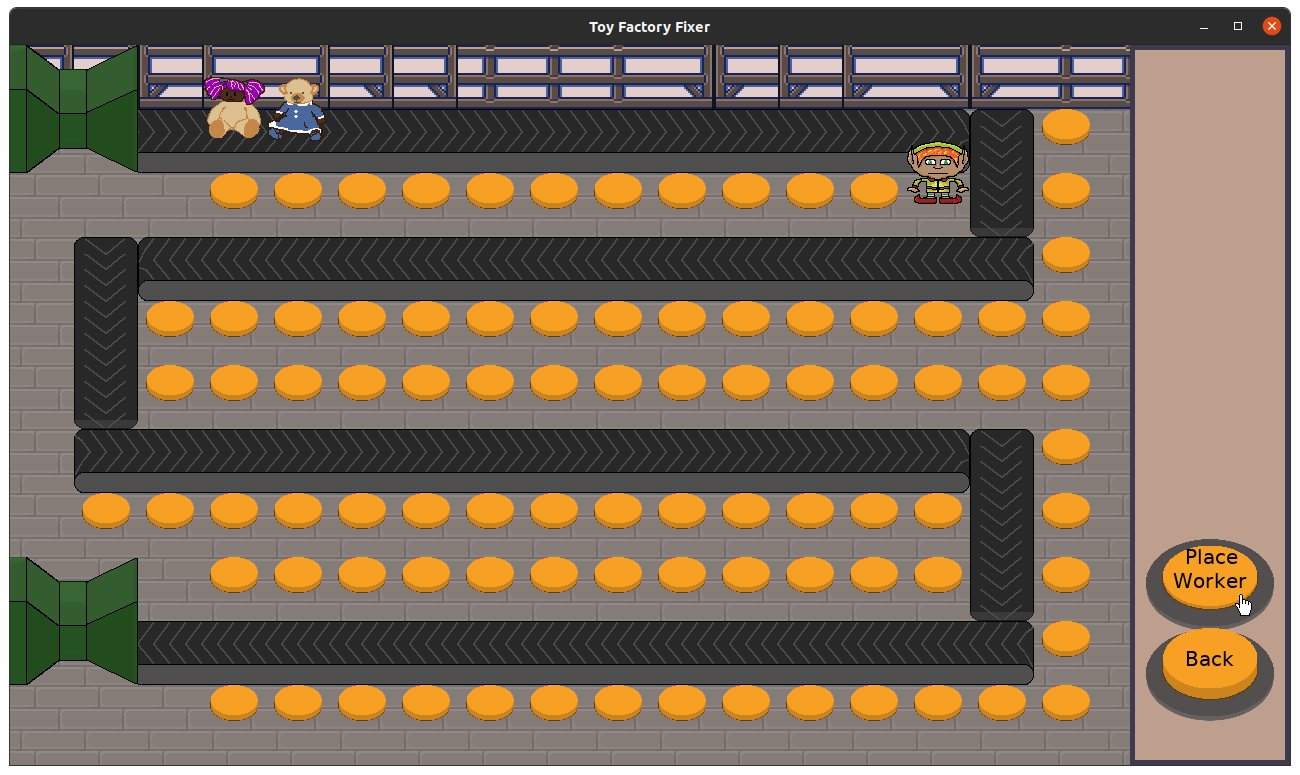
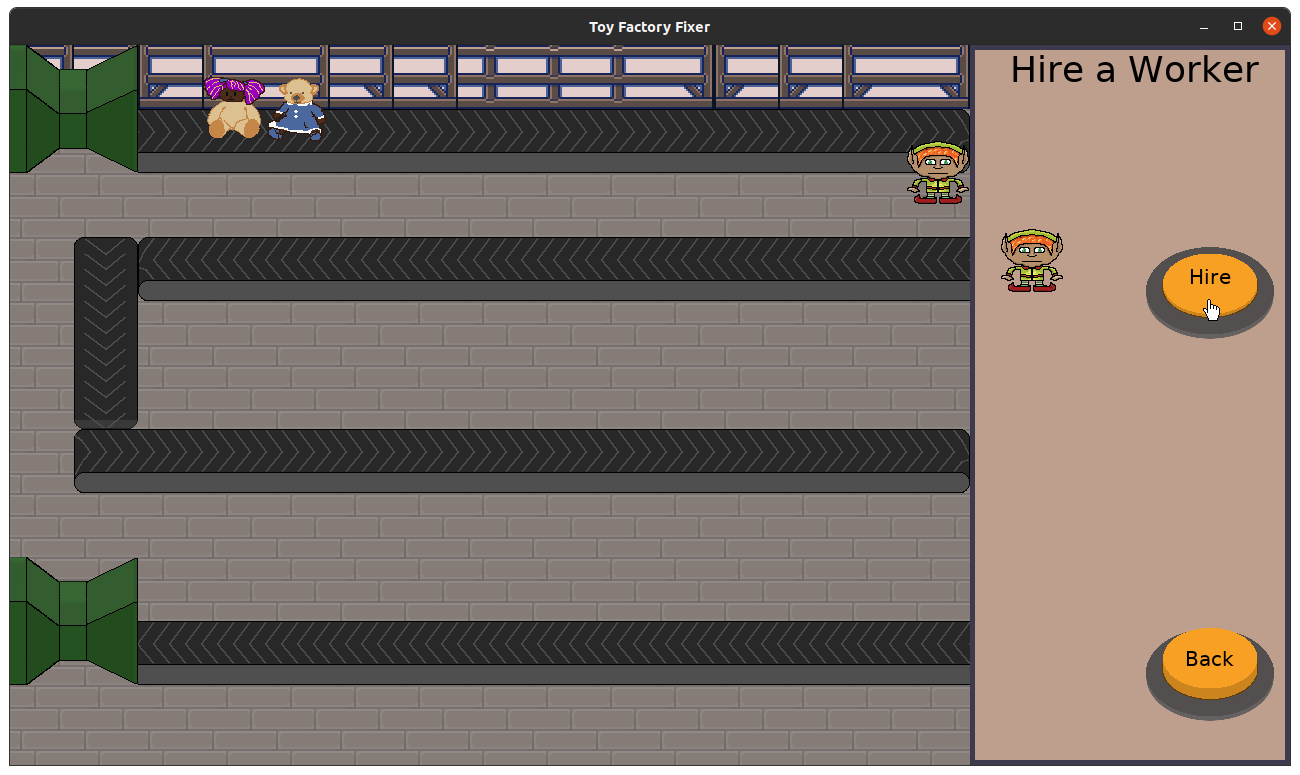
Now you can select the worker to hire, place the worker next to the conveyor belt, and confirm the placement of the worker there.

Toy Factory Fixer - Hire a Worker

Toy Factory Fixer - Hire a Worker

The little orange buttons are meant to be available locations to place a worker, but I think there should be a more subtle way to indicate those locations if I keep the mechanic in the future.

I managed to create a game ending when a Bad Toy enters the shipping container. It’s a simple screen that merely says “GAME OVER” for with a button to restart and a button go back to the main menu. I have ideas for improving it thematically, but I just needed a way for the game to end. It was quick and easy.

I did not add a similar ending when the last Good Toy enters the shipping container because there are no Good Toys in the game yet.

And there are no Good Toys in the game because workers don’t currently create toy parts by separating Bad Toys, so there is no need for a toy part inventory.

I ended the week by figuring out what the turn sequence should look like. Right now, toys are dispensed from the dispenser, toys are moved down the conveyor belts, and now there is a check to see if a Bad Toy made it into the end of the line.

Next, I want to add the following:

  • Find all unoccupied workers.
  • For each unoccupied worker, find an adjacent Bad Toy as pick-up-able by this worker.
  • For each tagged Bad Toy, have associated worker pick it up.

A worker who is holding a toy is “occupied” with the work of separating its parts, which also has a turn sequence.

And this is why I want to get the game play implemented as quickly as possible: I want to see whether or not this will feel as clunky as it sounds like it might turn out to be, and I want to change direction sooner if that is the case.

I am very aware that I am barely getting to the game play while I reach the end of yet another month. I’ve spent about 55 hours since the beginning of December, and while part of the work last month was spent figuring out a design and doing paper prototypes and doing some hopefully one-time setup for future Freshly Squeezed games, that’s a lot of time to go without a game to show for it. My Ludum Dare entries have been put together in less time.

There is very much a difference between 5 hours spread across an entire week and 5 contiguous hours. Besides focusing on the right work, I need to figure out how to be faster about the work I do choose to focus on.

The game ending screen above, for instance, was fast because I didn’t spend much time trying to make it look great, whereas the effort to create the worker sprite in the previous sprint was probably overkill for what basically amounts to a placeholder, even if I am proud of what I created.

But I feel like I am finally going to have something playable soon. I just hope it won’t be another month before anything interesting happens in the game.

Thanks for reading!

Want to learn when I release updates to Toytles: Leaf Raking or about future Freshly Squeezed games I am creating? Sign up for the GBGames Curiosities newsletter, and get the 24-page, full color PDF of the Toytles: Leaf Raking Player’s Guide for free!

Categories
Game Design Game Development Geek / Technical

Freshly Squeezed Progress Report – Progress Too Slow

What I reported in last week’s report was that I had made little progress towards implementing anything resembling game play, and I planned to do so in the next week.

Sprint 6: main game loop

  • Create shipping container
  • Create broken/bad toy
  • Create hire button
  • Create worker

In the spirit of moving faster, I added a shipping container by merely reusing the toy dispenser art.

I added a toy doll, and then I made the dispenser create broken, “bad” toys in which the head of one is on the body of the other.

And I added a hire button, which opens up a new menu that doesn’t currently let you do anything but go back to the main in-game menu.

Toy Factory Fixer - Shipping Container and Broken Toys

Then, in forgetting about the need for expediency, I spent quite a bit of time creating a worker. Or rather, the concept art for a worker.

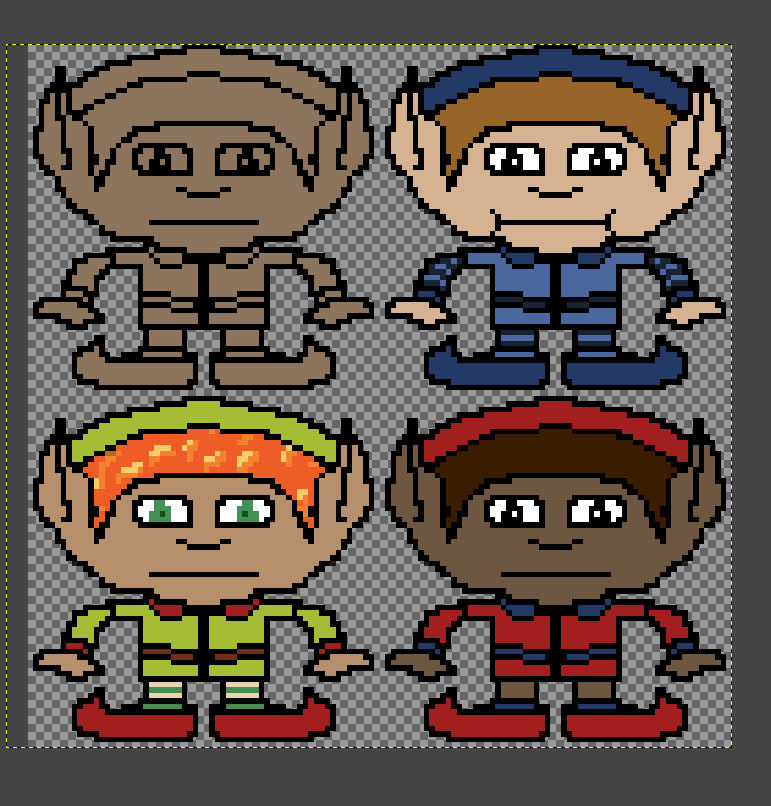
I started by researching cartoony elves, as I want the factory workers to be somewhat magical, then I created bunch of sketches. Finally, I created a base sketch of one digitally, then experimented with its looks.

ToyFactoryFixer - Worker Concept Art

It’s amazing how different the same drawing can look when you apply different hues and patterns.

While it was enjoyable to spend time on it, and I think the art will look a bit better for it, the worker still isn’t implemented in the game, which means I still haven’t created anything to play test yet. I can’t experiment with whether or not the game play I designed will actually work well or fall on its face.

For various reasons, I’ve spent less than 5 hours a week on this project, and it’s not getting done any faster. I spent time thinking about what I need to do to get things finished faster, and the most impactful change I can make to my development process is to make things quick and ugly.

I mean, I’m not an artist by trade, and I’m sure the art you see is already ugly, but my point is that I am spending a lot of time to make art slightly less ugly rather than focusing on getting to game play and making it less broken or uninteresting.

It’s not that I think art doesn’t matter, but right now, I have a lot of unanswered questions about how the game should even work. What does it cost to hire a worker? How much currency should the player start with? How does worker placement work in terms of player user experience? Is the play area too large or too small? Should a worker automatically do work when an opportunity presents itself, or should the player control when they start working? How do I indicate that a worker is working versus waiting to work? There are many more, and more will come up as the work continues.

And I need to focus on answering those questions, because the question of “Is this game ugly?” is already answered, and my goal isn’t to make a pretty game but an entertaining one.

Thanks for reading!

Want to learn when I release updates to Toytles: Leaf Raking or about future Freshly Squeezed games I am creating? Sign up for the GBGames Curiosities newsletter, and get the 24-page, full color PDF of the Toytles: Leaf Raking Player’s Guide for free!

Categories
Game Design Game Development Geek / Technical

Freshly Squeezed Progress Report – Taking a Turn

In last week’s report, I mentioned how I accomplished very little due to transitioning into the new year, and I expected to get the work done in the next week.

Sprint 5: main game loop

  • Create toy
  • Create toy dispenser
  • Create shipping container

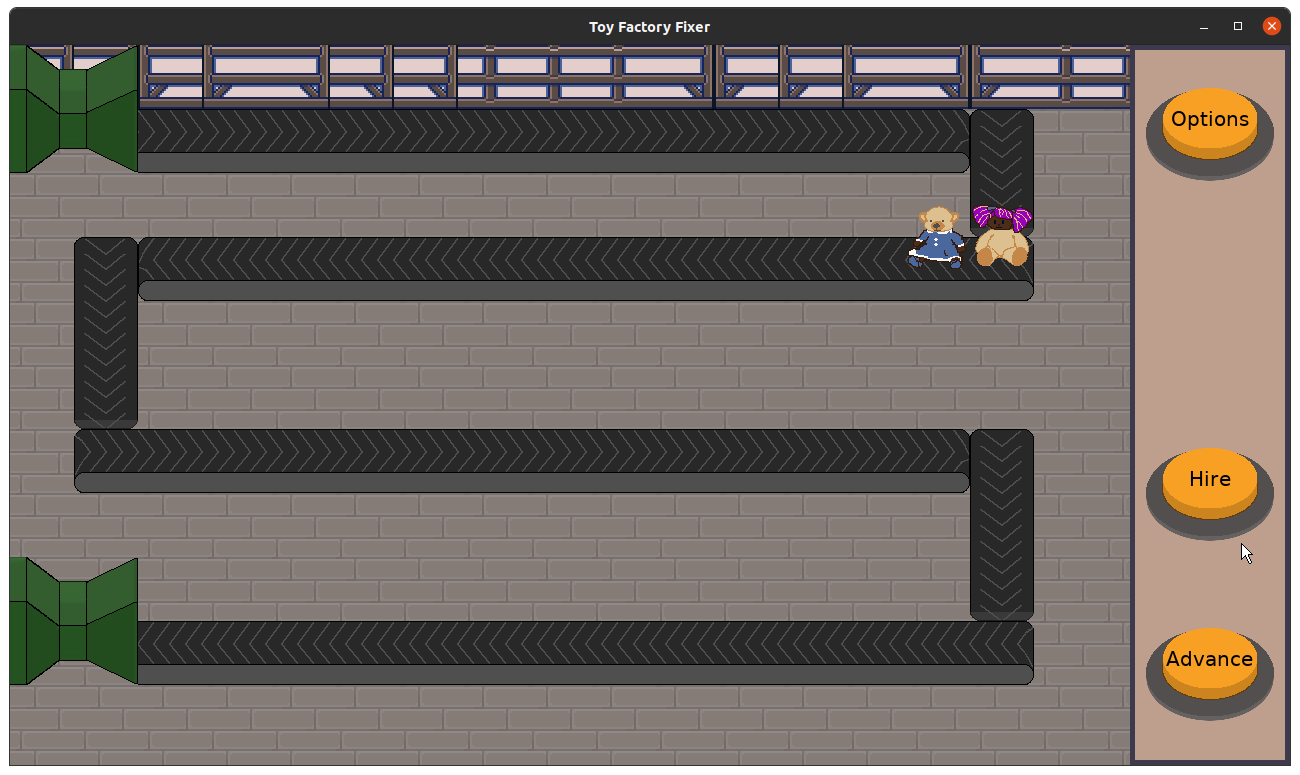
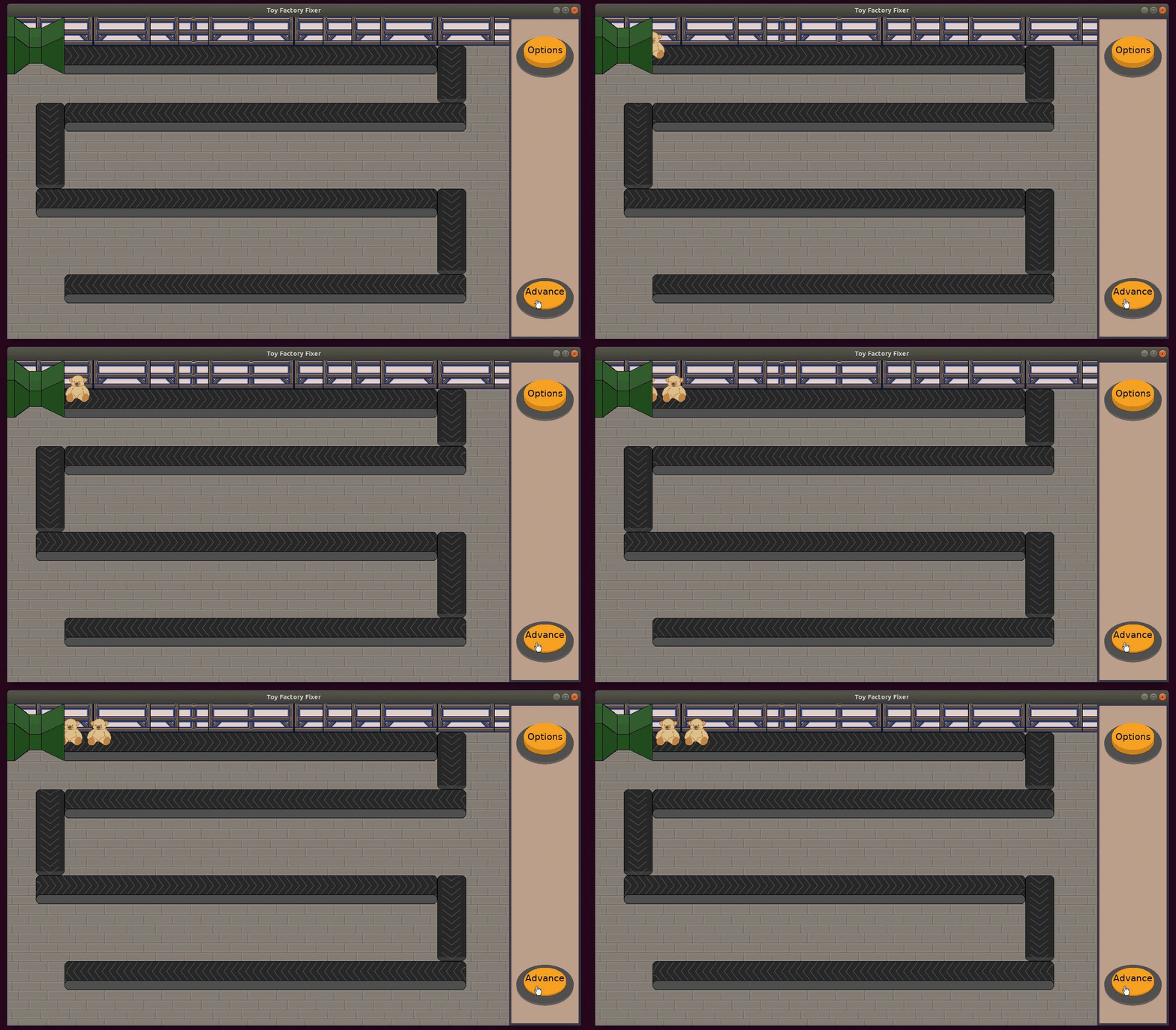
I did not get all of the work done last week. I have a toy, and a created a toy dispenser that spits out toys onto the conveyor belts, which carry the toys along the line each time you press the Advance button. If the toy isn’t on a belt, it doesn’t move.

The dispenser takes a queue of toys that are initialized at the beginning of the game. Right now, the logic is to dispense a toy if there is one in the queue, but I think in the future I can see changing it to allow me to dispense a toy at a specific timing. Perhaps I can even have it dispense more than one toy at once.

Toy Factory Fixer -Dispensing Toys

The Advance button kicks off a new turn, which currently starts the following sequence:

  • If a toy dispenser has a toy in the queue, dispense the toy.
  • Move any toys along the conveyor belts.

And…that’s it.

I did not create the shipping container for it to fall into yet.

On the one hand, I know I only allow myself to dedicate the equivalent of at most half a day’s work across an entire week, so getting things done slow and steady is the norm for me as a very, very part-time indie game developer.

On the other hand, it feels like I should have something more playable by now, yet another week has gone by in which I don’t. By my count, I’ve already put in over 40 hours into the project, which means if it was a 48-hour game development competition on a weekend, I would not have a game ready to submit by the deadline.

Looking at this past week, I know I spent some time making the toy move along the belt smoothly and redrawing the dispenser when I realized how awful it originally looked, but it wasn’t the lion’s share of the work. I probably could have saved some time not worrying about the dispenser’s looks, opting to focus on getting an ugly shipping container into the game instead, but I still wouldn’t have anything more interesting for the player to do by now.

My goal for this coming sprint is to not only add the shipping container but to add the ability to hire a worker and place one on the factory floor next to a conveyor belt. Once the worker is there, the next step will be to get the worker to pick up a Bad Toy from the belt, then get the worker to separate the toy parts.

Thanks for reading!

Want to learn when I release updates to Toytles: Leaf Raking or about future Freshly Squeezed games I am creating? Sign up for the GBGames Curiosities newsletter, and get the 24-page, full color PDF of the Toytles: Leaf Raking Player’s Guide for free!

Categories
Game Design Game Development Geek / Technical

Freshly Squeezed Progress Report – Belts and Toys

I took a short break from development because I wanted to spend time assessing the past year and figuring out my plans for 2021. I didn’t report on my progress since my last report when I talked about the lessons learned in terms of prioritizing what gets done, so I’ll bring you up to date with what I’ve done since then.

Sprints 3 and 4: main game loop

  • Create mockup for game play screen
  • Create in-game menus
  • Create toy
  • Create toy dispenser
  • Create shipping container

I changed the conveyor belts I created last time so that they were easier to see at a glance which direction a toy would go when on them. They animate now, which looks nice enough, but since the game will be turn-based, they need to be readable when static.

To help me get a sense for how to implement the next things in a game, I find useful to create a mock-up.

I used my conveyor belts, my new toy stuffed bear, and my existing buttons, but then I quickly created a toy factory worker and some buttons on the side for advancing one turn and for hiring workers.

It’s not a finished mock-up, and the finished game might look a bit different, but it does give me a sense of where things are going.

My main goal for the last week was to get a toy dispensed, get it to travel along the conveyor belts, and deposit into a shipping container. Of course, as I said above, I did very little game development.

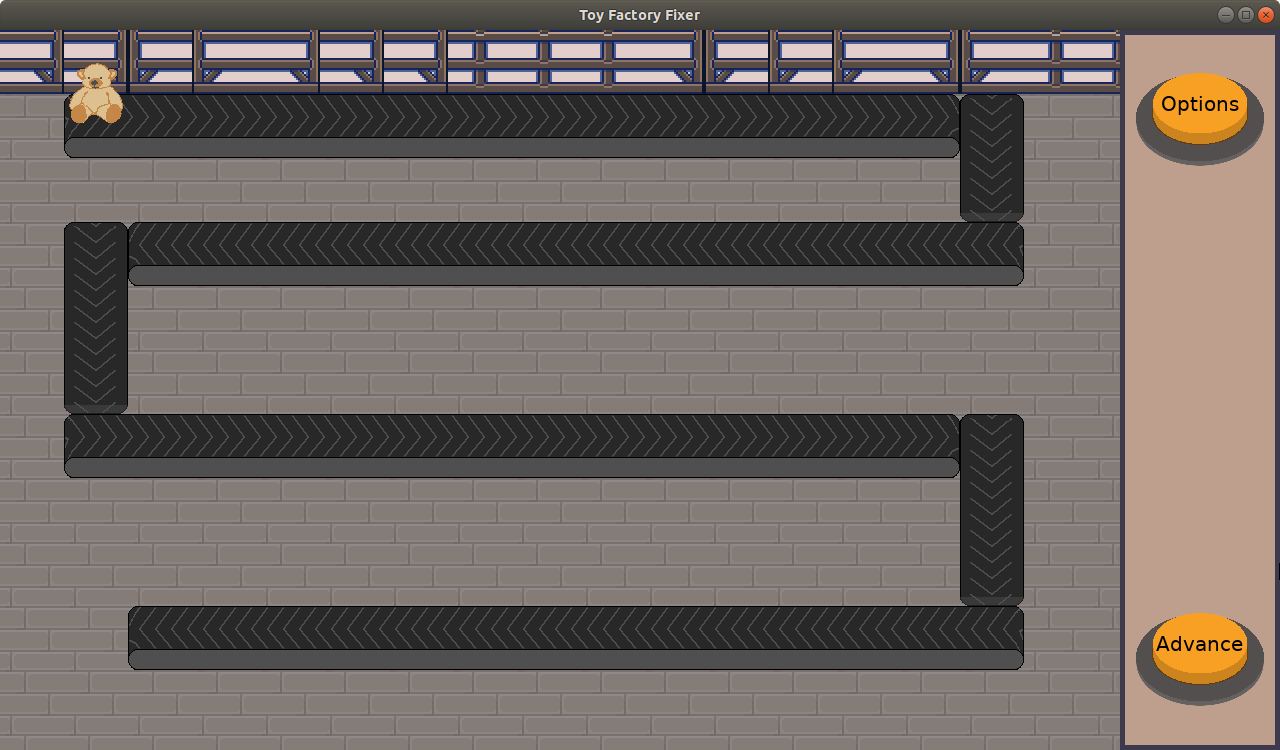
I managed to get the toy bear in the game, but I don’t have the logic to move it down the conveyor belts yet.

Toy Factory Fixer Mock-up

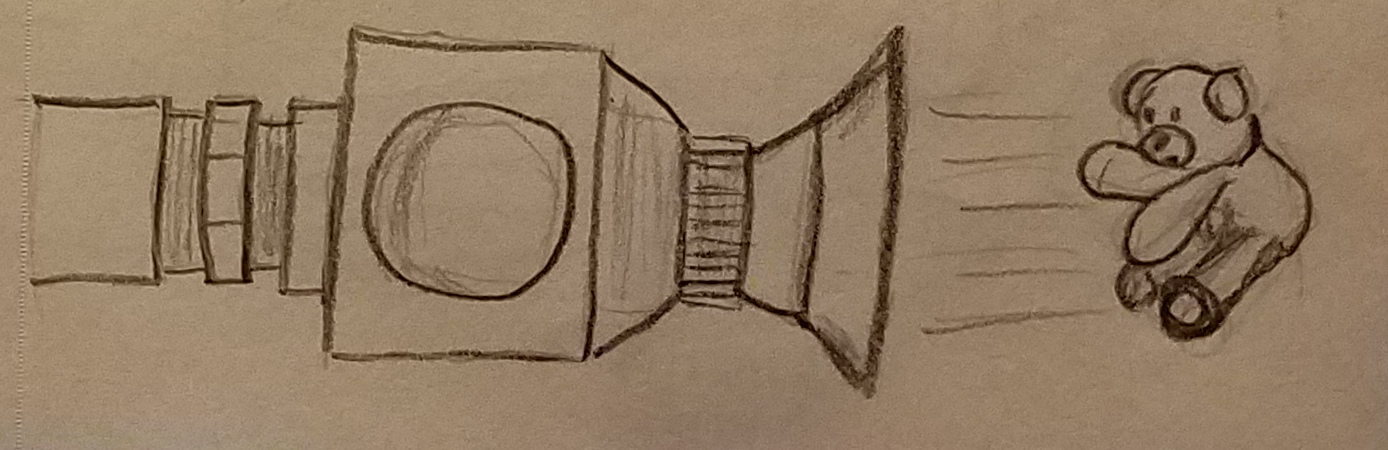
I did draw a toy dispenser on paper that I really liked:

ToyFactoryFixer - Dispenser Drawing

But I didn’t draw a shipping container, which I imagine will just be a box with flaps.

Considering I only put 2 hours of game development in last week, partly due to being distracted by a fascist insurrection at the Capitol Building, it’s understandable that I didn’t get everything I wanted done.

I expect that in the coming week I will get all of the above done, add another toy type, and can move on to the mechanics of hiring toy factory workers soon.

Thanks for reading!

Want to learn when I release updates to Toytles: Leaf Raking or about future Freshly Squeezed games I am creating? Sign up for the GBGames Curiosities newsletter, and get the 24-page, full color PDF of the Toytles: Leaf Raking Player’s Guide for free!

Categories
Game Design Game Development Geek / Technical

Freshly Squeezed Progress Report – Lessons in Prioritizing

Last week, my weekly sprint report detailed how much time I spent trying to create art myself that ended up looking pretty mediocre, with a promise that I wouldn’t spend so much time doing so going forward.

Sprint 2: Basic navigation for all Freshly Squeezed games

  • Start new game
  • Options lets player see credits
  • Create menu screen background art
  • Create options menu screen background art

While I had time off from the day job, I also found myself preparing for the holidays. I managed to make time to work on game development between wrapping presents, eating cookies, and preparing a meal for Christmas Eve, but my priorities were definitely not on putting together a Freshly Squeezed game.

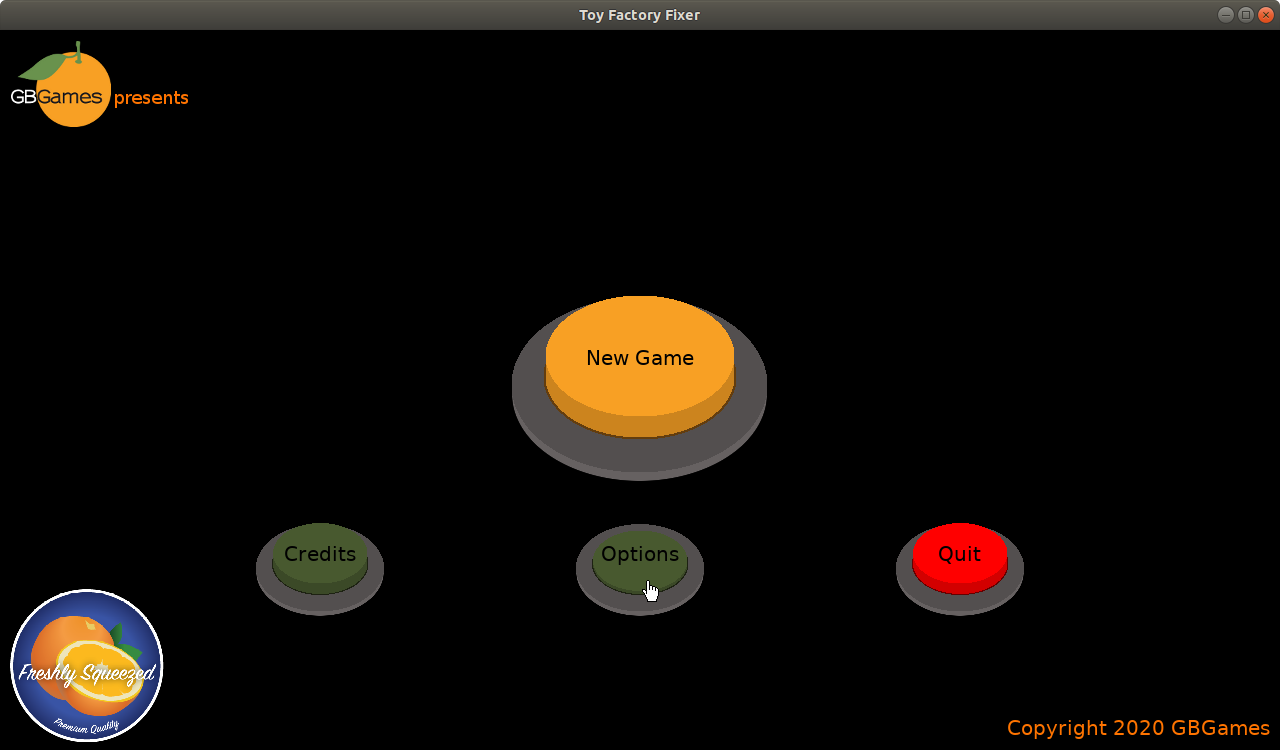
Toy Factory Fixer main menu
What I did accomplish was finishing up the simple art and buttons for the main menu screens. I unfortunately did not do anything to get a playable game implemented yet.

I created the basic menu structure that all Freshly Squeezed games will use going forward. I hate second-guessing myself, though. Did I spend too much time making a menu for a game instead of a game?

It’s not as if I spent too much time making a generic menu system. I already had a menu system I coded a long time ago. And it isn’t as if I was perfecting details that didn’t need to be done.

But perhaps I could have worried about that menu once I had a game I could release, or even after release. The second Freshly Squeezed game won’t be made until this one is released, so in terms of prioritizing the work, I probably could have worried about the menu later.

But last sprint is done, and I can focus on game play in the next one.

I have already started working on creating simple conveyor belts, reminding myself that they don’t need to look beautiful so that I don’t spend too much time on them. I tried to finding conveyor belt art on sites such as OpenGameArt.org, but the few I found were very tiny or the wrong perspective.

So I made this, with four frames of animation so it is clear which direction it is going. This will actually make up two different sprites: the left and right sides of a conveyor belt, with a middle section being a third piece I still need to create.

Toy Factory Fixer Conveyor Belt

Perhaps I could put an arrow on it to make it clearer since it is meant to be seen as a still frame most of the time due it the game being turn-based.

I don’t know how much time I will have to work on this project this week. My wife has already indicated that she wants some house projects to get done during the break. But I hope that by the next report I finally can show off some simple game play.

Thanks for reading!

Want to learn when I release updates to Toytles: Leaf Raking or about future Freshly Squeezed games I am creating? Sign up for the GBGames Curiosities newsletter, and get the 24-page, full color PDF of the Toytles: Leaf Raking Player’s Guide for free!

Categories
Game Design Game Development Geek / Technical

Freshly Squeezed Progress Report – Stop Arting Around

Last week’s report focused on what it took to get a new project started, especially when this project will be the first in a line of Freshly Squeezed projects.

Sprint 1: Basic navigation for all Freshly Squeezed games

  • Start new game
  • Quit game
  • Options lets player see credits
  • Create menu screen background art
  • Create options menu screen background art

As I mentioned in the previous week’s report, I wasn’t sure how much time I was going to be able to dedicate to working on this project. With the holidays coming, there’s plenty of work at home to do.

I didn’t get much accomplished. I’m feeling a little impatient to get to the actual game play, but I also know that my Freshly Squeezed games are meant to do a few things:

  • Find an audience for the kinds of entertainment GBGames creates
  • Allow me to quickly develop future games

In order to do the first, I want to ensure that people know about how to become a part of my audience. If people find and love a Freshly Squeezed game, they might want to know about future games as they get released, and asking them to sign up for the GBGames Curiosities newsletter (see below) seems like the kind of thing I want to do in each game.

And since I want to do similar things in each game, it would be nice if I can make it as simple and straightforward to create the scaffolding and common pieces so that I can focus on working on the game-specific pieces.

That’s why this sprint’s focus was so heavy on the menu navigation. Future games shouldn’t need much to be done to make this part work.

I Should Not Try Too Hard With Art

The theme of the Toy Factory Fixer is a toy factory, and I wanted the building to be made primarily out of brick and wood. I did some research for art references, and I discovered the public television show The Woodwright’s Shop, which is in its 37th season.

So that was a bit of a distraction, but I found a nice background of the actual scenery from the show, and I tried to create a background for the main menu by tracing and filling in with patterns, and here’s the result:

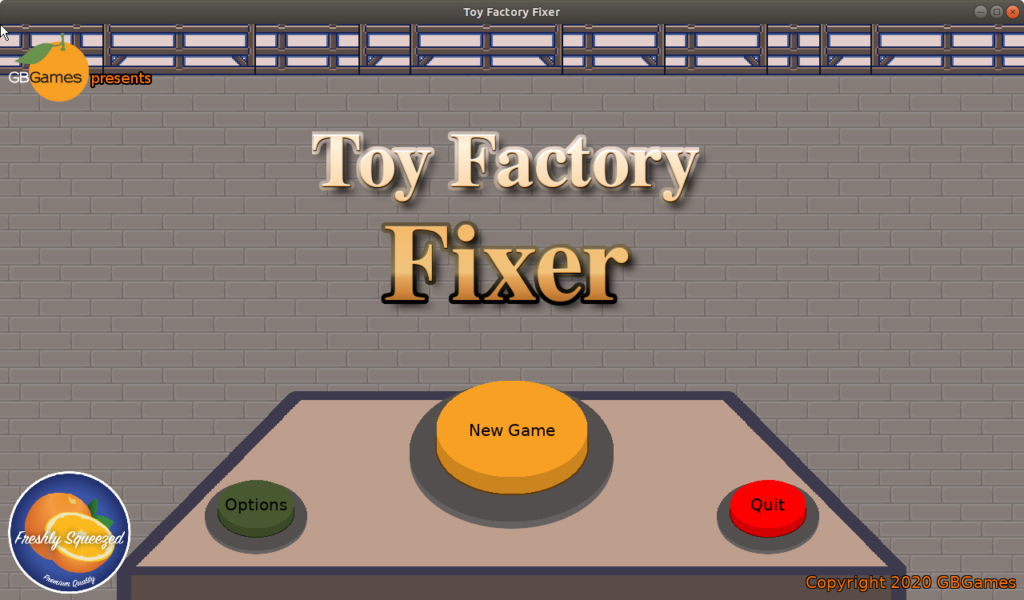
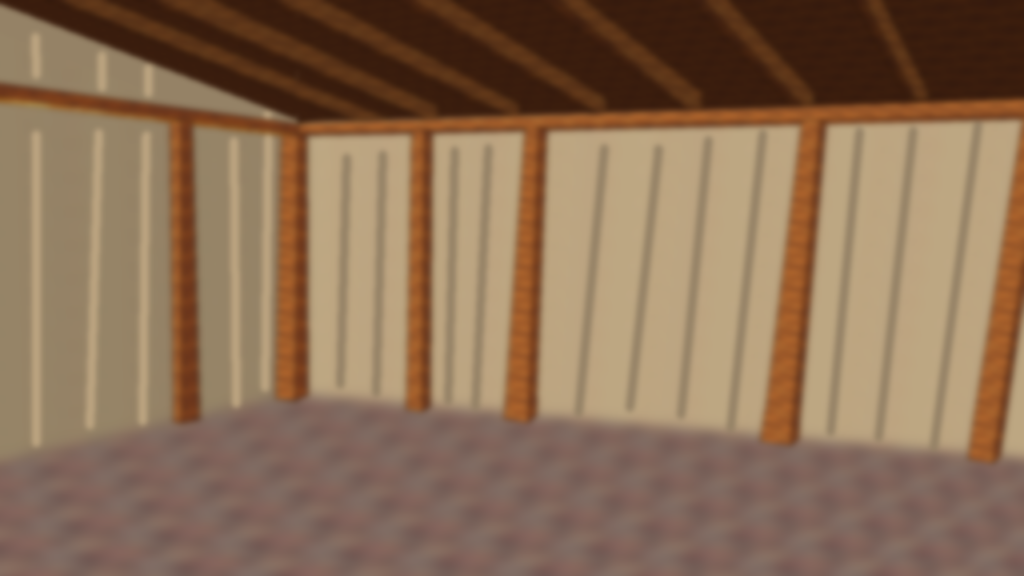
Original menu screen background

And while it was kind of OK, I realized that I had spent way too much time trying to make something so ugly. Blurring it didn’t hide the shoddy workmanship. It looks like I rendered it in 3D using low-poly models in a program from the late 90s, but this was all created in the Gimp this week.

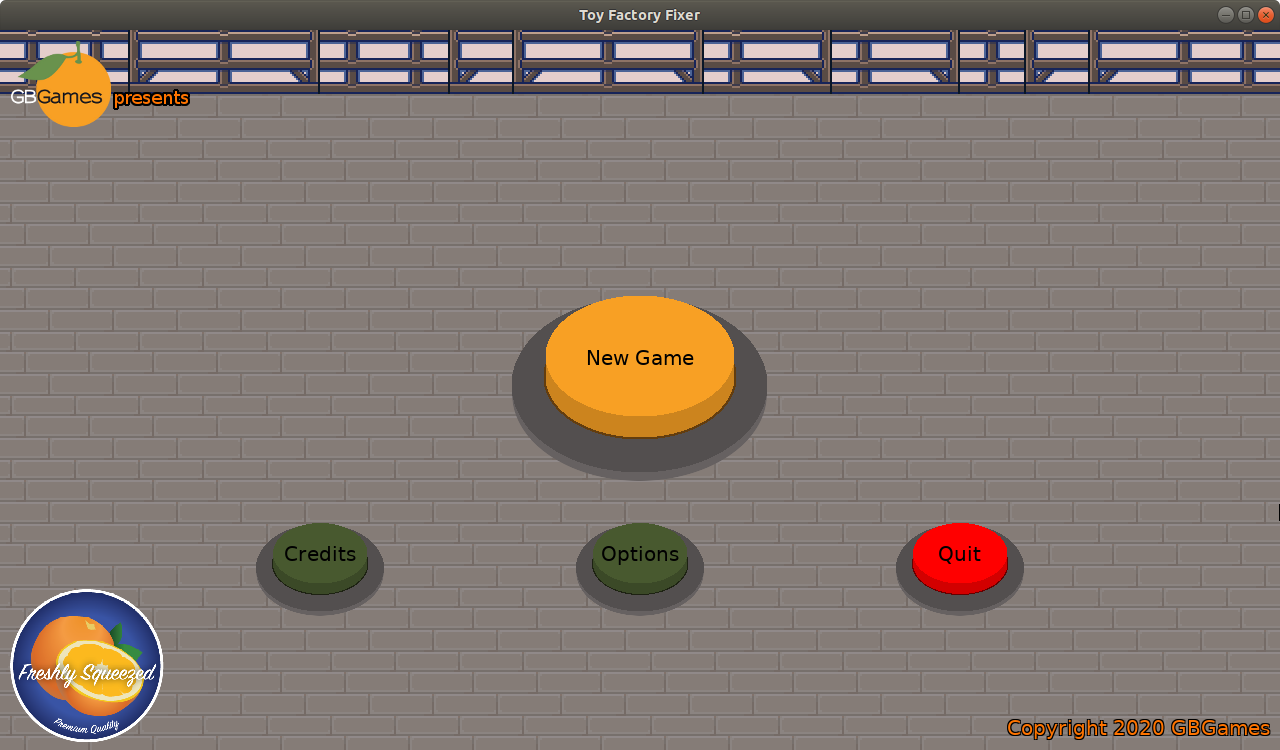
And I of course didn’t want to spend too much time on mediocre art, so I found a couple of art packs (Japanese Interior Essentials and Japanese Urban Accessories on Itch.io) and used some tiles I liked, and the new menu background is actually put together based on four tiles from those packs:

Menu with game background

The idea is that these tiles make up the background, so they are a bit subdued on purpose as I want the game elements that live on top to be a bit more prominent.

Going forward, any homemade art will necessarily be simple. I might want to try really hard to make the art all match, but either I am using pre-made art or I am putting together a decent-enough placeholder.

It might end up looking wrong, but the Switch version of Dragon Quest seems to be doing well enough with its mix of art style(s) so maybe I shouldn’t worry so much about it…

My next step is to put the menu buttons on some sensible looking control panel, and I think it would be nice if I could put a conveyor belt on the screen, perhaps with the title of the game rolling down the belt, but it might just stay a static image. I should worry about making conveyor belts a part of the actual game play before I worry about making the menus fancy.

As far as getting this game ready for release before Christmas, I doubt it will happen even though I have a couple of days off while the kids still have school. It’s looking more and more like a 2021 release.

Thanks for reading!

Want to learn when I release updates to Toytles: Leaf Raking or about future Freshly Squeezed games I am creating? Sign up for the GBGames Curiosities newsletter, and get the 24-page, full color PDF of the Toytles: Leaf Raking Player’s Guide for free!

Categories
Game Design Game Development Geek / Technical

Freshly Squeezed Progress Report – Toy Factory Fixer

In my last report, I talked about my plans for creating and releasing games for free as Freshly Squeezed Entertainment. Toy Factory Fixer is my first Freshly Squeezed Project.

Creating the Project

Historically, I’ve created new projects by using the code of older projects, removing the game-specific code, art, and sound so I can start with a clean but strong base. This project was no exception, but I found that it took me quite a bit of work to take Toytles: Leaf Raking‘s source and remove all things toytles-related.

I made a note to myself that if I am going to be doing this reuse regularly, I need to make it easier by separating the generic code from the game-specific code.

During One Game Per Month in 2013, I did do something like that, but at the time I just deleted one file because I threw all the game-specific code into it. It’s not maintainable, and I know, because Toytles: Leaf Raking started life like that before I started splitting out to make it easier to work with, but for a one month project that I wasn’t intending to return to, it worked fine.

So I want to do something similar by setting up a separate game-specific directory for game-specific code, so that way I just delete that directory’s contents and have a new project ready to go.

Anyway, once I had the new project building and running, all it had was a main menu on a blank title screen. I created a quick button, and I updated some of my generic code to render buttons with an arbitrary color, and here’s the result:

Toy Factory Fixer main menu buttons

I know the menu isn’t exciting, but much like my One Game Per Month games, I want the main menu screen to be fairly standard and easy for me to build. I am already mimicking what Toytles: Leaf Raking does in terms of which buttons are available and what happens when you press them. I am hoping that aside from swapping out the game’s title and background art, perhaps even the button art, the menu requires no work to reuse for future projects.

I realized that I now have a project to work on, but I didn’t put together a a plan to work on it yet. I know some people like to use simple TODO items in a list, but I actually find it helpful to have a spreadsheet tracking not only my backlog of features, ideas, and defects, but also what I plan to work on in a given week. I think even for a small project, and maybe especially for a small project, having a project plan with a more robust sense of what I am doing and when I plan to do it. It helps to keep me from working too long on one aspect of the project and reminds me that I want to ship a working project.

If you’re interested in reading how I do it, I documented how I go about creating my game development project plans back in 2016. I do mostly the same thing today, although I found it easier to not split up the user story across multiple cells. Copying a single cell and putting it into my sprint plan is easier than trying to take multiple cells and adding the text from the column headings so it makes a complete sentence. Perhaps it might be easier still to have the cell get populated based on a user story ID so I don’t have to manually copy the text, but it’s not too big of a pain for me to worry about fixing.

So now I have a simple project plan with a simple backlog that I expect to grow as I work on the project and think of ideas or identify work that needs to be done.

Yet it’s a plan that is detailed enough to keep me focused on getting a shippable game as quickly as possible.

What’s Next?

One thing I didn’t anticipate that I should have is that the holidays are here, and I might have less than the 5 hours of week I average on game development due to working on house projects, doing Christmas shopping online, and making sure our address book is up-to-date so we know where to send our annual Christmas card.

So while my goal is to get the game out before Christmas, it is entirely possible that I won’t find myself with nearly as much time to work on it as I’ll need to do so. I know that at least the App Store is saying that they won’t review games around Christmas, so there’s a bit of a deadline if I want it out in time.

But this project is also a good first attempt to see how long it will take me to get a brand new game design into the hands of players. Some of my One Game Per Month games only took me a handful of hours to put together, so perhaps I’ll find that this game will come together much more quickly than I anticipate.

But I am also figuring out a number of things, such as what resolution should the game run at “natively” or how big should the factory floor be in terms of tiles or how the HUD and interface should look. It should be fun. B-)

Thanks for reading!

Want to learn when I release updates to Toytles: Leaf Raking or about future Freshly Squeezed games I am creating? Sign up for the GBGames Curiosities newsletter, and get the 24-page, full color PDF of the Toytles: Leaf Raking Player’s Guide for free!

Categories
Game Design Game Development Geek / Technical

Freshly Squeezed Progress Report – Toy Factory Fixer

After the release of Toytles: Leaf Raking v1.4.5 last week, I decided to take a break from creating Personality Injection updates so I could work on something else.

I’ve been working on Toytles: Leaf Raking for a few years now, even if you don’t count the period of time when it was on hold while I was focused on a contract game project.

But I have ideas for other games that encourage curiosity and support creativity, and I’d like to start exploring these ideas through the creation of playable prototypes that I will give away for free. These free and quickly put together games will fall under the designation of Freshly Squeezed Entertainment.

Freshly Squeezed Entertainment

Freshly Squeezed

Now, to be clear, I do not intend to churn out unplayable junk. Each Freshly Squeezed game will be released as a perfectly playable game. It might not have all of the bells and whistles, but it won’t be broken and it will provide a complete entertaining experience.

The idea behind giving away free games is that I want my games to have as little friction finding their audience as possible, and if enough demand exists for a particular game, perhaps I will create a “deluxe” version for sale. In other words, rather than guess at what random strangers might want based on trends and fads, I’m trying to find and get faster feedback from the people who would be interested in playing the kinds of games I am creating.

My first new project in the Freshly Squeezed line of games is currently titled Toy Factory Fixer.

I spent a little over 3 hours over a few days coming up with ideas, but here’s the premise:

The toy factory had an accident after one of the worker elves tried to automate the assembly of toys.

Now all of the toys are put together wrong, and the shipping deadline is arriving quickly!

You need to put the toys together correctly in time for them to be delivered.

The worker elf implies where this game takes place. Originally, I had planned to make it a Santa’s Workshop game, with the deadline being Christmas Eve. When I explained this project to one of my nieces, she objected. She told me that making it a holiday-themed game might needlessly limit its appeal. She suggested that I instead add holiday-themed elements to the game, but keep the game more evergreen.

She’s 9. And she is probably right.

Ok, so that’s the premise. What’s the game play like?

I spent time trying to explore options. My goal for the player experience was to have the player make strategic choices for how they go about repairing toys.

I didn’t want it to be in real-time. I wanted the game to be less about reaction time and more about thinking and decision-making.

I found myself imagining a factory, with elves working at conveyor belts. I liked the idea of them taking apart bad toys to get toy parts, and then using those parts to put together good toys, and trying to do so before time ran out.

Of course, since it is supposed to be a game, I then started to think about what obstacles that prevent the toys from being separated and put back together too easily?

Here is a list I came up with:

  • Time or turns are limited
  • Inventory has a maximum capacity
  • Factory floor has a limited number of spaces that can be taken up by toys
  • Materials such as thread, screws, glue, etc need to be obtained first somehow (perhaps by permanently destroying a toy?)
  • Workers must be in correct place to do the work
  • Machines must be in the correct configuration to do the work
  • There are a limited number of toys to work on at one time
  • Toys are work $X and you need to ship $Y worth of toys to succeed
  • A machine does multiple types of jobs, but must do them all at once, and since space is at a premium, sometimes toys aren’t where you want them to be

That last one really intrigued and excited me, and I might keep that idea in my back pocket for a future game.

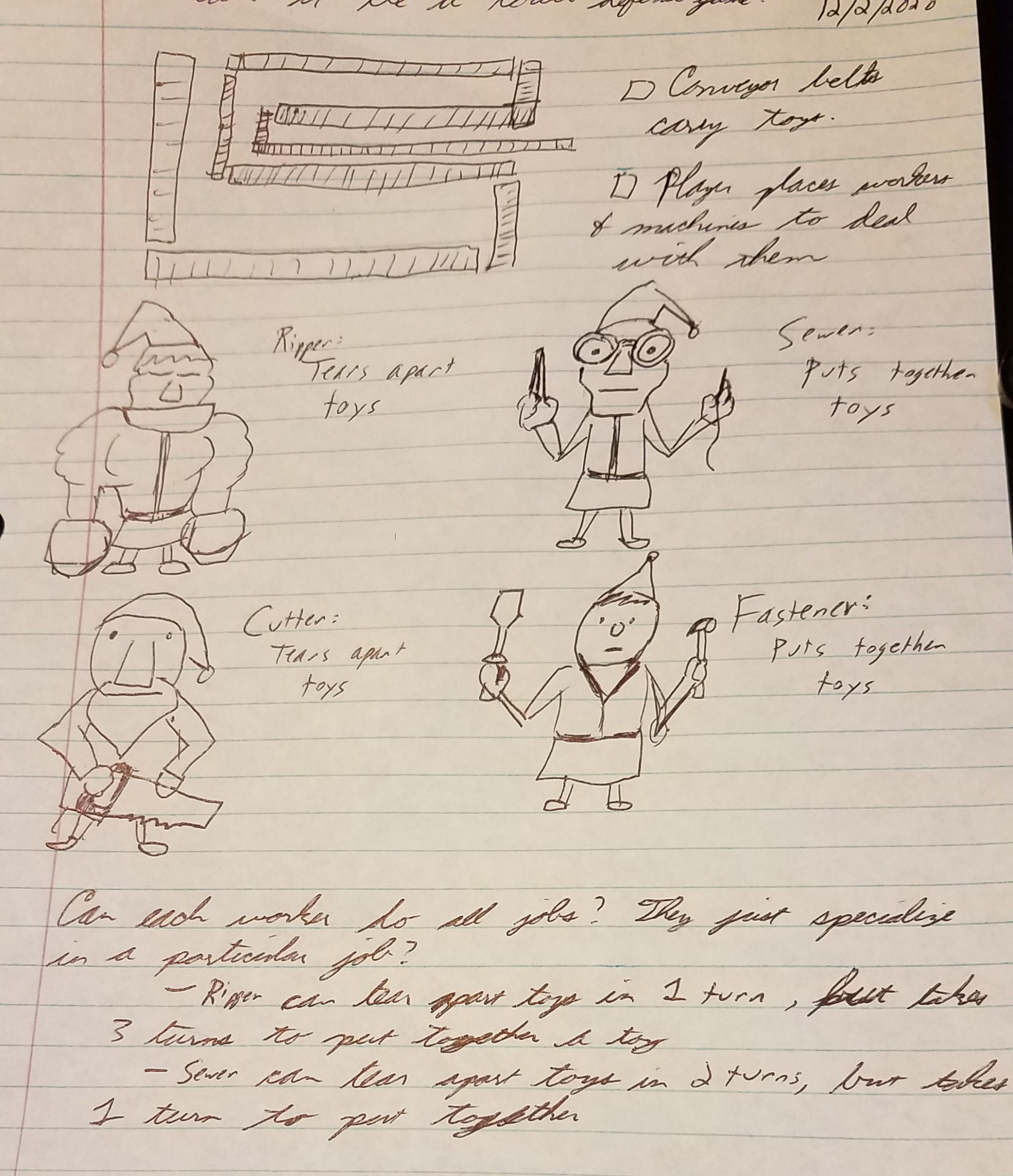
I liked the idea of multiple types of workers. Originally I thought it would be good if each worker was a specialist who could only do one job, but then I liked the idea that they can do any job, and some types of workers can do some jobs better while doing worse at other jobs.
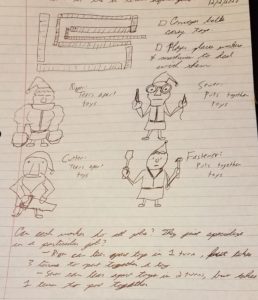
Toy Factory Fixer: Conveyor Belts & Workers

So for example, a Ripper can tear apart stuffed animals in 1 turn but take 3 turns to put a toy together. Meanwhile, a Sewer takes 3 turns to separate stuffed animals but takes only 1 turn to put them together. And presumably there would be an average worker who takes only 2 turns to do everything.

And perhaps there are variations of workers, and they are more effective doing a certain type of job with certain toys than others. So the Ripper is great with ripping apart stuffed animals, but the Cutter is great with cutting apart wooden toys.

I recognized that I was in the “anything and everything is possible” phase, and I wanted to quickly get to something more solid in terms of rules and game play.

Toy Factory Fixer initial mechanics

I imagined the assembly line acting as a path for creeps/toys to traverse in a Tower Defense game, and the workers would be placed along the conveyor belts to work at stations, grabbing toys as they move down the line and placing toys down to be deposited into a shipping container at the end.
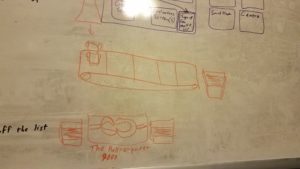
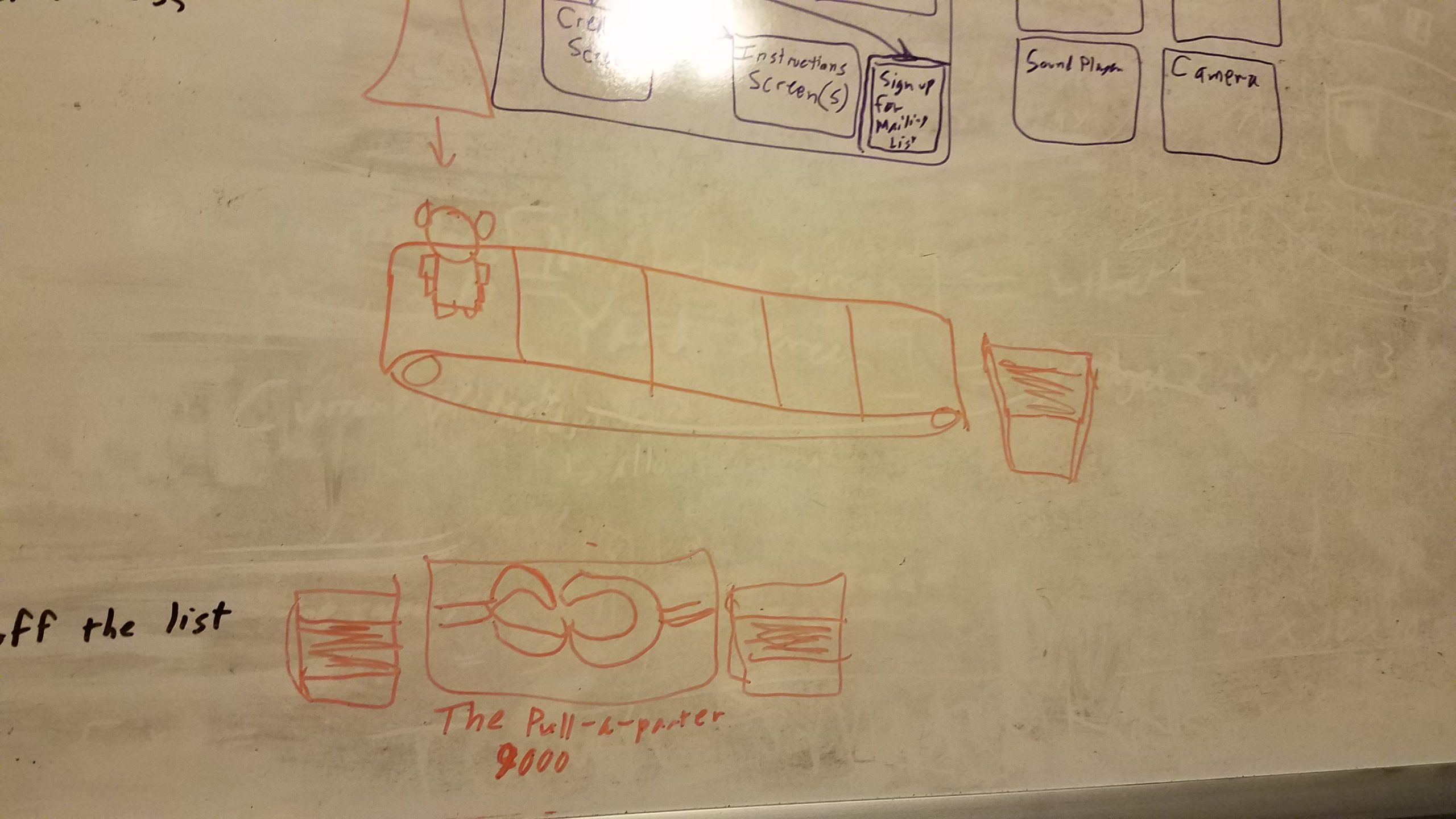
Toy Factory Fixer: Depositor, Conveyor Belt, and Box (with potential machine)

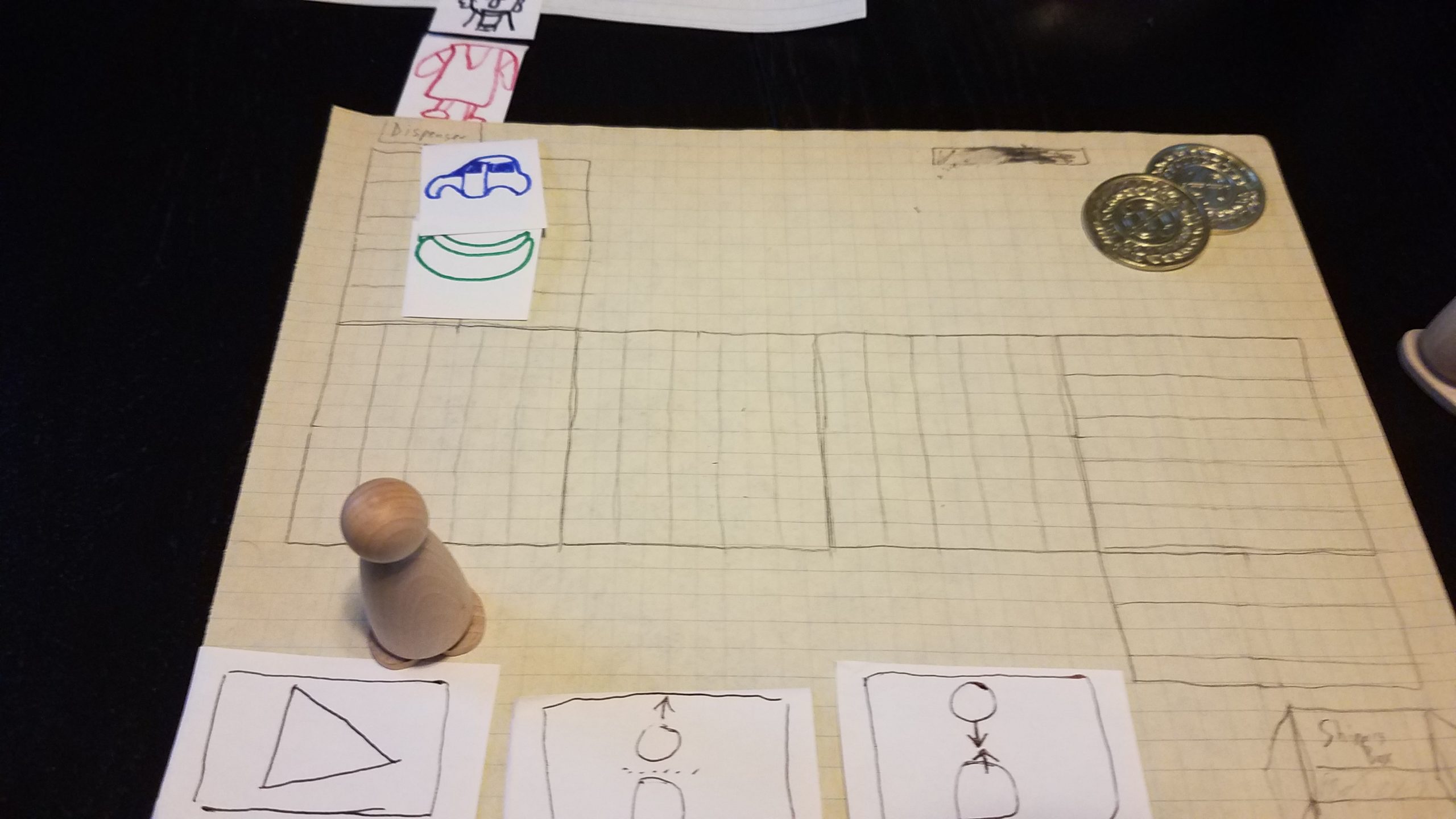
But imagining hides a lot of details, so I started prototyping the game on paper to get a sense for how the game might feel:

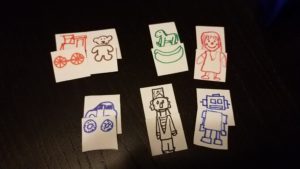
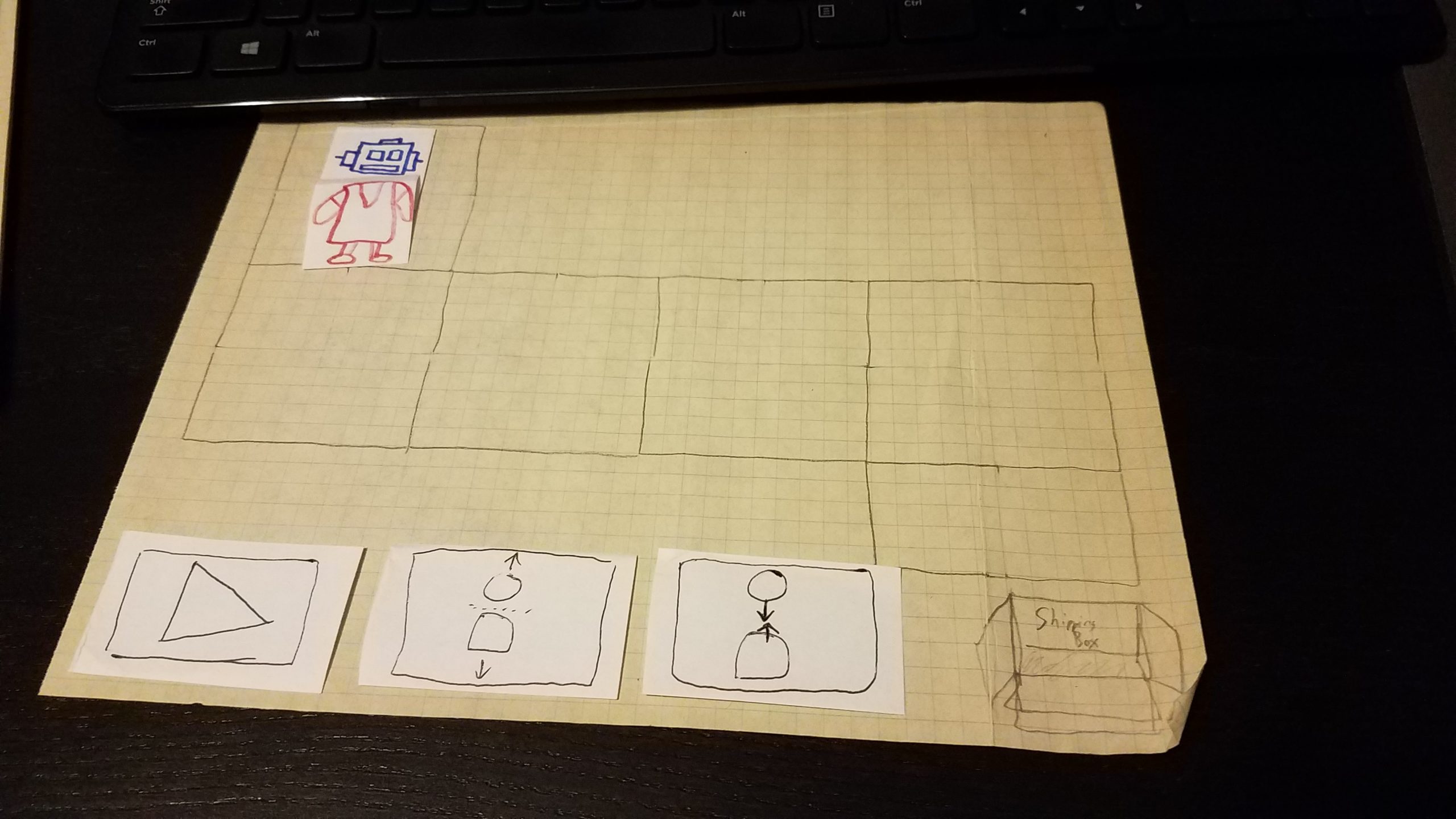
Toy Factory Fixer: Paper Prototype

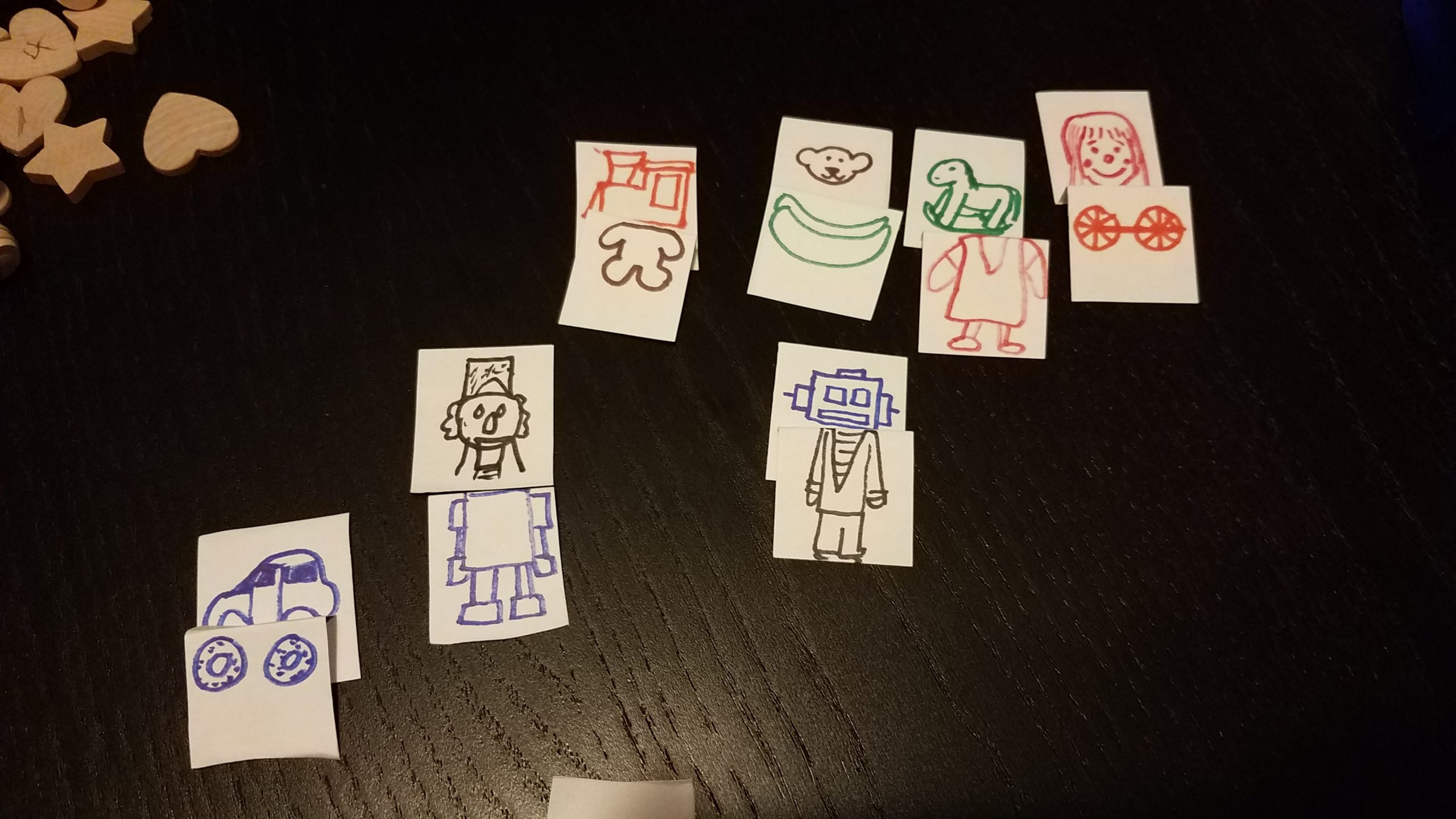
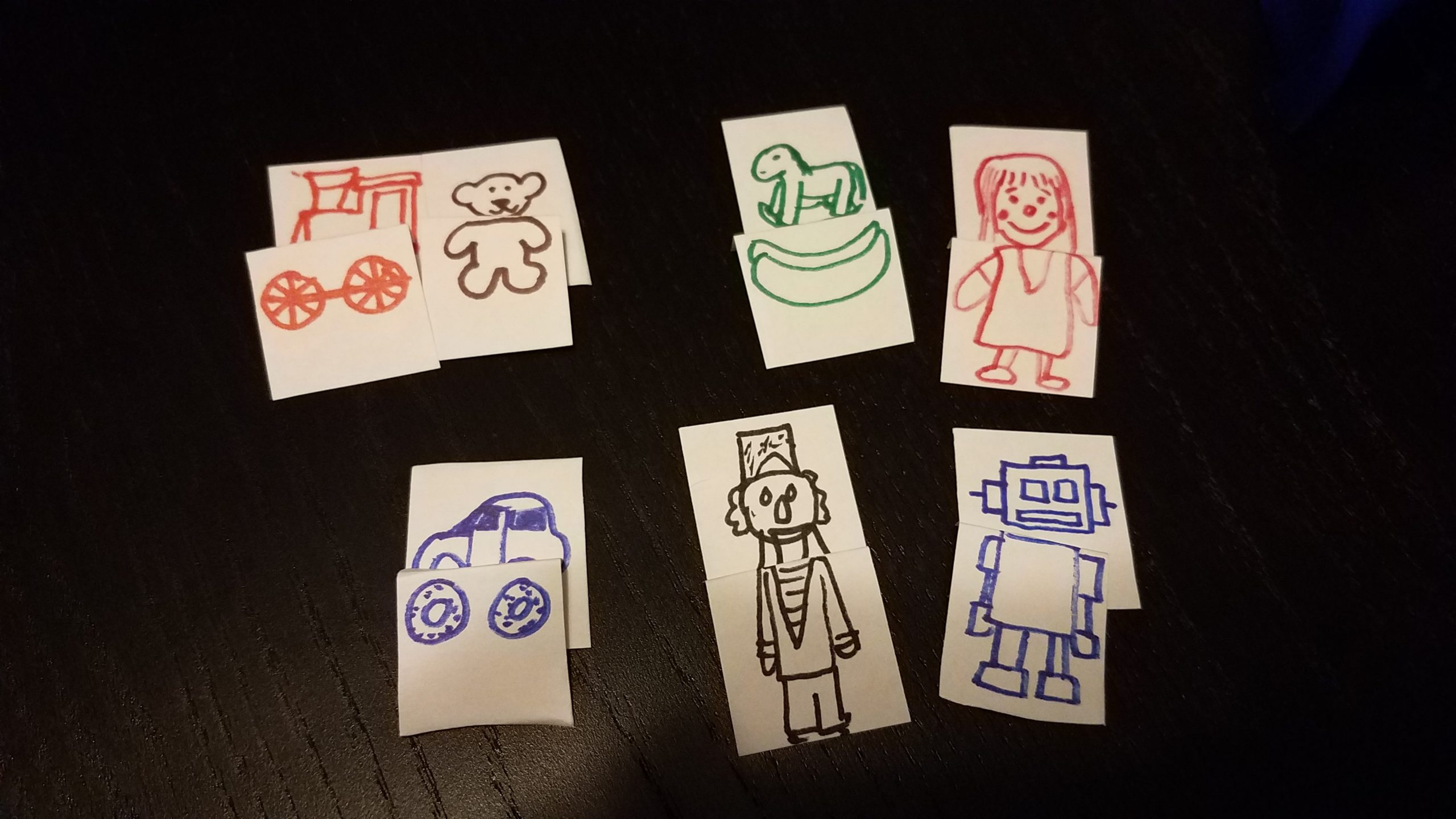
Originally I tried to use some abstract wooden circles, stars, and hearts to represent toy parts, but I found it difficult to match them, so I cut up some index cards and drew some pictures. If you’re wondering, the rocking horse is supposed to be a horse top and rocker bottom. My daughter called it a banana. Whatever. It’s a paper prototype. The fidelity doesn’t have to be that high.

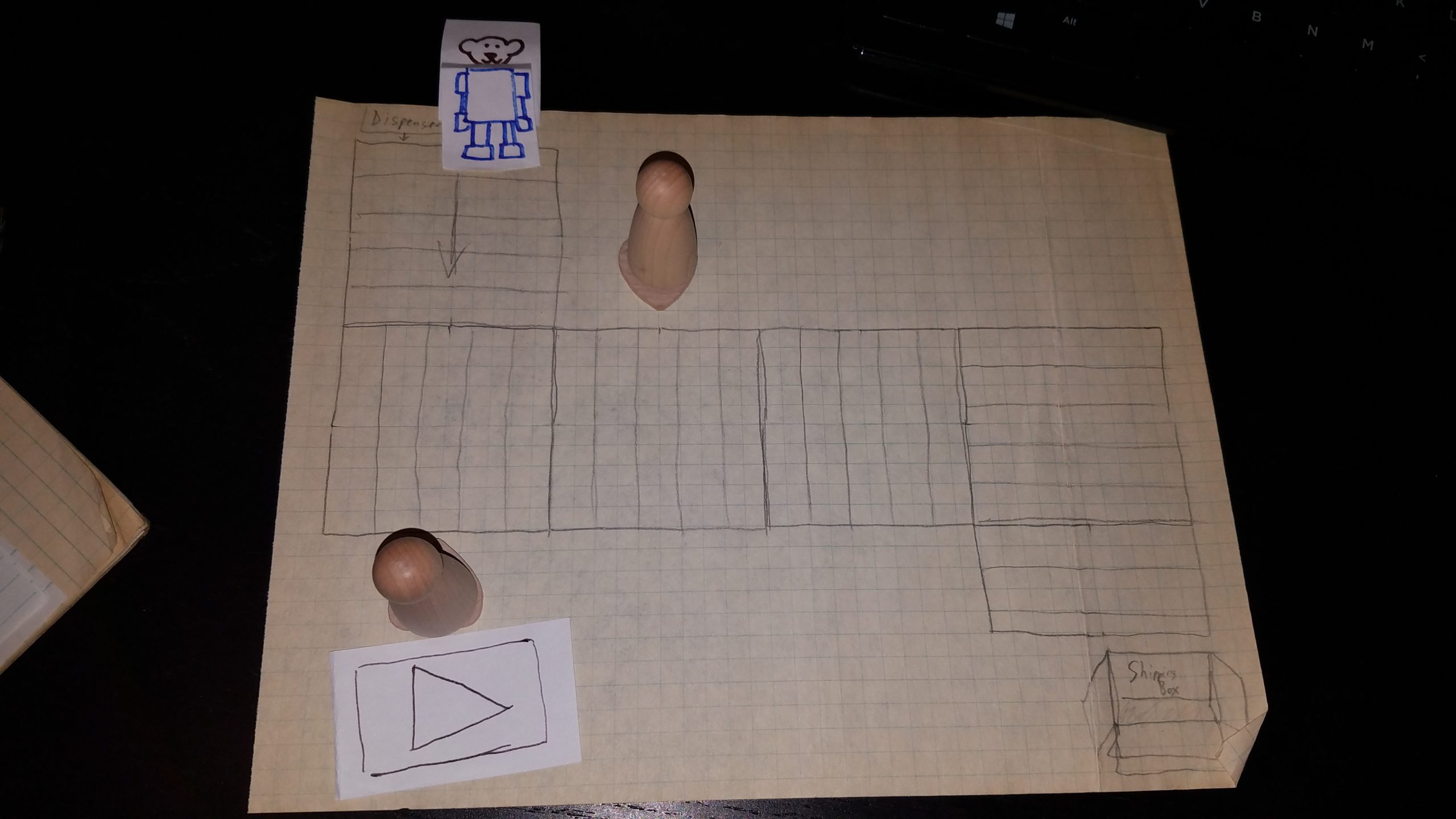
I put together a small conveyor belt level, and then tried playing the game by pretending I was hitting the Play button at the bottom to advance one turn, which would produce a toy from the dispenser. Each turn, the toy advanced one square along the conveyor belt, and it eventually advances to the shipping box. I still haven’t figured out what happens if a bad toy makes it into the shipping box, but perhaps a penalty occurs.

Toy Factory Fixer: Paper Prototype

I then assigned a worker, and then tried multiple workers, and realized I couldn’t wait until a computer could automate this work for me. Advancing toys down an assembly line, knowing what state a particular worker is in, and trying to figure out the details of mechanics such as what could possibly happen in a single turn of the game is a lot to juggle.
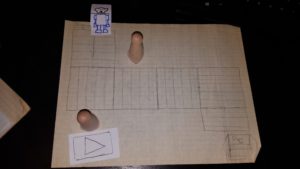
Toy Factory Fixer: Paper Prototype

But I did love the basic spine of the game I had put together: toys move down the conveyor belt to a shipping box, and the player assigns workers along the conveyor belts to manipulate and fix the toys before they get there. There are a lot of details to work out, such as whether the workers are autonomous or need to be activated manually, but the basics are pretty much there.

I then decided that perhaps workers should be hired, so it costs money, which means you need some money to start with.

Toy Factory Fixer: Paper Prototype

After hiring a worker for 1 Money, you can place them anywhere along the conveyor belt. I wasn’t sure if the worker should just influence the square in front of them or a range of squares adjacent to that square as well. I started picturing that famous “I Love Lucy” episode…

I very quickly needed to figure out what happens to the separated toy parts. Do they disappear automatically into inventory? Does the worker hold them? Does a worker need to run around the level, collecting toy parts from other workers? For now, I just wanted them to disappear into your inventory, since that seemed simpler.

What’s Next?

Toy Factory Fixer is just a paper prototype right now, so I’m looking forward to getting it into digital form soon.

I want to put together a very lightweight project plan, write down all of the ideas I’m having, and then prioritize them so I can get a playable game as quickly as possible.

Ideally, I’d like to get this game out before Christmas, but I don’t know how long it will take me. I estimate that in a Ludum Dare 48 hour game jam, I might spend only about 24 actual hours working due to sleeping, eating, and taking frequent breaks. And if I do 5 hours of game development a week on average, it means that this game is probably behind schedule and won’t be done.

But maybe it won’t take me 24 hours, and I can get something releasable much earlier. We’ll see.

One final thought: I invited my son to talk about this game’s design as it evolves, as I wanted him to get a sense of what the work of game design can look like. He’s been enthusiastic (to the point that I had to tell him that he should wait until I had finished talking about my idea before interrupting me with his own), and it has been some of the best quality time we’ve spent together.

Thanks for reading! I am really excited about this project and the Freshly Squeezed Entertainment line of games it will introduce.

Want to learn when I release updates to Toytles: Leaf Raking or about future Freshly Squeezed games I am creating? Sign up for the GBGames Curiosities newsletter, and get the 24-page, full color PDF of the Toytles: Leaf Raking Player’s Guide for free!

Categories
Game Design Game Development Geek / Technical

Toytles: Leaf Raking Progress Report – Yard-Coverage-Based Dialogue

Here’s this week’s progress report for new updates to Toytles: Leaf Raking, my family-friendly leaf-raking business simulation available for iPhones, iPads, and Android devices.

Get it at the Toytles: Leaf Raking page.

In the previous sprint report, I fixed defects I introduced due to the new screen transitions, and I started working on new dialogue.

Sprint 22: Time-based dialogue

  • Story progression when finishing a yard (unique monthly client dialogue w/ difference between clear/uncleared yards

I did 9.75 hours of game development last week, which is almost double my average but quite a bit less than I was hoping to be able to put in considering I took a few days off from the day job. Then again, it was a holiday weekend, and I ended up running errands and doing things around the house. Oh, and someone was digging outside and cut the phone line to our house, and so we’ve been without Internet since the day before Thanksgiving. Someone should come out today, but I don’t know how big of a job it will be to replace the buried phone line or how long we’ll be without Internet access.

Most of the time was spent writing new dialogue for each of the neighbors. It was fun discovering what makes each of the game’s neighbors tick. And I know the new dialogue is just able to hint at their complex lives.

When the dialogue I planned to write was finished, and I was playing the game and testing things out, I found that in practice it was actually much more difficult to talk to the neighbors after you’ve raked their yards due to not being able to visit them after 7:00pm.

On the one hand, it means that I probably do not need to worry about adding too much more new dialogue because it will be unlikely to be seen by players. On the other hand, perhaps there are things I can do to allow the player to have an easier time to do things in-game as well as visit with neighbors if I either had the player’s character return from school a bit earlier or allow visits with neighbors later, or perhaps both.

My niece suggested 8:00pm instead of 7:00pm for the latest time you can visit a neighbor, and she also suggested that 3:00pm is too late to return from school. I’ll need to experiment to see what extra time in a day does to the game’s economy.

In the meantime, I found that once I started testing the game on an iPhone, the game crashed quite frequently. It turned out that during the new transitions, on my main development machine and on Android nothing would go wrong somehow, but on iOS it turned out that a deleted object was being used when it shouldn’t, which indicates that it was probably also being used and waiting to blow up on someone’s Android phone or tablet. So I fixed the issue, and now it is better across both platforms.

I thought there was another crash bug, and I spent quite a bit of time trying to figure out if there was another place where I was using deleted memory. In the end, it turned out to be a weird issue with Xcode’s debugger, and if I ran the game on its own, it worked just fine.

So expect a new release of Toytles: Leaf Raking soon.

Thanks for reading!

Toytles: Leaf Raking Player's Guide

Want to learn when I release updates to Toytles: Leaf Raking or about future games I am creating? Sign up for the GBGames Curiosities newsletter, and get the 24-page, full color PDF of the Toytles: Leaf Raking Player’s Guide for free!