Categories
Game Design Game Development Geek / Technical

Freshly Squeezed Progress Report: Player Character Customization and Persistence

Last week, I reported that I had started player customization for my second Freshly Squeezed Entertainment project by allowing the player to change their character’s name.

I continued the effort this week.

Sprint 6: Pre-production and initialization

Planned and complete:

  • Create save file
  • Create player character

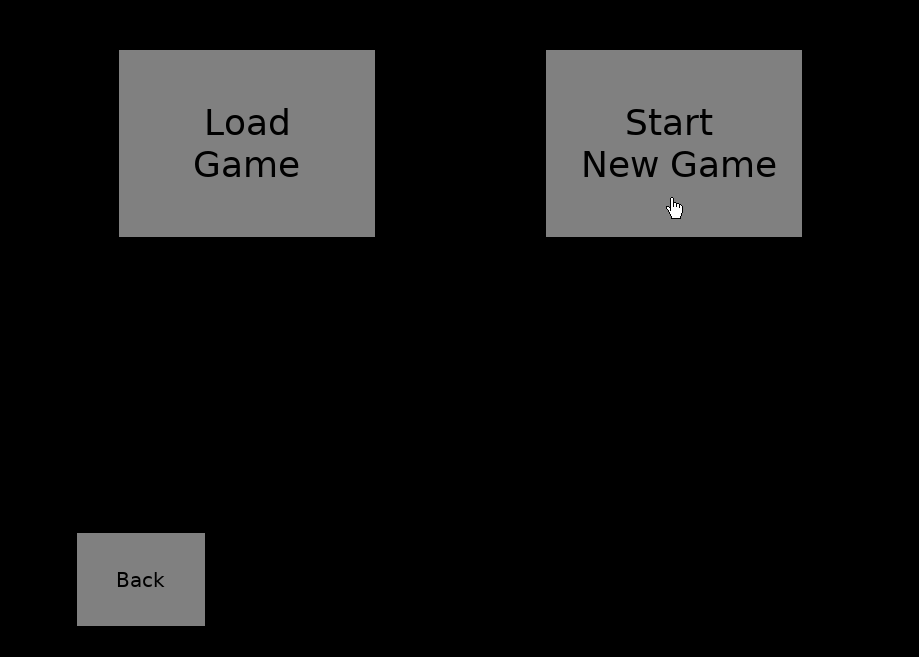
Now that I can rename a character, I could save the game to persist that rename, which meant revisiting the save file work I had started. I changed the main menu to allow me to either start a new game with initialized default data or load an existing game so I can continue where I left off. More directly, it allowed me to test that saving and loading works while also giving me a way to reset and try again.

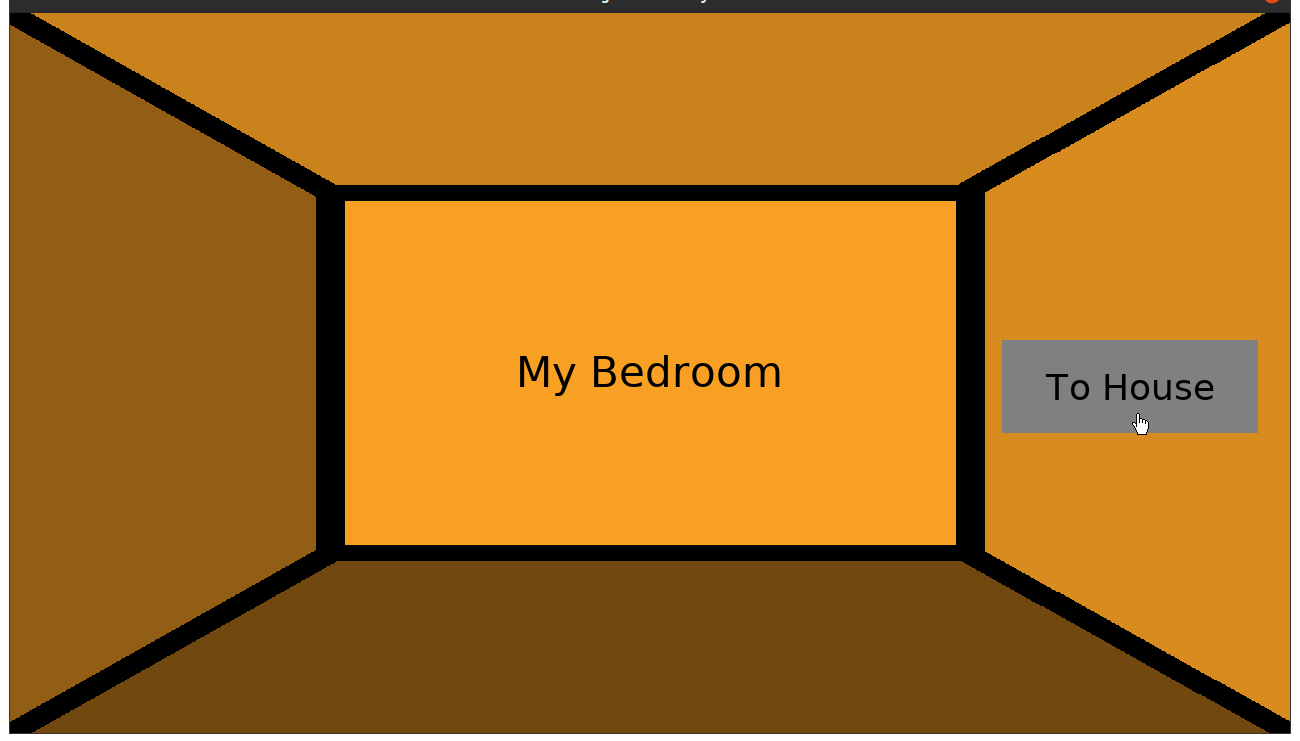
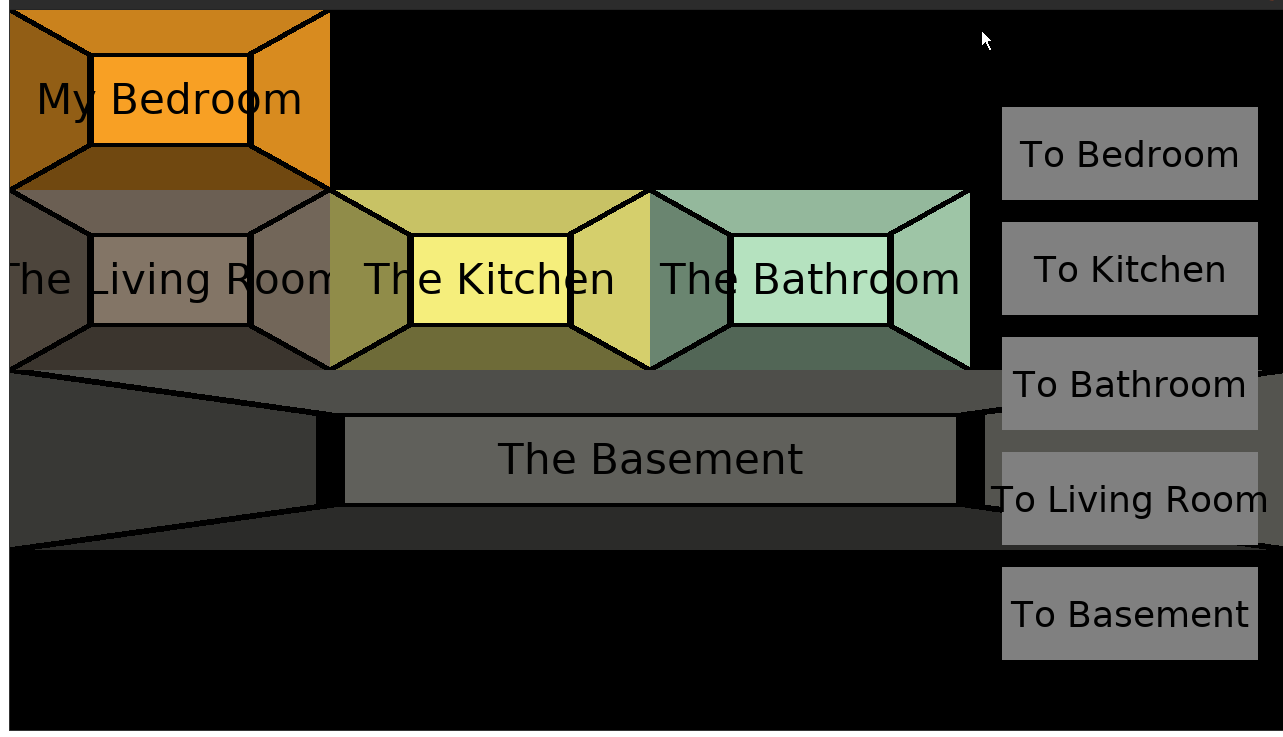
Freshly Squeezed Entertainment game #2's play menu screen

Next up was letting the player customize their character’s pronouns and their appearance.

Ultimately, I want the player to be able to put themselves into the game. I want more pronoun options, but for now and to get something quickly into the game, the player can choose between he/him/his, she/her/hers, and they/them/theirs. Scripts and dialogues will use those pronouns to know how to refer to you and your party members. I have to brush up on my grammar and language rules, specifically for possessive pronouns.

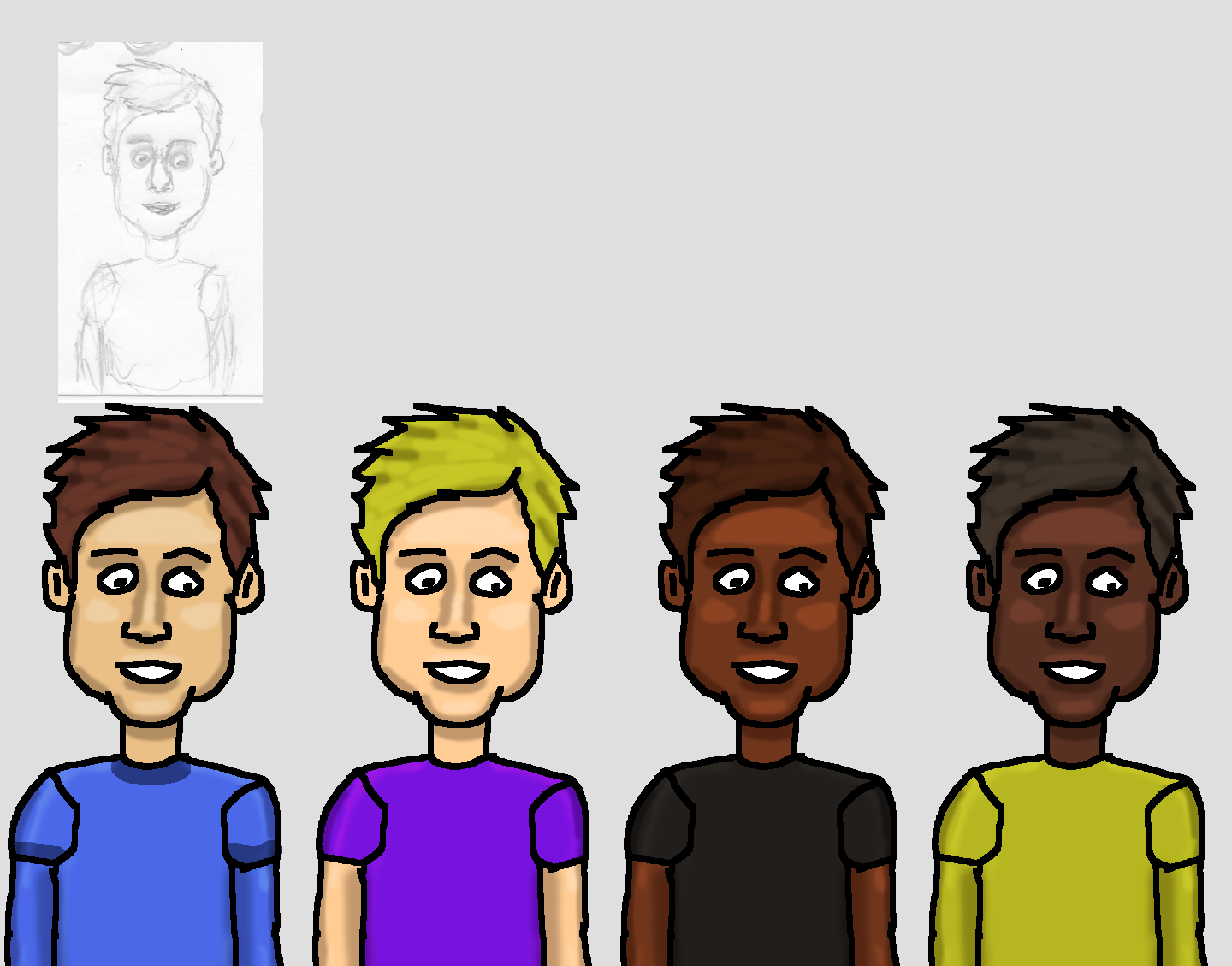
The most exciting part was getting to finally put some graphics into the game. I wanted the player character on the screen, especially when customizing, and so I experimented with one of my pencil and paper doodles, scanned it in, and created a digital form with highlights and shadows. Here’s a mock-up:

Player portrait demo

I like the hand-drawn look of it.

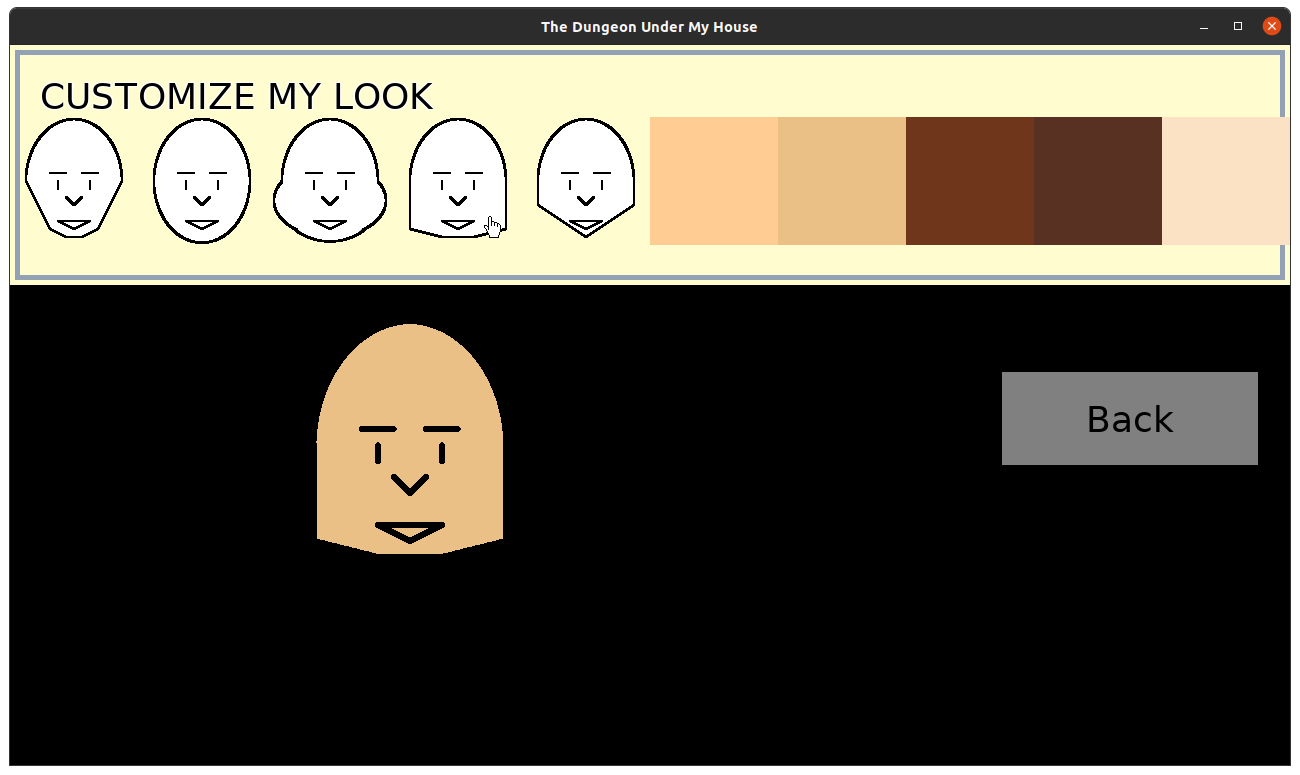
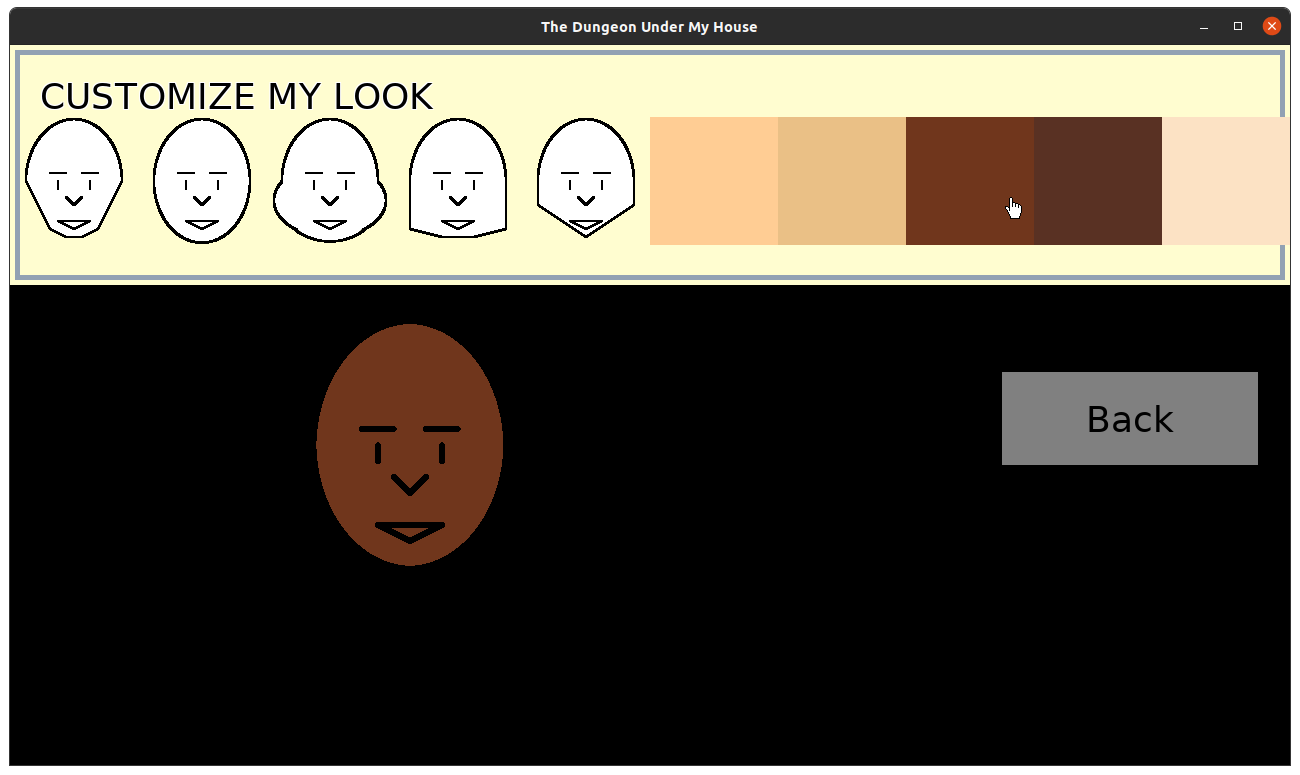
Creating a bunch of different face shapes and facial features for the player to choose from seemed a bit daunting, so I thought it might be easier if I made it very modular. I started with creating a handful of face shapes to choose from, as well as skin colors. Again, like with the pronouns, I want to provide more options, but this initial start lets me get a feel for how intuitive this selection process can be.

Face and skin color customization

Face and skin color customization

The simple facial features are just meant to make it clear that these are faces and not just weird shapes. I want to eventually put in eyes, ears, noses, mouths, hairstyles, and accessories, as well as bodies and clothing, so this customization feature will get revisited.

Even now, I have plans to replace these face shapes. I made them quickly to put together this menu to allow the player to choose between them, but I think I lost the hand-drawn look that I liked so much.

If you wanted to customize your character in a game, what would you want as an option?

Thanks for reading!

Want to learn when I release updates to Toytles: Leaf Raking, Toy Factory Fixer, or about future Freshly Squeezed games I am creating? Sign up for the GBGames Curiosities newsletter, and get the 19-page, full color PDF of the Toy Factory Fixer Player’s Guide for free!

Categories
Games Politics/Government

Get the Trans Witches are Witches Bundle

You may have heard about the problematic yet popular wizard game based on the problematic famous author, but have you heard about the Trans Witches Are Witches Bundle?

For $60 (or $10 if you can’t afford it), you get “a bundle of witchcraft and wizardry without the transphobia, antisemitism, and alt-right grifters.”

You can support independent LGBTQ+ creators, you get what is currently 69 games and other items, and you can rest easy knowing that your money is not supporting powerful people putting more pain and suffering into the world.

There are role-playing games, shoot ’em ups, platformers, visual novels, and more. It’s a “bundle of over $300 worth of magic themed games, music, zines, and other things from LGBTQ+ creators.”

The sale ends on February 24th.

Categories
Game Design Game Development Geek / Technical

Freshly Squeezed Progress Report: Player Character Customization and More Groundwork

In last week’s report for my second Freshly Squeezed Entertainment project, I was updating my project’s infrastructure and figuring out the way I wanted to persist data from one play session to the next.

I found myself adding needed functionality since then.

Sprint 5: Pre-production and initialization

Planned and incomplete:

  • Finish initial design document
  • Create save file
  • Create player character
  • Create [redacted] environment layout

Last time, I realized that I couldn’t move forward with my save file work until I had something more substantial to save in the first place.

So I focused on creating the player character. I wanted the player to be able to customize their main character to their liking, so “Create player character” above has the following tasks:

  • Main player character gets a default name, nickname, gender, pronouns, portrait
  • Player can enter custom name and nickname
  • Player can choose pronouns from He/Him/His, She/Her/Hers, They/Them/Theirs, and (perhaps a few other major ones?)
  • Player can choose portrait from list
  • Create portraits

Some of these tasks turned out to be quite large. I did not do anything regarding portraits because my time was spent focusing on creating the ability to modify the player’s name.

If I was using an existing engine, much of this work would likely be provided for free with some framework. I would throw up an input box and be done.

But I’m using my own code that I’ve been working on for many years, and I didn’t have a ready-to-use text input box, so I would need to implement it myself.

In a previous project, I had hardcoded a text input box to let a player name a save file. My implementation was a little hacky, but I only needed it in one place, and the code was fairly isolated.

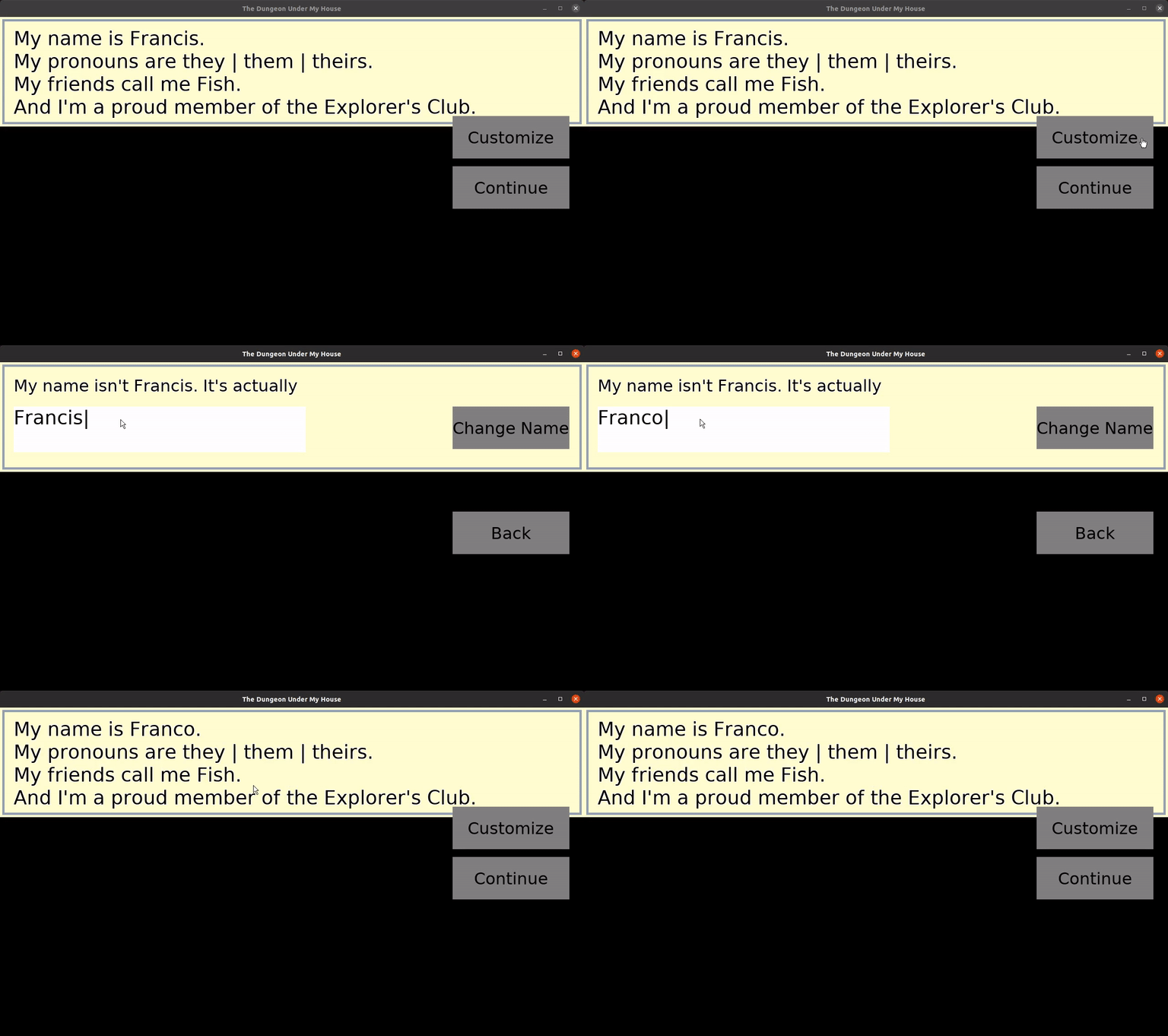
For this project, I knew I was going to need such functionality in more than one place, so I needed to create a reusable widget. I test-drove the functionality in, which required a few changes to some lower-level code to support it, and by the end of the week, I had a text widget that I can throw into my existing menu code. With it, I had the ability to rename the player character.

Renaming player's character

It’s exciting because from now on my own code lets me throw a text input box into a menu for free going forward, and all because of the investment of a few hours.

I expect it will take me almost no effort to change the player’s nickname, but I did find myself thinking, “What’s the point of the nickname?” Originally, I anticipated the nickname being a fun bit of personalization you can give you and your party members that otherwise serves no purpose. If you can give yourself an arbitrary name, then the name already provides personalization. So is a nickname redundant? Do only certain characters in the game refer to each other by their nicknames, and is that compelling enough? Should nicknames not be player-chosen but show up later in the game based on how the characters develop, such as a character who learns how to swim really well being called “Fish” or “Froglegs” or something like that?

It seems like a small thing to worry about, but there are clearly some questions here that are relevant to the game’s design. I might hold off on nicknames until I answer some of them.

The neat thing to see this week is that a lot of hardcoded things are starting to become less so. For instance, I started with a hardcoded text box that introduced the player. Then the text box and associated menu is generated depending on which script is being shown. Now the game keeps track of which script to show, so that when the customization menu closes the game can pick back up from where it left off. In the coming week, I anticipate that I’ll be able to demonstrate saving and reloading a game at an arbitrary point so that a dialogue being shown can be reloaded.

This game is going to be a lot more content heavy than my previous games. The work I’ve done so far may sound overly technical and even unnecessary in a world with free game engines and tools, and I’m getting impatient to put some game play together, but I’ve been investing in making the development of this project easier and faster for myself, and it is already paying off.

For now, I am very interested in making sure that players of this game can see themselves and their friends in it, and so allowing the player to customize their characters to represent themselves is important enough to not gloss over. I just hope that with my limited capabilities and resources that I don’t do too little.

Thanks for reading!

Want to learn when I release updates to Toytles: Leaf Raking, Toy Factory Fixer, or about future Freshly Squeezed games I am creating? Sign up for the GBGames Curiosities newsletter, and get the 19-page, full color PDF of the Toy Factory Fixer Player’s Guide for free!

Categories
Geek / Technical

Paying for Free Tools I Use Everyday: Thunderbird

The short version: I just signed up to contribute monthly to Thunderbird, and I think you should, too.

Here’s the link: Give to Thunderbird

Thunderbird is “the leading open source cross-platform email and calendaring client, free for business and personal use,” and I started using it when I was using Debian GNU/Linux as my main distro. I remember when Debian became very strict about licensing and I had to remember to call it “Icedove” due to trademark issues that have since been resolved.

I just checked, and I still have emails from 2004 at the earliest. For almost 20 years, Thunderbird has been a constant on my desktop computer. I don’t tend to delete a lot of emails, so my archive of folders and newsgroups totals about 7GB, and it acts as a great supplement to my memory. I think it would be larger if I didn’t delete any emails, but I do in fact do some tidying up occasionally.

While it is possible that there are other email clients, I have never found a reason to jump ship. I love having offline access to my email. I love the calendar extension which allows me to have offline access to my otherwise online calendars, much like how my phone’s calendar app fulfills that function for me. I like that encryption just works. When I was part of a trade association that used private newsgroups, I liked that I was able to participate without needing to find another application. I like the rules I setup to filter newsletters and other subscriptions into appropriate folders. I like that it is incredibly easy and fast to search through those 7GB of email for a receipt for a purchase I made or a phone number of someone I met at a conference.

I am sure I could be taking advantage of more plugins and extensions. Feel free to tell me your favorites! But I have been very happy with Thunderbird for a long time. It does its job, and it does it well. It’s a key part of my daily life.

Also, not only is Thunderbird free-as-in-speech software, it is also free-as-in-beer. Unlike other “free” options, I don’t have to worry about advertising or data harvesting. It is truly free, and I really like that fact.

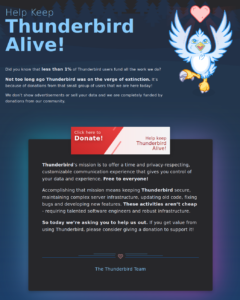
The other day, I saw this appeal:

Keep Thunderbird Alive appeal page

I don’t keep tabs of Thunderbird’s relationship with the Mozilla Project. I know at one point it was spun off as its own thing, then came back, and now apparently it is part of MZLA Technologies Corporation, which is a wholly-owned subsidiary of the Mozilla Project.

My understanding is that Firefox is the big world-impacting project, and Thunderbird is not nearly so. Everyone browses the web, but not everyone needs an email client or a newsgroup reader. Most people use webmail of some kind.

So while the Mozilla Project focuses its love and care on Firefox, especially in terms of financial support for necessary infrastructure, it seems like Thunderbird needs to find its own help more and more.

But I’ve found great value in this email client, and I decided that I could afford to make a monthly contribution.

I admit that the $5/month I contribute isn’t much. I don’t make much of anything with this business yet, so another $5/month expense is a little painful. When I do start making more, I will be increasing my contribution.

But for now, I know that $5 is more than $0, and every bit helps. And I can write this post to encourage you to chip in, especially if you find Thunderbird as useful as I have. Give here: https://give.thunderbird.net

Categories
Game Design Game Development Geek / Technical

Freshly Squeezed Progress Report: Laying Down the Groundwork

Last week, I reported that I was trying to fix some long-living and annoying infrastructure code and continuing to find reference art for the look and feel I wanted for this second Freshly Squeezed Entertainment project.

I did not accomplish what I set out to do, but I did get started, and I continued this past week.

Sprint 4: Pre-production and initialization

Planned and incomplete:

  • Finish initial design document
  • Create save file
  • Create player character
  • Create [redacted] environment layout

Last week, I started making changes to my menu code because the existing code required a lot of seemingly extra work to create a menu, and I knew I could simplify it. I ended up reverting those changes, but then tried a different approach, and I’m pretty happy with the results.

I replaced all of my game’s existing menu code with the new version, which wasn’t too much effort, and it felt so much easier to spin up a menu. And since my game will need more menus, and my future games will also have menus, and I’ve been dealing with the existing code for too many years, I think this was a good use of a few hours.

Of course, I’m not trying to make just menus. I’m trying to make a game. And so the next order of business was to get from the menu to starting a new game.

I decided to start by creating a save file. I have used yaml-cpp in the past, and it works well enough. But I’ve been using an older version, v0.5.3, for a long time, and the compiler has been warning me about deprecated functionality, so I decided to upgrade to v0.7.0.

And besides no longer needing to depend on the boost library anymore, this new version seemed to be a good drop-in replacement. I had no changes to make in my existing code.

But I was still getting warnings, this time from Google Mock. As someone who test-drives his code and otherwise enjoys having automated tests as part of every build, I have been using the same version of Google Test/Mock for many projects, but it looked like it was time to update to a new version. Instead of using the latest, though, I wanted to use a version that still allowed me to create a build using a Docker container with Debian Jessie, mainly so that my game should be compatible with as many Linux-based systems as possible. So I upgraded to Google Test v1.11.0, because apparently anything newer relies on a version of CMake that Debian Jessie doesn’t have yet.

And all of my existing tests continued to build and pass, and now I have no warnings when I compile.

So now that my project’s infrastructure is updated, I could get back to the task of creating that save file.

I believe that Toytles: Leaf Raking was my first game with persistence, and the way it worked was that you could always pick up where you left off or you could reset and start a new game, but there was no way to have multiple saves at the same time.

I didn’t include persistence in my first Freshly Squeezed Entertainment game Toy Factory Fixer, but I did have a contract game that I worked a few years ago that did have multiple named saves.

And so I know what I need to do to allow the player to create, delete, and otherwise manage multiple save files at once, but I found myself getting stuck right away. Frankly, I didn’t want to work on this seemingly simple thing with a lot of moving parts. At least, not yet, especially because there is no game play to worry about wanting to save progress for in the first place.

I realized that this was an opportunity to narrow my scope a bit. Instead of spending time on allowing the player to input a name for a save file and to load a named save file, what if I hardcode it for now? So you get one save, and your option is to either start a new game or load an existing game. I could always add multiple saves as a future change.

Then I felt stuck again. From experience, I knew I wanted to give my save data a version number, which will allow me to make development updates and load older files.

But what else can I save at this time?

Putting on my game producer’s hat, and my hindsight is 20/20 glasses, I think I had the order of operations wrong in terms of what to work on next. I probably should have worked on the main player’s character first.

The main player character is ultimately going to be customizable. Not only can you give the character a unique name, but you can give them a nickname, assign pronouns, and choose a portrait.

So at the start of a new game, you could name your character, pick a look, and change a few other options.

And once I had that functionality in, THEN I would have had something to save.

So there’s a note to my future Self and to any aspiring game producers: wait until you have something to persist before you work on persistence.

As it stands, I have a menu that can get me into the start of a new game, but nothing interesting to do once you’re there.

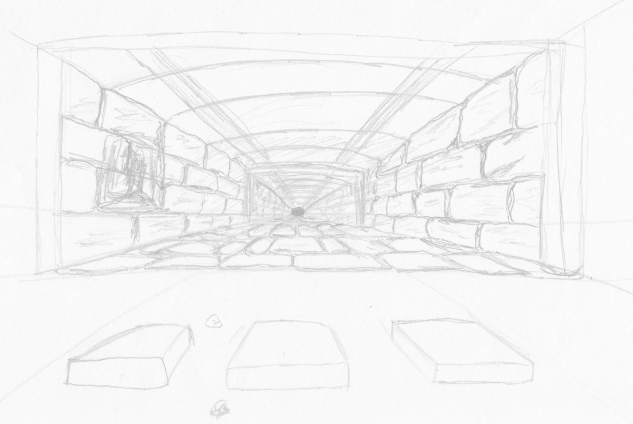
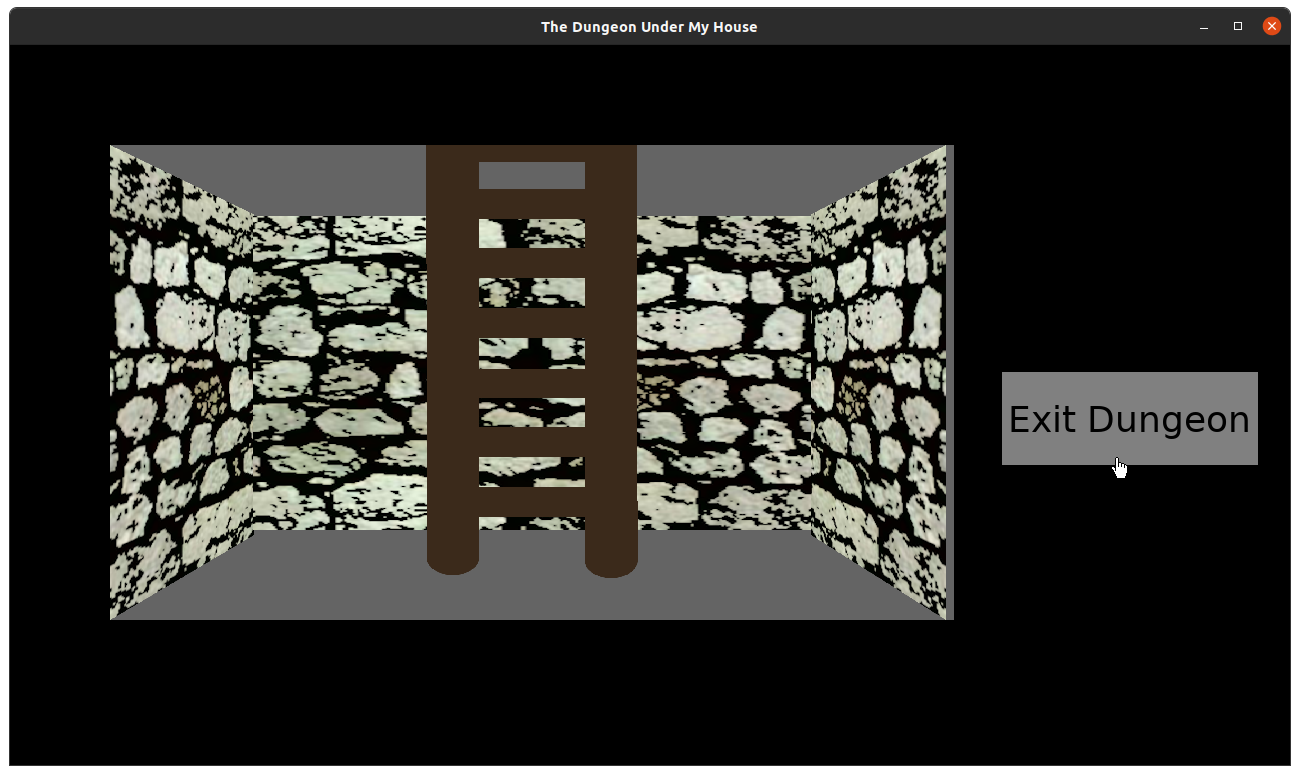
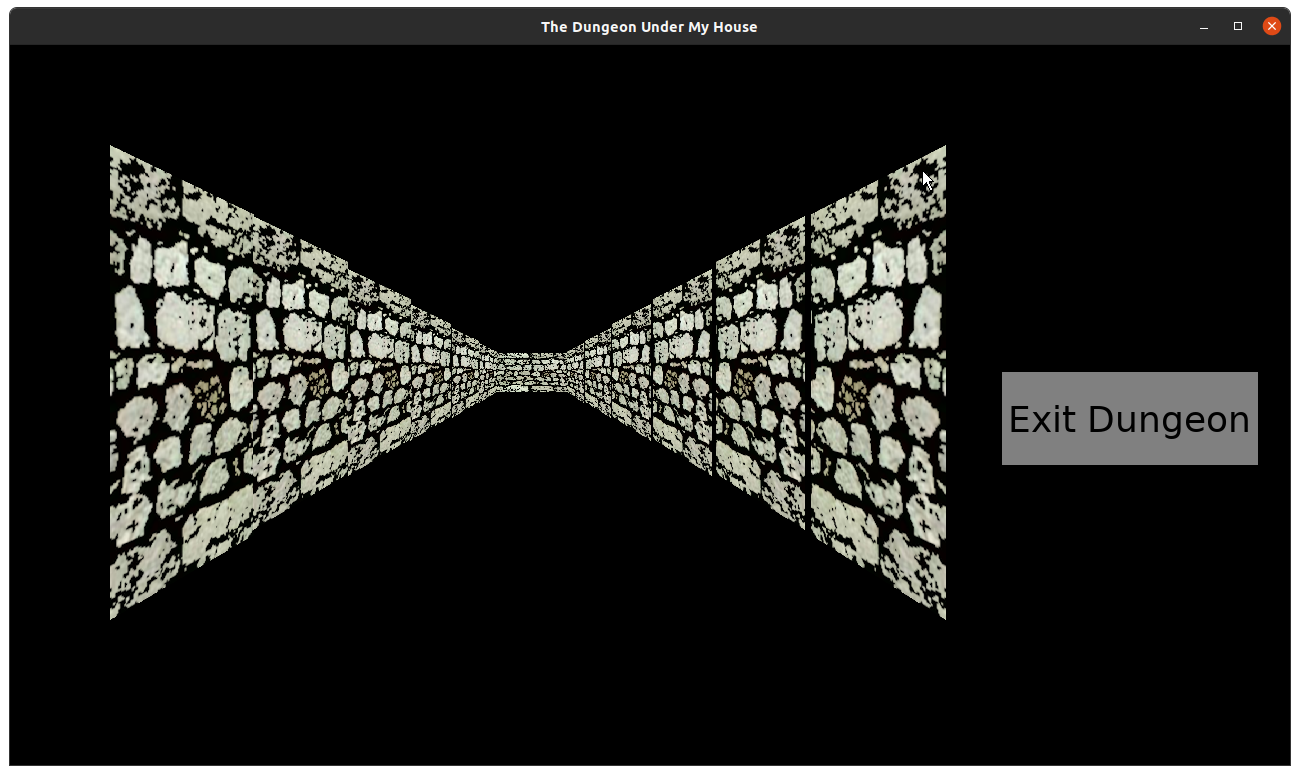
Outside of the planned work, I also continued to create doodles and even experimented with drawing the 1st-person view. Perspective can be tricky, and since I am trying to mimic the look of early 2D, 1st person games, I was trying to figure out how to draw each “tile”.

Basically, how big on the screen should each tile be? How many tiles can I see ahead and to the sides? Where do I draw the edges of each tile?

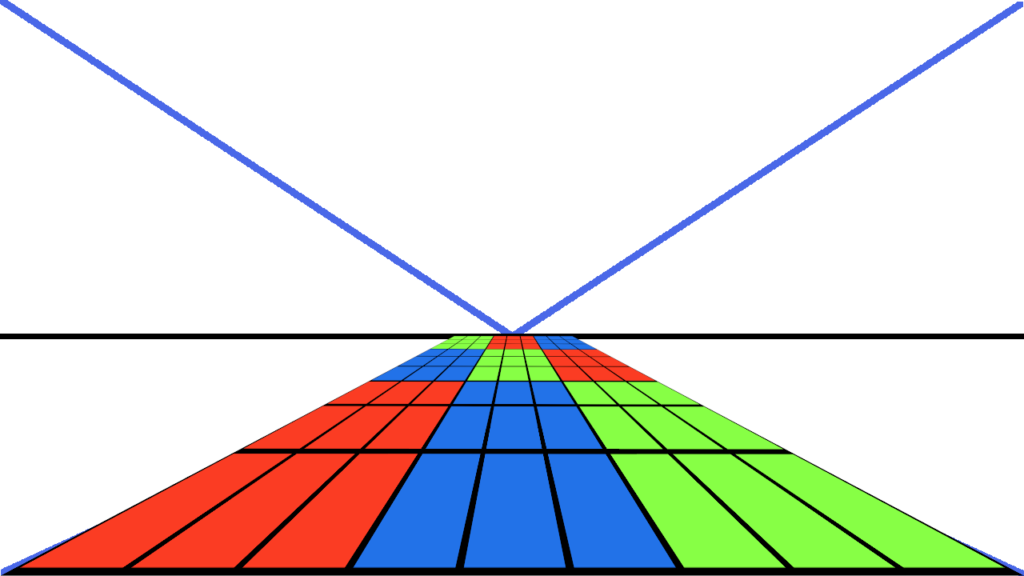
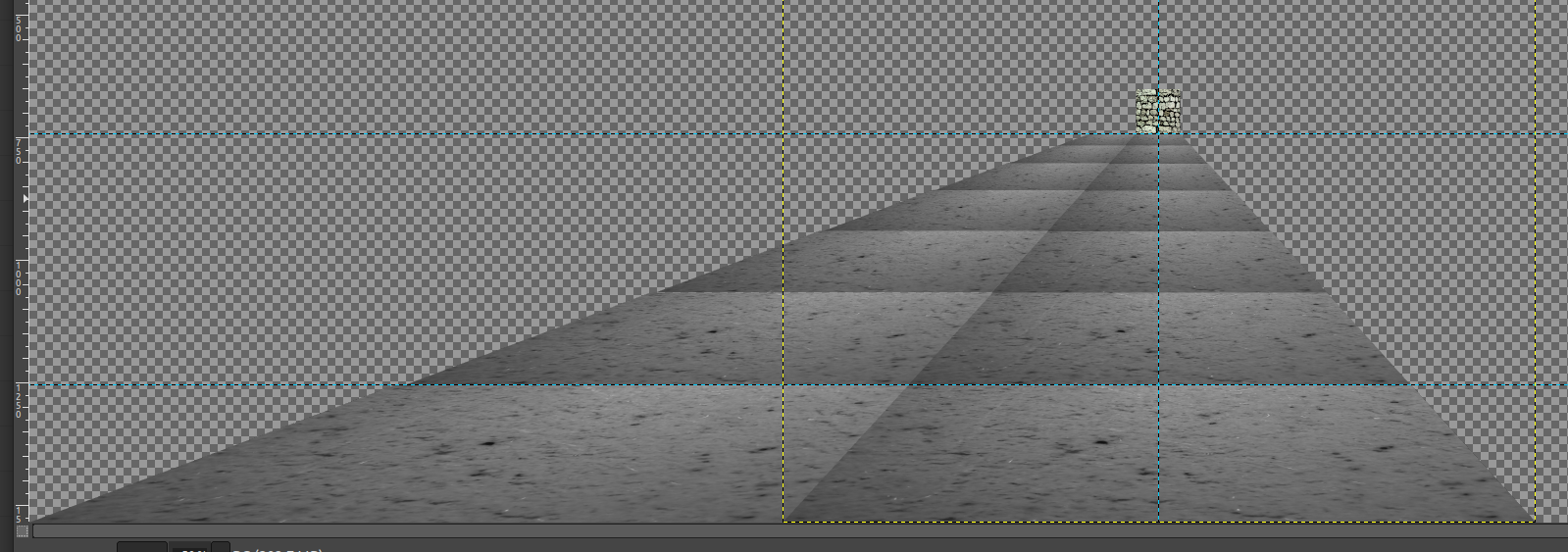
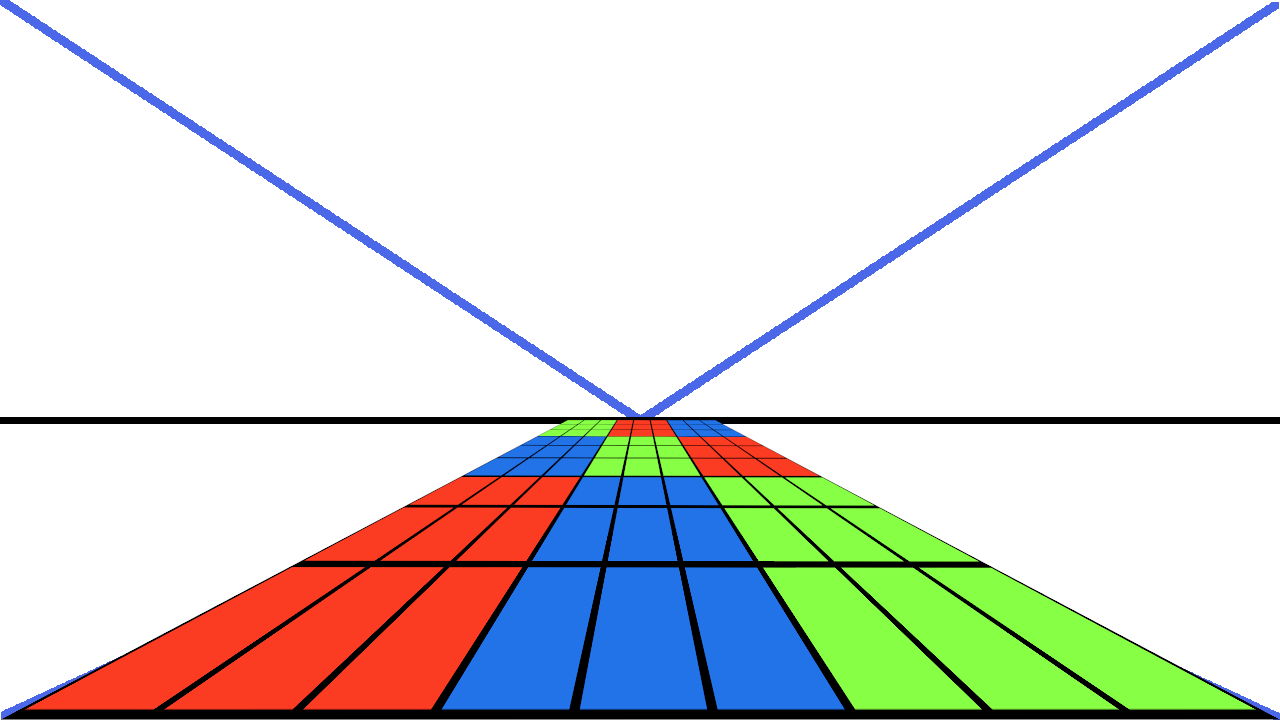
One thing I tried was to create a 9×9 grid of squares, then on a screen with some lines to indicate the single vanishing point, I tried to use a perspective tool to see how the grids would look on the floor of this simulated view.

The results were OK. I couldn’t use the actual vanishing point with the Uniform Transform Tool, and if I tried to get close, it looked completely wrong. But if I only used the horizon defined by that vanishing point, then I got something that looked reasonable.

A grid of squares to experiment with perspective

Using a perspective tool to see what the 9x9 grid of squares would look like as a floor

I’m not sure I’m too happy with it, but it is a start, and I can already picture using something like this to help me draw a world that looks like it fits together. It was a neat experiment, but it isn’t something I need to worry about working on yet anyway.

Side note: I titled this post to refer to all of the infrastructure updates I did above, but now it looks like I had planned it to be a pun about this floor tile experiment, but it was a complete accident that happens to work well.

For now, I need to focus on implementing the player character and getting the player to do something with that character.

Thanks for reading!

Want to learn when I release updates to Toytles: Leaf Raking, Toy Factory Fixer, or about future Freshly Squeezed games I am creating? Sign up for the GBGames Curiosities newsletter, and get the 19-page, full color PDF of the Toy Factory Fixer Player’s Guide for free!

Categories
Game Design Game Development Geek / Technical

Freshly Squeezed Progress Report: Finding Reference Art and Addressing Annoying Infrastructure

In last week’s report, I was still taking my high level ideas and concepts for my yet-revealed Freshly Squeezed Entertainment project and trying to make them more specific and implementable.

Since then I have enough to start actual work.

Sprint 3: Pre-production and initialization

Planned and incomplete:

  • Finish initial design document
  • Create save file
  • Create player character
  • Create [redacted] environment layout

Ok, to start with, obviously I didn’t get anything finished.

That said, I did spend much of the beginning of the week looking up references to help inform the art style for this project, both for the characters and the environments they spend their time in. It was also informative to read some background on some of these environments, and while I think it will ultimately help me create a better world, I also worry that there was still too much absorbing input and not enough creating output.

I spent time learning about the pitfalls of games that this project is likely to be compared to, especially when it comes to how those games and the companies that made them handled things like race and inclusion. More on that topic another day.

And I started to work on creating the initial save file, since persistence is going to be a very key part of the game from the beginning.

Unfortunately, I got slightly sidetracked. Since the code is my own, there is a bit of infrastructure related to how I handled menu-related things that is quite clunky. It is old code related to my understanding of the IMGUI concept, and it has been bothering me for a few projects now, and I finally decided to address it. EDIT: I realized that my attempt to address this clunkiness wasn’t well thought out and so I ended up reverting my changes. Ah, well.

Otherwise, I’ve been creating doodles of the environment and of potential characters, and I think I’ve got a good idea of what at least one of the characters in the game will look like.

So it has been a weirdly fruitful week while simultaneously feeling unproductive. I knew I had put too much on my plate when I started the week, at least if I expected to finish it all, and I’ve done this a lot.

On the one hand, when it comes to planning the week, I should plan what I can get done by the end of the week. I should have planned less.

On the other hand, I think what I captured in this list is a chunk of work that I want to get done together. It is less of a set of goals for the week as a set of goals for an initial playable milestone.

So, another clunky thing is that the way I handle project plans is a bit clunky, at least when it comes to how I actually try to manage the project. I should either plan less for a week, or I should find a better way to identify these collections of work for a given milestone.

Anyway, I apologize if this kind of background information is not interesting to you, but if you do like it, then you’re welcome!

For now, know that I have started coding for this project in earnest, and I am looking forward to being able to share more about this second Freshly Squeezed Entertainment game.

Remember, sign up for the GBGames Curiosities Newsletter below if you want to be the first to see what I’m working on.

Thanks for reading!

Want to learn when I release updates to Toytles: Leaf Raking, Toy Factory Fixer, or about future Freshly Squeezed games I am creating? Sign up for the GBGames Curiosities newsletter, and get the 19-page, full color PDF of the Toy Factory Fixer Player’s Guide for free!

Categories
Game Design Game Development Geek / Technical

Freshly Squeezed Progress Report: More Detailed Designing and Planning

In my first progress report for my second Freshly Squeezed Entertainment project, I was a bit enigmatic about what I’m starting to create. My goal for the last week was to take a lot of my high level concepts and make them more concrete, tangible, and real enough to implement.

Sprint 2: Pre-production and initialization

Planned and incomplete:

  • Finish initial design document

Last week I said that this game was going to be a 2D, 1st-person, non-violent, family-friendly game focused on mystery, exploration, and personalities intersecting. It will be available on mobile devices as well as personal computers for free, and there will be no ads, in-app purchases, or any data tracking, so it will respect your privacy just like my other games, Toytles: Leaf Raking and Toy Factory Fixer.

I also said that I didn’t want to share more until I had something more solid. Much of my design was still very high level, and I wanted to focus on nailing down exactly what some of the concepts would mean when realized in a game.

I had an 11+ page design document that I am still adding to and modifying, and I needed to turn it into an actionable project plan.

So I had three major tasks for this past week.

First, I wanted to identify the player’s main activities. What does the player get to do? “Move” is too vague, but being able to navigate forward and backward, and to turn left and right are more specific. I’ve eliminated moving side to side to keep things simple, for instance. “Interact with objects” is another example of vagueness that I wanted to make more specific. What kinds of objects? What happens? And how does the player interact with them?

Second, I wanted to identify the major “modules” I’d need for the game. I know I have two modes in the game, one of which is 1st person. What exactly do I want the player to do in the non-1st person mode? Also, what about other aspects, such as saving and loading, or customization? I’ve already scoped down a bit here while identifying what I consider a must-have for this aspect.

And third, I wanted to identify the art style of the game. What is it actually going to look and feel like? I already have a bunch of reference art that I’ve put together over the previous month for characters, but I need to do something similar for the environments.

I did manage to put in a relatively significant amount of time into the first two tasks. It’s hard to quantify how “done” these tasks are, especially when I can always come up with more and can always recognize that there is some vagueness to make clearer.

But I was able to flesh out my project plan with a prioritized list of tasks and features that should let me get the core spine of this project playable fairly quickly, and I think that’s a successful week of effort. I can more clearly see what the next few weeks (months?) of development are going to look like, and I can more clearly see what I might need.

For instance, I realized that I’m going to need a tool to help me build out the world, because I can already see that manually modifying a text file myself is going to be tedious and error-prone. Whether I use something like Tiled or create my own map editor, knowing that this kind of effort is coming can help me avoid too many surprises.

I’m also seeing just how large this project can potentially be. My project plan so far has a lot of work identified in setting up mechanics, which says what CAN happen in the game, but I only have a few things that specify details about content and story, which says what DOES happen the game.

In Super Mario Bros, you can jump and run, but jump and run on what? To where? For what purpose? These mechanics ultimately allowed you to save a kidnapped princess, but at a smaller level it allowed you to avoid enemies, find secret locations and power-ups, and raise flags on flagpoles to complete individual levels.

Much of this kind of work, the connective story work and context for the mechanics, isn’t represented in my project plan yet. I have some major ideas of what I want the game to be about, and a lot of the mechanics that I do know about are due to those ideas, but I anticipate that some of the details might need to wait to find out how much of the scope of the work above might change as I get into it. I don’t want to plan for a sequence in the game that requires a set of mechanics that I decided to cut due to complexity and time.

But that’s ok. I think I am at a good point to start implementation, and the project can evolve as I work on it. The challenge is how to figure out when I’m at a point when I want to stop evolving it and get it shipped.

For now, I am hoping that in the next week or so I can have enough to show off that I can show subscribers to the GBGames Curiosities newsletter what my next game is going to bed. If you want to be the first to know, subscribe to my newsletter below.

Thanks for reading!

Want to learn when I release updates to Toytles: Leaf Raking, Toy Factory Fixer, or about future Freshly Squeezed games I am creating? Sign up for the GBGames Curiosities newsletter, and get the 19-page, full color PDF of the Toy Factory Fixer Player’s Guide for free!

Categories
Game Design Game Development Geek / Technical

Freshly Squeezed Progress Report: New Project and Initial Design Work

I’m excited to say that I finally decided on my next project and started actual work on it. Here’s the first of my weekly Freshly Squeezed Progress Reports for my second Freshly Squeezed Entertainment game.

Sprint 1: Pre-production and initialization

Planned and complete:

  • Get a basic project building/running/quitting

Planned and incomplete:

  • Finish initial design document

What’s the game? Well, I’ll tell you later.

I’ll refer to this project as FS2 for now, as I want to have more to demonstrate before I officially announce it, and I will be telling subscribers to my Curiosities newsletter first, so sign up for the GBGames Curiosities newsletter to be one of the first to know what FS2 will be!

Here’s what I can say for certain about the game:

  • it will be playable on mobile devices as well as desktop computers
  • it will be a 2D game with a 1st-person perspective for the main game play
  • it will be free, with no ads, no in-app purchases, and no data harvesting
  • it will be family-friendly and non-violent

And anything more will give away too much. Maybe next update?

To start a new project, I took my previous project, Toy Factory Fixer, copied its source files, then deleted all references to that game, then made sure that I could build and run a main menu that lets me quit the game. Until I get title graphics, I used a mock-up, and I am using gray rectangles to represent buttons.

Here’s a peek at part of the title screen:

Freshly Squeezed Entertainment game #2's title screen mock-up

It’s not pretty, but it doesn’t need to be at this point. I just needed to get something up and running that I can use to build off of.

That was the quick and easy part.

As for what to build next, well, I didn’t feel comfortable working on implementing anything until I figured out a more solid design.

I didn’t intend to make a design document of any significant size, and I know I don’t want a multi-hundred page document that I’ll never look at, but I’ve been writing down a lot of ideas at this stage. 11 pages, in fact. I expect that I will scope it down significantly, leaving a lot out for a sequel or future update.

I’ll have more to say about the details of that design, but for now here are some of the core aspects of this project.

First, this will be a non-violent game: “there should be no attacking or threat of attacks, no abuse, no physical or psychological danger, and no killing.” With the kind of game this is going to be, I feel that making it non-violent is going to be relatively challenging, but it should be relatively unique. While there are many examples of non-violent games, especially in mobile games, it really does feel like most games provide verbs of ATTACK or KILL or DESTROY and not much else. To be clear, I’m not saying that I don’t like violence in games or that you shouldn’t play games that feature violence. I’m just saying that if you want violence, there’s plenty of games to choose from, and I want to try to make a game that is about something else.

Second, the game will focus on personalities intersecting: “when you have multiple people with different interests, goals, and norms meet together, the results can be insightful, explosive, beautiful, synergistic, or counterproductive.” In past games, I found myself adding personality to the main characters and entities late or not at all, and I think it made those games feel cold, impersonal, and mechanical as a result. For this project, I want to make it feel like you are dealing with living, breathing people and other entities. When you see two different entities, they should be two different entities, with unique identities, rather than clones.

Third, I want to focus on mystery and adventure: “the ____ is like a completely different world, with rules and laws that are strange and wonderful. It holds secrets, and the player will want to learn them all.” I want the game to be about exploration. That’s a tall order, especially as I expect it will require a lot of world-building and narrative design, but I’ll have more to say when I can tell you what “____” is. B-)

As for the mood and feel, I want it to be light-hearted and family-friendly. I’m taking a little inspiration from the game Earthbound and the movie The Goonies. I want it to be a game that is incredibly accessible, and so long as you can read and think, you should be able to play. It won’t be hardcore challenging, but at the same time, it won’t be incredibly simple either.

Since I’m at the beginning of this project, it’s one of the most exciting ways a game can exist: as a collection of really cool ideas in my head. The problem of course is that to actually create this fantasy project as a real game might take forever, or it might not actually work at all.

I know what kind of game I want to make, and I know a few of the fundamental things I will need to implement. I also recognize that while there are a few things I can borrow or steal from other games of this type, many of the things I am thinking about doing with this project require some experimentation and prototyping. Probably too many for someone with limited time such as myself.

Basically, while I have enough to get started, there are still too many vague ideas the game is depending on. I don’t need to have everything worked out in extreme detail, but I need enough there to actually have something to implement and prototype.

So my own goals for this past sprint were to figure out more precisely what this project will actually be. I needed to identify the player’s actual goals, activities the player will be involved in, and the high level systems and interactions I’ll need to implement to make it all real.

Part of that work has become the lore of the game, and I think I have a good overarching goal as well as some interesting situations to put the player in. Plus, as I have been figuring out what locations and entities should be in the game, I’ve been identifying specific systems that might be needed to make them work.

I’ve made good progress on turning my high level ideas and concepts into more specific features that can be made into actionable and tangible work, but there’s still more to do. What I’m looking for are the building blocks to start with, the things that let me build the spine of the game, and then I can iteratively and incrementally add to it. What I don’t want is to work for months on a set of features that I hope fall into place with the risk that it never does.

I apologize that the above lacks a lot of specifics. Rereading it, it sounds like I am saying, “I’ve got a new project, but not really.” Maybe this update was premature, or maybe I’m putting too much importance on wanting to wait until I have a little more substance to tell my newsletter subscribers what I’m doing before I announce it here.

But for now, I have some designing and planning to do.

Want to learn when I release updates to Toytles: Leaf Raking, Toy Factory Fixer, or about future Freshly Squeezed games I am creating? Sign up for the GBGames Curiosities newsletter, and get the 19-page, full color PDF of the Toy Factory Fixer Player’s Guide for free!

Categories
Game Development Marketing/Business Personal Development Politics/Government

Reviewing an Underwhelming 2022, Previewing a Better 2023

At the start of the year, I like to look back on the previous year to see how well reality matched up with my plans, and then, trying to incorporate any lessons and insights I’ve gained, I make new plans for the coming year.

In the past, I’ve found myself weeks (or even months?) into the new year before I get around to this work. I was not exactly hitting the ground running, partly because I was still finishing the previous year’s efforts up until the end of the year and didn’t give myself time to reflect before the new year.

But this time around, I took off the month of December from my day job with the intention of journaling, reviewing the past, and figuring out what I want out of the future. December tends to be my least productive month in terms of GBGames, and while there were still plenty of errands and holiday preparations to work on, I did manage to make some time for some serious thinking effort, especially thanks to an early Christmas present from my wife for a week-long solo retreat.

The short version: 2022 kinda sucked. I’m looking forward to making 2023 into what 2022 should have been.

Here’s the long version.

In A Review of My 2021, and Looking at 2022, Already In Progress, I was coming off of the success of finally publishing Toy Factory Fixer, my first one-month Freshly Squeezed Entertainment project, after about 12 months of development.

I had a goal of releasing 6 such games over the course of a year, and so I was recognizing that my capacity as a very, very part-time indie meant that I needed to be a LOT more realistic about what I could actually accomplish.

My overall strategy didn’t change, but the values were significantly smaller. My goals for 2022 were:

  • Release at least 2 Freshly Squeezed Entertainment games by December 31st
  • Increase my newsletter audience from 22 to at least 34 subscribers by December 31st
  • Earn at least 1 sale per month by December 31st

Maybe publishing 2 games was still too ambitious, but I figured at least one game with one in development was still an improvement. And maybe 1 sale per month sounds laughable, but I didn’t come anywhere close to 1 sale per week OR per month in the previous year. And if it is so laughable, it should be easy to get more than one sale a month even if all I do is post a plea on Facebook asking friends and family to buy the game.

I right-sized my goals for what I thought was simultaneously a small step and also a stretch from what I have so far been demonstrating.

So how did I do?

Not great, actually.

Published Freshly Squeezed Entertainment Games (Target: 2) — 0 (or maybe 1)

I’ll explain more below, but other than working on porting my existing games to the desktop and creating Disaster City, my Ludum Dare 50 game, in a weekend, I made no new games.

I don’t really count my Ludum Dare game, though, because it was conceived and developed for the compo and wasn’t really something I was planning to make into my next Freshly Squeezed Entertainment game. I thought about making it a full-fledged project after the compo, but I never got the energy behind it to do so, even though I liked the germ of the idea I had created. I wanted to be more deliberate than “Here’s a game I quickly threw together, so maybe I can make a bigger version of it?”

At the end of the year, I started putting together a design document for my next Freshly Squeezed Entertainment, but it isn’t ready enough yet for me to formally announce its existence yet.

I might be too hard on myself, as I did put in time and effort to create ports, so it wasn’t a complete blank of a year, but it is my most clear-cut failure for a major goal to not get addressed at all.

GBGames Curiosities Newsletter subscribers net increase (Target: 12) — 3

On the bright side, it’s above 0. I should be pleased about that fact at least. And no one unsubscribed, at least.

My newsletter grew by 6 subscribers the previous year, though, so I’m not happy with gaining fewer subscribers, especially since I have Toy Factory Fixer and Toytles: Leaf Raking released on the desktop and so had more exposure with more incentive (you can get a free player’s guide for each game) to join the newsletter.

I don’t know if I should take it as a refutation of my strategy to release free games and grow my audience through them, or if it is still too soon to tell.

Sales (Target: 12) — 3

I sold 7 copies of Toytles: Leaf Raking in 2020, 5 copies in 2021, and only 2 in 2022, with one person giving me an optional couple of bucks for my otherwise free Toy Factory Fixer to make for what I technically call a third sale.

I don’t like this downward trend, either.

On the other hand, due to one of the two sales happening on itch.io which allowed for one customer paying me significantly more than the asking price (thanks, Mike!), I actually made almost $1 more than the year before, and making more money is a trend that I like.

But obviously I can’t rely on such generosity for everything.

Analysis

My major goals are above, but I also had minor goals to port my existing games to the desktop, especially after Ludum Dare 50 and my efforts to port my game for it to get as many potential reviewers as possible.

But before all of that, there were two big tasks.

One was to finish some post-release efforts for Toy Factory Fixer, such as creating and uploading a player’s guide and updating my website for it.

Another was a presentation I meant to give early in the year that never happened. I was scheduled to give a Toy Factory Fixer post-mortem presentation at my local IGDA chapter in February, but that month the meeting never happened, and the chapter hasn’t scheduled another one since.

At the time, I thought it meant I had more time to polish my presentation before it was rescheduled, but I didn’t really track the time I worked on it, so I don’t know how much effort it took.

My vague plan was to finish the presentation, then switch gears to quickly port my games, then switch gears again to creating my next Freshly Squeezed Entertainment game. Basically, my major goals were on hold, and maybe they shouldn’t have been considered my major goals if that were the case?

I worked on my presentation on and off for a few months, finishing it in May, but then never actually presenting it or recording it myself, completely wasting the effort for this supposed priority.

After Ludum Dare in April, I finally put together a backlog of tasks to port my games, only to kick myself for having put off for so long the 5 minutes it took to do it.

What followed was a few months of development effort to do the ports. Frankly, getting the games onto the desktop was easy work, and while I spent weeks creating the Linux port despite the fact that my main development system is Linux-based, it was because I wanted to make it a one-button, reproducible build. The Windows port was fairly straightforward as well and was almost a one-button build that needed a few tweaks. The Mac port was a little troublesome, but I eventually figured out the arcane incantation Xcode required.

In August, I participated in 60 FPS Fest again, and it was insightful watching complete strangers try to play Toy Factory Fixer. A number of people struggled to figure out how to start, which I addressed through some hints and UI changes in an update I made in the following weeks.

And then, after my Toytles: Leaf Raking desktop ports were announced, for some reason, I did nothing.

Well, that’s not quite true. In September I tried an experiment in which I did a daily game design exercise based on the day’s news headlines, and while I enjoyed the experience and think I got a lot out of it, it required too much of my time, way more than I could justify spending on it.

But I didn’t have a product plan. At the very least, I didn’t have a next project ready to go, and apparently my theme for this year was to struggle with overcoming inertia.

I also had some health problems which impacted my ability to sit long enough to work on anything.

So basically, my major goals took a backseat until I could get what at the time looked like quick goals accomplished, which ended up either taking me longer to get around to or taking me longer to finish than I originally anticipated.

But it wasn’t like I vastly underestimated how much work there was to do. I think it came down to not getting myself to do the work consistently.

In 2021, I had habits that got me to slowly but surely publish a game. I did exercise every day. I dedicated regular time to learning, mostly to take advantage of my Pluralsight subscription.

I had set my course, and each day I executed part of a plan that moved me in that direction until I was at my destination.

But this past year? I found myself between plans often. It’s one thing to take a step forward with an existing project. It’s another to figure out what a new project should be.

I think I usually find that I need a major break after a game project is completed, but I felt like I couldn’t get back into the swing of things this past year, and I still can’t quite put my finger on why.

I was fine so long as I was tracking some effort, but for some reason if I wasn’t dedicating time to development or writing or learning, I found it harder to keep on task, or start a task in the first place, even if I knew what that task was. In fact, whenever I don’t know what I should be doing, I take that as a clue that what I should be doing is figuring out what I should be doing. Yet, I couldn’t muster up the effort.

Was it burnout? Was I questioning why I was trying to accomplish things I set out to do so long ago that I forgot why I was doing them? Was it frustration that the rest of society seems to be trying to get back to a pre-pandemic normal that doesn’t and shouldn’t exist anymore? I don’t know.

But as someone who aspires to one day get back to full-time indie status, this past year felt squandered and lost despite the accomplishments I can point to.

What else?

Compared to the previous year, I only put in a third as much game development, a total of 101 game development hours. I only had five months that were productive, and they weren’t full months.

I blogged a lot less, with only 35 published posts compared to last year’s 60. About 9 of the posts were for Ludum Dare 50 weekend, and I don’t think I tracked my writing time then. Since many of my posts are sprint reports, and I was doing less development, it makes sense that I had less to say, but there are other kinds of blog posts that I could have written. I put in about 53 hours for writing that I tracked which is surprisingly only a little less than the time I put in the year before and which doesn’t include when I wrote for the player guides. My newsletter is supposed to be a monthly one, but I only sent out 4 issues last year, mainly because the only things I had to announce were the ports and updates to existing apps.

I had managed to keep my expenses down significantly relative to previous years, mainly by resisting game and book sales (I have plenty already purchased I could play/read instead), but it was still a bit more than I had planned and a large multiple of my income.

My personal goals were:

  • Do a minimum number of walking hours, push-ups, squats, and planking
  • Read a book per week
  • Create at least one doodle per day
  • Do 15 minutes of focused learning a day

I wasn’t able to keep up with my 15 push-ups, 15 squats, and 30 seconds of planks, mainly because I hurt myself bad enough that I had to stop, only doing the exercises for about half of the year.

I continued to do my exercise and stretches more or less as I have always done it, which has kept my back strong and meant that I haven’t needed to see a doctor about it in a couple of years. Unfortunately, at some point I had a severe pain that was quite debilitating, and I couldn’t pinpoint exactly what might have caused it other than helping someone move a mattress or twisting under a bathroom sink trying to fix a leak.

People tell me that part of the fun of getting old is getting hurt for no reason, and I don’t like it.

So unfortunately I spent a chunk of my summer recovering and doing physical therapy. For some time it was not my favorite thing to stand, sit, or lie down. The latter two were especially tough because getting up would send my back into painful spasms, and working in my office for longer than I needed to for the day job was not happening much. The physical therapy helped, and these days I feel a lot more confident and way less self-aware of everyday movement.

Even when I was feeling well enough to exercise, I wasn’t doing cardio, something I keep saying I’ll prioritize but never make happen, but we just got a new treadmill and I’ve started walking on it daily, and when the weather is nicer I might start making a point of going out for a walk instead. I want to eventually build up to running and perhaps look into actually joining a recreational soccer team. I miss playing the game, and I loved helping to coach my daughter’s awesomely inclusive soccer team in the previous year.

I read a total of 28 books last year, none of which were related to game development. Whoops. That’s usually something I try to prioritize. One book was “I Have No Mouth and I Must Scream” by Harlan Ellison, which I read because I was playing the game around May, so does that count?

Only 4 of the books were fiction, including Ellison’s. One book was about advertising, another was about product management, and the rest were either about history, computer science, business, self-improvement, and a few other topics. My favorites for the year include The Profiteers by Sally Denton, You Look Like a Thing and I Love You by Janelle Shane, Between the World and Me by Ta-Nehisi Coates, Work by James Suzman, and Humankind: A Hopeful History by Rutger Bregman.

Compared to the previous year’s 137.75 hours, I only tracked 22.5 hours of dedicated learning. I was trying to keep a daily streak going, which normally is fine since that’s the point of a daily habit, but it was stressing me out to do so. The problem was that I was also aware that I was making enough time for learning but not enough for doing. Why was I stressing myself out to do one but not the other? So I dropped the habit after a few months, intending to pick it back up when I was ready.

In fact, at some point I wondered if it made sense to carry over my daily habits from the year before, especially as I kept finding new ones I wanted to add and wondered what to cut. I don’t have infinite time, and while I find a number of things valuable, I needed to prioritize. It didn’t help when I found myself stressed about trying to keep on top of some of them, such as my daily doodle, daily learning, and daily Duolingo Italian lessons, so I dropped a few of them early in the year.

I found it incredibly helpful trying to stop self-inflicted stress from happening. Much as how in the previous year I didn’t need to stress about an arbitrary game publishing deadline I created for myself, I found myself questioning why I was staying up late to catch up on missed doodles that week or finding myself annoyed that a meeting I was in meant I couldn’t finish a Pluralsight module that day. I instead was trying to live by the philosophy of “do more of what makes you happy” although I did find a lot of relief just removing things from my life rather than adding to it. Pluralsight isn’t cheap, so I have some incentive to actually make use of it, which is what my daily habit was helping me to do, but I need to find a more sustainable way to do it.

Last year I said I wanted to make more time to actually play games, something I usually don’t do because if I have time to play then I have time to do development. I wanted to be more deliberate and regular about playing games, though, because there are obvious benefits of learning from existing games but also because when I do play games I tend to play them obsessively for days or weeks, pushing out other things I need to do. Unfortunately I never did figure out a regular game playing schedule, and so I once again had spikes of play between many long lulls throughout the year.

There was more going on that I won’t recount here, both in terms of challenges at the day job and family health issues and a major death, but suffice it to say that it was a difficult year to feel motivated and inspired.

I think the theme last year was questioning whether or not the path my past self had set me on was still serving me, and in the absence of finding a new path, I stopped traversing it to give myself time and space to eventually figure out where I wanted to go next. Apparently I needed a lot more time and space than I expected.

I also found myself struggling with the fact that I was still a very, very part-time indie, that the day job takes up such a large chunk of my waking hours that I would love to put towards a variety of other activities, so I feel like I have to prioritize what’s left over, and I’m unsatisfied with this situation.

Goals for 2023

My goals for last year were not supposed to be overly challenging. I figured that all I had to do was make a concentrated effort to easily meet them. All I had to do was convince one person to buy a game in any given month. I should similarly be able to get one person interested enough to subscribe to my newsletter each month. If I could do it, I imagined that the next customers wouldn’t be far behind.

Maybe the hardest goal would be publishing two games in a year, but I imagined that it would have come down to project management, prioritization, and limiting scope. So, doable.

I normally would right-size my goals based on the previous year’s results, but I think last year was an off-year for me. I think those goals are still doable despite the fact that I didn’t get them done.

So, I’m keeping them as my goals for 2023:

  • Release at least 2 Freshly Squeezed Entertainment games by December 31st
  • Increase my newsletter audience from 25 to at least 37 subscribers by December 31st
  • Earn at least 1 sale per month by December 31st

That’s at least one new subscriber and at least one new sale each month, and I’ll need to focus on shipping as quickly as possible to get two games out.

My current strategy is that my free games will drive newsletter subscribers who eventually become paying customers, but I of course also have to deal with the fact that my games are quite obscure and off the radar of almost all potential players.

One major focus will be on actual creation and development, things I’ve done before and understand. I have demonstrated that I can design, plan, create, and publish a game, and I just need to put in the hours.

But another major focus will be solving my obscurity problem, to figure out how to get my games in front of more people, something I have long recognized as a problem but have yet to put in a similar amount of effort to solve. While I believe the kind of games I make aren’t meant for the kinds of players found on Steam (and so most typical and accessible indie game marketing literature is irrelevant), I don’t have a solid idea of just who my target players are, and I haven’t defined them for years despite recognizing this need.

I need to actually answer these questions rather than merely ask them like I do each time I think about marketing and sales: Where do they live? How do they spend their time? How specifically do I let them know about my game when they are looking for new games?

But not in a creepy, data-harvesting, privacy-violating kind of way. Just in a “you are clearly looking for the kind of family-friendly, privacy-respecting entertainment that I provide” kind of way.

My goal isn’t to try to make a random hit game. My goal is to grow an audience who cares about what I make. I’ve done a poor job of finding such an audience all these years, and so my work in the coming months is to figure out how.

Outside of my major goals, there are a few other areas of my life I focus on.

I want to make my physical health a bigger priority. For years, I’ve been doing just enough to keep my body flexible and capable. My morning exercise and stretching routine takes mere minutes, and while I do get benefits from it, I’m not satisfied. This past year showed me that just enough isn’t enough, that my body needs to be more capable of handling day to day life as well as the occasional heavy duty chore. I need to move more and challenge myself physically, while also not overdoing it and hurting myself.

I have been fairly happy with investing time and money into learning. Whether it is my daily habit of reading in the morning, paying for books and courses, or going to conferences, I don’t see changing much. For years, my goal has been to read a book per week, but when I stopped listening to audiobooks in my car in favor of listening to podcasts, my total book count dropped. And working from home, I don’t drive as much anyway, but if I take up daily walking or running, I could watch presentations on a TV or listen to audiobooks or podcasts more while also getting the mental benefits that come from cardio. I recently acquired a number of books on game design, plus I have a number of ebooks I never make time for, so I have plenty of content. It’s just a matter of prioritizing quality reading as opposed to allowing myself to jump into social media multiple times a day.

And I want to make sure I give myself time to play. Not just games, although getting back into hosting a monthly board game night or enjoying the occasional computer game in my collection would be good, but I want to give myself permission to not need to be accomplishing or completing or checking-off something. I want to do something for the sake of doing, for exploring, for wondering, and not worrying that I’m supposed to be doing something else to be productive. I want to get some quality work done, but I also want to enjoy the process more.

I hope you have a safe, healthy, curious, and playful 2023! Happy New Year!

Categories
Game Design Game Development Geek / Technical Personal Development

What I Learned Creating Game Designs Based on News Headlines for a Month

As a very, very part-time solo indie game developer who has to wear a lot of hats, I worry that my game designer hat tends to get neglected, especially as I spend the bulk of my time programming, creating art, or updating my project plans.

You could argue that game design activities are infused throughout the game development process, but it feels like my opportunities to do focused game design work are few and far between.

Which meant that I probably wasn’t getting better at game design.

To address this skill gap, I wanted to improve my game design abilities through regular practice and in a way that didn’t require me to completely upend my daily routine. I only have so many hours in a day I can dedicate to my game development business (very, very part-time indie, as I said), and I didn’t like the idea of sacrificing more of that precious little time.

So I decided on doing a daily challenge of taking 20 minutes to create a working prototype or 1st iteration of a game based on that day’s news headline throughout the month of September.

I explained more in my post Quick Daily Game Design Practices, but the short version is that I expect that even a short amount of focused daily game design should result in me gaining experience and developing a better intuition about game design over the course of a year.

I’ll break down the challenge:

  • Daily: if I do it once in awhile, such as every Ludum Dare, or anytime I start a new project, it seems too infrequent. Plus, there is a difference between practice and being on the clock.
  • 20 minutes: the exact amount of time doesn’t matter, but the focus on speed serves two purposes. One, even on a busy day, I figured I could more easily justify carving out 20 minutes than if I needed to spend hours on it or dedicate a weekend to it. Two, the time constraint meant that I couldn’t waste time. I needed to focus.
  • Working prototype or 1st iteration: it’s one thing (and super easy) to come up with ideas for a game. It’s quite another to actually implement those ideas. I didn’t need to make a finished, publishable game, but I did want to make a finished-enough-to-give-to-someone-else game. It will likely be necessarily rough around the edges, unbalanced, or even potentially broken, but it needs to be real.
  • Based on a news headline: having a daily prompt meant that I had some focus for the theme or concept, so I wasn’t starting from a completely blank slate. It also meant that I might have to work with a topic that I might not have picked myself, potentially pushing me out of my comfort zone and challenging me with a topic I might know nothing about.

So how did it go?

First, I will say that I really, really enjoyed this challenge.

Over the course of September, I created 21 playable prototypes based on NPR’s top headline of the day. For each day, I created a one-pager that listed the key parts of the news item, as well as the setup and play instructions for the game I created. I published the one-pager and some pictures I took of my playtesting sessions in Twitter threads, partly to indicate to myself that I finished the day’s exercise but also to encourage others to do something similar.

At least one person posted their own playable video game prototype!

One-pager for daily game design

Playing cards used for daily game design

Here’s the links to those Twitter threads if you are interested in seeing them and the quick analysis I did after many of them:

I made games about indigenous representation in the U.S. Congress, about the need for young farmers, about housing issues for teachers in California, about student loan forgiveness, and the politics of clean water in Jackson, Mississippi.

I made games about monkeypox vaccination and about wearing masks during the ongoing COVID-19 pandemic.

I made games about the death of Queen Elizabeth II, who gets her dogs, and the nations that won independence during her reign.

I made a game about restrictions on safe and legal abortion access, and about the migrants treated inhumanely to make a political point.

I made games about the effects of the war in Ukraine, between a nuclear plant that needs to be shutdown safely and the gas sanctions affecting Europe and U.S. prices.

I made a game about Magnus Carlsen resigning after a single move in a rematch with Hans Niemann.

I made games about hurricanes in general and about Puerto Rico’s recovery from Hurricane Fiona in particular.

I made games about presidential term limits, about acquiring voting machines, and I even made a couple of games about the Mar-a-lago FBI seizure and the special master who was assigned to look at the documents.

Some of the games used a regular deck of playing cards, others used dice, and others used a variety of components, such as coins, tiles, wooden barrels, and pawns.

In fact, it was a great excuse to have my game design prototype toolbox nearby, after years of being mostly ignored. In fact, I even changed the contents a bit so that I could add a deck of cards, some dice, and even a minute sand timer.

My updated game design prototyping toolkit

And I decided to order The Infinite Board Game from Workman Publishing, which is basically a piecepack implementation along with a book explaining some of the games you could play with the components. I would have preferred high quality wooden components, but plastic works well enough.

Pieces from piecepack used in daily game design challenges

Now, you don’t strictly need all of these components, but I loved the variety and the ability to choose from day to day what I was going to use.

What didn’t go so well

September has 30 days, but I only made 21 prototypes, so what happened to the other 9 days? Well, I fell behind.

And despite trying to do two or more designs in a given day to try to catch up, it was difficult to do so, mainly because I frequently took more time than I originally hoped I would.

I timed myself once, and it took me 1.5 hours to go from nothing to my published Twitter thread. And I know some of the challenges probably took me much longer. If my actual maximum time on any exercise would have been 20 minutes, I think it might have been much easier to have a game for all 30 days.

Which was fine, in that I didn’t care too much about sticking to 20 minutes. More time spent on game design meant more practice and more benefit to me.

But it definitely ruined the whole “won’t interfere with my daily routine” part. By the second half of the month, I found I did nothing in terms of writing or game development outside of these exercises. In fact, on days when I tried to do more than one exercise to catch up on my backlog of NPR headlines, I found that it got in the way of other routines and habits, like reading or going to bed at a decent time, which had cascading effects on my ability to wake up on time the next day. This situation wasn’t sustainable.

Perhaps 20 minutes was ambitious. Strictly speaking, I might have had a 1st iteration within a few minutes, but my 1st iteration always felt too simple, or it had no connection to the news item, or otherwise it needed work before I felt good enough about it to “publish” it.

Another thing that didn’t go well is that news headlines can sometimes get repetitive.

What makes the news might stay in the news. Hurricanes, political scandals, and the deaths of long-living monarchs tend to dominate the news cycle for multiple days or weeks, and at least once I skipped the top headline to choose another one that covered a theme I hadn’t already worked upon.

And sometimes the headline news is depressing. While I felt like I was paying more attention to the news thanks to this exercise, sometimes doing so felt like getting punched in the stomach. Making a game about how Florida’s governor tricked migrants onto planes and knowingly sent them to areas which did not have the resources to help them? It was my least favorite part of this experience (and probably my least successful design).

Don’t get me wrong. While I imagine many people think of games as “for children” or only for fun, you can definitely make games that model serious situations. My discomfort with confronting the news pales in comparison to the real harms inflicted on human beings who were treated as political pawns.

But even though I anticipated bad news being an occupational hazard of this exercise, I don’t know why I didn’t expect to have my heart broken by witnessing how awful people can be to each other.

Of course, maybe having experience creating games that reflect the real world even when it is ugly isn’t such a bad thing.

Things I learned

In just one short month, I learned a few things that I will carry into my future game design efforts.

  • For quick iterations, I should use fewer components and/or a smaller scope.

    For my first game design exercise, also documented in my Daily Game Design Practices post, I used the 66 cards from the game Iota. In hindsight, it was a mistake.

    It was a bit unwieldy and might have obscured the dynamics because I was simultaneously dealing with figuring out my rule changes AND with the existing how it interacted with the sheer quantity of shuffled cards.

    When I had what seemed like an interesting set of rules, I ran into the problem of the game not ending satisfactorily and being too random, so some games were over almost right away and some took forever to end. Having fewer cards might have helped me iterate more quickly.

    I found that I struggled the most when I used an entire deck of playing cards (more on that below), whereas if I used a subset of the cards, I was able to produce and iterate on designs much more quickly.

    For my non-card games, I found that I still had too much going on. Either the playspace was too large, or there were too many components needed.

    For my game about Magnus Carlsen and Hans Niemann, I was originally planning on using an entire chess board, but I opted to use a smaller board, and I think it was a much better exercise as a result. I was able to quickly play out entire sessions within seconds rather than minutes, modifying rules, and repeating.

    When I think about computer games I’ve made in the past, they tended to be on the large scale. An early RPG prototype I made in QBasic had a massive overworld map, and the individual screens had a lot of tiles, and each town/cave/castle was similarly potentially huge. It was so big that in order to test the entire game more easily, I added a special cave that allowed me to instantly appear at key parts of the world, doing what the kids today call “Fast Travel”. I never finished that game, despite having a fully functional dialogue system that let you talk, buy, sell, or steal (or be stolen from) and plenty of created areas to explore complete with residents. Of course, this description is probably more exciting than the not-quite-a-game actually was.

    My leaf-raking business simulation game Toytles: Leaf Raking might have too many residents/yards, and the game takes 3 in-game months representing the fall season to play but perhaps it is too long. I had one player tell me that there isn’t much to do to fill up that time. I wonder if the reason why Harvest Moon games tend to have a 6 day week instead of a 7 day week is because it allows the pacing to move along more smoothly.

    Similarly, one of the design decisions that I wish I had spent more time on was figuring out what dimensions to make the levels in my non-violent tower defense game Toy Factory Fixer. Maybe larger, easier-to-see graphics with a smaller play area would have worked better? It’s hard to say after the fact, but there were a few times when I was creating the levels that I thought that there wasn’t enough content in the game to justify the potentially long conveyor belt. Players seem to like the game, though!

    But I think my future game designs might start out with fewer moving parts, at least to start, mainly so I can get through iteration cycles much faster.

  • Don’t write down the rules until the end

    I quickly discovered that writing with a pen to create the one-pager for a given design made edits painful and ugly. Crossing out or modifying the instructions did not go well, especially if I didn’t provide enough white space or already used the margins for a previous edit.

    This lesson might be too specific to the fact that I chose to create a one-pager on paper and wrote with a pen. Maybe if I used a digital text file it wouldn’t have been so bad.

    But then again, my iterations were completed on the order of moments, not days or weeks, so I didn’t need to spend time writing down the rules until the very end.

    Not having calcified rules gave me the freedom to make up rules on the fly, which is very useful when I run into an edge case while playtesting. And those edge cases came up often because there are almost always situations not covered by the few rules a game starts out with.

    Basically, I didn’t want to accidentally constrain my designs due to not wanting to try to squeeze text modifications on paper. B-)

    If I could try to extrapolate out a larger lesson, perhaps it means I should also try to spend more time in pre-production before calcifying the rules in a computer game. It is a lot easier to iterate the rules in my head than it is to iterate rules compiled into an executable.

  • I was able to recognize my tendencies as a game designer.

    The fact that I was done with a design each day meant that each day’s efforts were easily compared to the previous ones.

    And I noticed that I might often start with trying to represent more than I needed to. For instance, when I was making Gas Sanctions, the game about the effects of the war in Ukraine, I originally wanted to represent population as well as their energy needs for each region of the world. I ultimately simplified energy demand to a die roll and removed the population concept entirely.

    My card game about Queen Elizabeth II’s corgis, Who Gets the Dogs?, didn’t end up how I intended no matter how long I worked on it that day. I wanted the game to be about gaining favor with the Queen before her death, and I tried to have multiple potential dog owners represented by individual cards. Eventually I changed it to be the column in which you are playing cards, mainly so I didn’t find myself needing the card acting as a token in the course of play.

    I generally wanted to make games with a lot of player agency, and so I often set out to use as little chance as possible, and when I played with dice, I found that I preferred to use the results of a die roll to inform things indirectly. That is, while some games might have allowed a die roll to dictate how far a pawn might move, other games required the player to choose how to apply dice rolls to the situation.

    Unfortunately, what often happened was that I ended up making a game with very little player agency partly due to a lack of a real choice. That is, balance was often not my main concern, and so when I decided to be done enough for a daily exercise, I might feel like the game offered no real choices. There was an obviously best move, which made it the only move.

    Perhaps I can learn to lean on randomness more, or I could practice more to find out how much work there might be to make better choices for the player that are true choices.

    But I definitely liked to try to model causes rather than effects, yet found that focusing on effects resulted in faster iterations. Can I start with modeling effects, then work backwards to mechanics that model causes? It’s something I would like to experiment with.

  • I was able to make a game even when I thought I wouldn’t be able to do so.

    Each day, I didn’t know what headline I would get. Sometimes the news item was about a natural disaster, or about political maneuvering, or about contention over resources. Often I found these items mapped to a game quite easily.

    But other news items were less about conflict or dynamics. Sometimes they were background information. A explanation of someone’s career as a judge or the history of presidential terms limits don’t sound like playable things. And whenever I ran into such a news item, I despaired slightly.

    And yet, I kept surprising myself by making playable games about them, and often quite quickly!

    I found that just the act of doing created results.

    That isn’t to say that those results were amazing. I still struggled, and some of those published iterations have a lot more potential than anything else, but I was not grading myself on how good a game I could come up with. I was grading myself on coming up with anything at all, on putting in the time to do the work.

    Basically, I showed up to the task, put something out there, and moved on. And I was better for it.

  • I need to get more familiar with my game design tools.

    I focused on creating paper prototypes because they are quick. Some of the game components I have at my disposal have centuries of history behind them, such as playing cards. But I didn’t have centuries of knowledge at my fingertips.

    Now, I’ve played card games since I was a child. I’ve played a variety of games.

    But in some of the exercises, I found myself struggling to make the cards do what I wanted them to do.

    Playing cards have suits, ranks, and colors. You can make all sorts of rules using them.

    Yet I felt like I was limited with the mechanics I came up with. The player could match ranks. The player could try to play a higher or lower card than what is on the table. I could borrow solitaire rules. I even found myself using the rectangular shape of the cards, turning them to the side to indicate something.

    I imagine that there are countless other things one can do with cards, mechanics that other games already use, and I wasn’t creative enough to come up with any in a quick session, nor did I have a lot of past experience to leverage.

    Similarly, dice are fun to roll, but often I found myself feeling like I wasn’t applying them well.

    To be fair, I was familiar enough with the nature of randomness with these different tools. You can always reroll a value with dice, while a card dealt is no longer in the deck.

    But what to do with the rolls or the card was a question I wish I had more answers for.

    I should play more games, is what I am saying. B-)

What now?

Actively doing game design every day might be a normal thing for some full-time indies, but it was a new experience for me. I believe I gained a lot out of this experiment, which makes me wonder how much my game design abilities might change if I did this exercise every day for an entire year.

But something needs to change to make it possible for me to do so. When it takes me multiple hours to work on a single game design, those are hours I can’t use for my game development in general, and most days I don’t give myself more than hour in the first place.

Sometimes when I imagine/fantasize being a full-time indie game developer again, I think about what my day to day might look like if I didn’t have a day job. Could a daily game design exercise be a great way to start the day before getting to the “real” work? Or a nice ending to a solid day of development?

Can I get a similar benefit doing one game design a week, such as dedicating Mondays to the task? Or using an entire week of 20 minute days to work on a single game design, with a published post on Saturday?

I’ll need to think on it, but for now, I need to get back to my neglected very, very part-time efforts.

I will say, however, that I wouldn’t have minded hearing from someone at NPR seeking a full-time game designer in residence whose job is to create a daily game to play based on that day’s headlines…