Categories
Game Design Game Development Geek / Technical

Stop That Hero! Sprite Rendering Questions

In the previous post, I reported that levels could be loaded and rendered. So why isn’t it drawing the towers and chests? The short answer is that I didn’t get to them yet, but in all seriousness, it took a little thinking before I could start.

In the original implementation, almost everything was done in a single file of code. The code to draw a tower was:

pHardwareLayer->renderSprite(towerSpriteName, m_towerLocations.at(towerIndex).first * TILE_WIDTH + WORLD_X_START, m_towerLocations.at(towerIndex).second * TILE_HEIGHT + WORLD_Y_START);

TILE_WIDTH and TILE_HEIGHT were each 16, since each tile was 16×16. WORLD_X_START was 0 since it started drawing from the left side of the screen, and WORLD_Y_START was 87 since the UI was drawn at the top.

So depending on which tower I was drawing, I would get the x and y world map offsets, then multiply them by the tile dimensions, and offset by the top left corner of where the world was being rendered.

Why can’t I do the same thing now? Because I didn’t want to hack out everything in one file. A tower is no longer represented by data strewn across different data structures in the game code. A tower is now its own class. A Tower class has these members:

Point m_position;
std::string m_sprite;
int m_type;
int m_status;

There are more variables associated with monster creation and ownership status, but these are the variables relevant to this post.

The Problem

To draw a Tower, I could use the sprite specified by the name in m_sprite and the coordinates in m_position. The problem is that m_position isn’t screen coordinates. It’s map coordinates.

No problem. I’ll change m_position so that it specifies the screen coordinates.

Except m_position is being used in pathfinding, and it is important that it represents a specific tile in the world.

No problem. I’ll just multiply m_position by the tile dimensions, just like in the original implementation.

Er, but, why should the Tower know anything about the tile dimensions? It should only know about towers. Maybe it knows how large it is in terms of tiles, but why should it know how large a tile is? It doesn’t need to, except when it renders a sprite.

No problem. I’ll provide a second Point variable called m_spritePosition which represents its screen coordinates.

That would probably work for stationary towers, but what happens when I need to render moving entities such as Slimes? Unless the on-screen position is mathematically tied to the entity’s position, I can see those two numbers diverging. I could update both pieces of data each time I update one, but what a pain that would be!

The Solution

Create a Sprite class to encapsulate all of it, and let the Sprite class worry about where to render.

Since towers are now encapsulated in their own class, it makes sense that the way I render them (and almost everything else in the game!) should be encapsulated somewhere. The Tower class no longer has its data members polluted with a bunch of members related to sprite drawing, and it doesn’t need to worry about what to do with that data, making its interface and internals a bit cleaner. Also, Sprite classes can be reused for other objects, such as monsters and treasure chests, in a standard way.

To handle the rendering of images, I created a SpriteImage class with the following members and commented explanation:

Point m_position; // The sprite's position
std::string m_imageName; // Name of the sprite in the sprite collection which stores this particular image.
Rectangle m_imageRect; // What rectangular area in that sprite that holds this particular image
IViewPort * m_viewPort; // Explanation to follow.

At first, this solution doesn’t seem to solve the major problem identified above. It looks like the last problem in that the tower’s position and the tower sprite’s position are stored in two different areas.

The trick is that a Sprite defaults to a 1 to 1 mapping between its position and the screen coordinates, but it’s possible to scale it between arbitrary mappings, too! The secret is in m_viewPort.

If a SpriteImage is given a view port, it will scale its position based on what the view port says the scale should be.

How is this useful? Imagine having an 800×600 screen resolution, and you wanted to render a UI button near the bottom right corner. You could make a SpriteImage of a button at position (700, 500), and it would probably work fine.

But then what if you change the screen resolution to 400×300? It’s possible that you’ll port your game to a mobile device with such a resolution. The button would render off of the viewable screen. You’d have to change the button location manually in order to see it at the bottom right corner again. This goes for every image in the game. It could be tedious and error-prone.

Alternatively, you could use a view port that knows the screen resolution is 800×600, and it could be configured to scale based on a percentage. Now, instead of placing a button at (700, 500), you’d set its position at (87.5%, 83.3%). Then, if the screen resolution changes, you simply change the view port, and any sprites associated with it would know the correct scale to use! It’s very powerful and easy to move elements of the screen by horizontal and vertical percentages.

That’s great for rendering sprites anywhere on the screen, but what about my example above? How does a Tower draw on an arbitrarily-sized and arbitrarily-positioned area of the screen, and how does it know where to do so if its position is based on tile position?

As I said, the view port can do arbitrary mappings. In my case, if the world is made up of 50 tiles x 33 tiles, and the area to render everything is 800×528, and it is offset from the top of the screen by (0,87), how would a sprite use this information? Offsetting is easy so I’ll address it first. Wherever a sprite ends up wanting to render itself after scaling, the view port will tell it to move down the screen 87 pixels. As I said before, I use this offset to give room for the UI at the top.

Scaling is almost exactly as it was at the top of the screen. Mapping 50 tiles to 800 pixels requires multiplying by 16, which is the size of each tile. Similarly, 33 maps to 528 with a factor of 16. So if a Tower is set at (50, 33), its going to render at the bottom of the viewable area, whereas a Tower at (25, 0) would be centered at the top just under the UI. Below is a quick example of how I load level data from tiny PNGs.

Level Data To World Map Rendering

If you click on the image above, you should be able to get a better idea. The level is described in the small PNG that consists of almost all green pixels and a single white pixel in the middle. When this level data gets loaded, what you see on the screen is a lot of grass tiles and a single tower where the white pixel corresponds. While the PNG is 50×33 pixels, the tower renders in the correct location on the 800×528 view port, even though the tower’s location is in terms of the 50×33 level.

And does it work for moving objects? Absolutely! Let’s say I have a Slime monster located at (2, 3) on the world map, which corresponds to (32, 48) on the screen. When a slime moves to the right, I can’t simply change its position to (3, 3). It would jump the entire width of a tile to get there! Slimes are slow. So why not move it in fractional increments? The scaling still works. A slime moved to (2.1, 3) would correspond with the sprite rendering at (33, 48), which is one pixel over. Technically, it would render at (33.6, 48), but fractional pixels don’t make sense, so for purposes of rendering, we can truncate or round it to the nearest integer.

Again, this view port mapping allows me to do spatial logic at an arbitrary level and not worry about the screen resolution. The only thing I would have to worry about is loading a set of sprites that make sense at lower and higher resolutions. Otherwise, sprites would either overlap or have space in between them. This functionality could also be used to render minimaps and allow zooming and panning.

I like this implementation because the sprites don’t need to have any special logic about what they represent. They just need to know what scale and offsets they’re being rendered at. The object that owns the towers knows where it wants them to go, so it can be in charge of the view port. Tower positions can still be used in pathfinding, and the sprites can still render correctly. The only tricky part might be knowing when I’m loading a sprite at the default scale of the screen resolution and when I’m loading one based on a view port’s scale. To render an image centered at the far right of an 800×600 screen, a sprite at (700, 300) makes sense, but it wouldn’t work if the scale settings assume that positions will be specified in percentages. It would be rendered far off to the right by 700 screen lengths! To specify it in percentages using pixels, (700/800, 300/600) would work.

Also, I’m really happy to have a higher-level sprite class. How did I survive so long without one?

Categories
Game Design Game Development Games Geek / Technical Linux Game Development Personal Development Post-mortem

LD18: Stop That Hero! Post-Mortem

Ludum Dare 18 was over a month ago. While I didn’t get the game finished in time for the main compo, the Ludum Dare Jam was running simultaneously and offered an extra day to let me finish and submit it.

Stop That Hero! was my most ambitious game yet. It was partially inspired by a book I was reading about artificial intelligence in games and what ended up becoming the winning theme: Enemies as Weapons. I liked the idea of a hero controlled by the computer while you sent enemies to try to stop him. My initial vision was more like Super Mario Bros. That is, the game was going to be a platformer with multiple levels, and you were going to send enemies such as Goombas and Koopa Troopas at the hero. I realized right away that learning how to implement a platformer was not going to be an efficient use of my time, especially since implementing new AI techniques was already going to be a challenge. So I switched from a “reverse Super Mario Bros.” to a “reverse Legend of Zelda” game. The hero would be trying to conquer your towers and ultimately your home castle, and you would use a variety of minions to kill him first.

What Went Right

  1. Early Prototyping Saved Time.

    More prototyping

    During the Ludum Dare #15, I was able to leverage my newly learned rapid prototyping knowledge to good effect, as I explain in the Mineral Miner post-mortem. Even though I had an idea of what I wanted to do before this latest competition started, I still spent some time fleshing it out on paper. Doing so helped me realize requirements I didn’t know I had, such as the need for AI visibility. I also got a feel for the game play, including how the player should spawn enemies and what they’ll do. Prototypes still work well!

  2. Simple Controls Forced Creativity. I wanted the player to do everything with the mouse for a few reasons. One, it would make the game more accessible and easier to play. Two, it would force me to make a simpler game. If the player can’t do too much, then there shouldn’t be a lot of complexity for me to implement. Since I knew that I was going to have enough difficulty implementing AI more advanced than any I’ve ever implemented before, I didn’t want to let the rest of the project’s scope get too large. With simple controls, I would have to figure out other ways to make the game compelling. While simple controls still left me with a lot of design choices and directions to go in, I was able to focus my efforts, and I think the game turned out much better for it.
  3. A Focus on Artificial Intelligence Was Smart. Right away, I knew that most of my time would be spent working on the AI. The game depended on it. I had just finished reading AI for Game Developers shortly before the compo started, and I realized that I never did so in all the time it was on my shelf! I learned some really cool and basic techniques, and I learned that sometimes simple AI tech is better than more complex AI tech. I was also glad I had Artificial Intelligence for Games, Second Edition to act as a more in-depth, up-to-date resource. Between these two books, I was able to create a decent bit of AI. My game’s AI needs related to behavior and pathfinding. Behavior was easily handled by a state machine, but the biggest dependency was on pathfinding. My implementation of A* was somewhat flawed from the start due to the fact that my AI agents didn’t necessarily have a single target at any given time and it was possible they didn’t see anything near them in the first place, but I was pleased with the results considered how much time I had to work within. Seeing a bunch of AI monsters moving about the screen on their own, avoiding each other, and otherwise looking like they had agendas of their own was a proud moment for me.
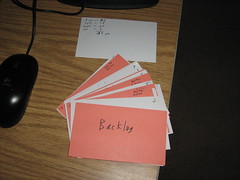
  4. Agile Planning Kept Me Focused and Aware of Priorities.

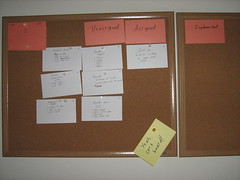
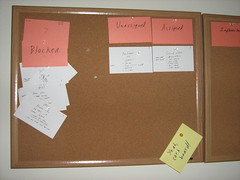
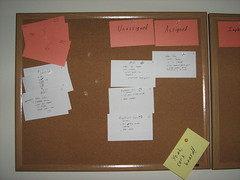
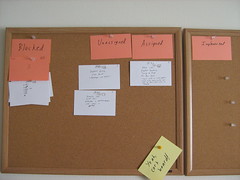
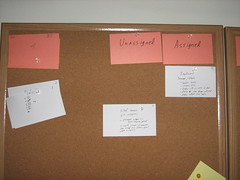
    Agile backlog First iteration

    Since I had a good sense of what the game was going to involve, I was able to plan quite a bit up front. It’s fairly common knowledge that the waterfall model doesn’t work in software development, but I wasn’t planning down to every detail. With Agile story cards, I knew what features to implement, but the implementation details were dealt with when I assigned a story card to myself. The problem with working alone is that no one is there to act as a check against my estimates for how difficult any particular story should be, but for the most part, things worked out well enough. I got two big benefits from using an Agile process to manage my project. One was that I always had a task in front of me. I never floundered, wondering what I should work on next, so my time in front of the computer was highly focused and productive. The other big benefit was knowing what features to focus on and what to cut as the deadline loomed. I originally wanted to have animations and special effects, but as the weekend went on, I knew these tasks weren’t nearly as important as getting working AI. Out they went, and I felt good about the decision.

What Went Wrong

  1. I Spent Too Much Time On The UI and Menus. I took time to prototype and come up with Agile story cards early in the process, but where I went wrong was not giving myself deadlines for those story cards. Ludum Dare was almost halfway through when I finally had an implementation of a window that I could close by clicking a menu item. Granted, clicking was an important aspect of the game, but I probably could have done so without worrying about how the menus would work.
  2. I Broke My Rule About Keeping the Art Simple. In past LDs, I realized that I would spend way too much time trying to create decent-looking art. Mineral Miner benefited from low-quality art because I was able to spend my time finishing it. For this LD, I thought keeping the graphics tiny would help, and it did, but I still found myself trying to draw a decent looking dragon when it wasn’t that important to make it look good. It simply had to be functional. Again, implementing AI was supposed to be my biggest challenge, but trying to create monsters that looked somewhat like what they were supposed to be was where I spent a lot of my time.
  3. I Missed the 48 Hour Deadline. Ludum Dare is normally a 48-hour competition, but LD 18 was a combination 48-hour compo and 72-hour game jam. I normally try to get a good night’s sleep, but I stayed up late this time around. While I was able to get a lot of work done, I found myself making mistakes and having difficulty keeping the code structure in my head. By the end of the second day, I was disappointed that I didn’t have a finished game, so I went to bed. That third day was when everything came together for me, but missing out on the 48-hour deadline meant that I missed out on feedback from other entrants. The compo has rated entries while the jam did not, so entering a compo game would guarantee some feedback in the form of ratings and comments. As I was only able to enter the Jam, my game was ignored by and large. This is the first time that the Jam format was tried for Ludum Dare, and next time there might be some changes to address these concerns, so hopefully entering a game in the Jam won’t feel like second-class LD.
  4. The Game’s Balance Is Off. On the last day of the Ludum Dare Jam, I found I had time to actually play the game. I tried to change values such as the Hero’s strength and speed and the amount of resources you obtain. I didn’t want the player to be able to create a dragon or two right away, so I lowered the starting resources, and then I didn’t want the dragons to come out soon after the game started, so I slowed down the resource increase. While I was able to make such a dominant strategy hard to do in the beginning of the game, it can still work well for the player so long as he/she has patience. Also, it had the side-effect of slowing down the pace of the game. You can only create a handful of minions in any game session, which isn’t nearly as fun as having an entire army swarming on the map. I would have liked more time to balance the game so that it was harder to pull off dominant strategies AND was fun to play.

What I Learned

  1. Simple AI Can Do Wonders! The AI in my game didn’t turn out nearly as complex as I originally thought it needed to be, but maybe it’s good that it didn’t. The AI boiled down to a few pathfinding algorithms and the selection of a target to move to, which isn’t very different from a game such as Pac-man. Once I fixed a number of bugs with the pathfinding, Stop That Hero! came alive. It really did feel like you were creating minions to do your bidding.
  2. Agile Project Planning Is Quick and Useful. Creating a prioritized requirements list and a schedule estimate helped me keep tabs on my progress throughout the weekend. I always knew what task to focus on, and I was able to change my plans when I realized that things were going too slowly for me to get it all done. I received advice that I should have deadlines for my tasks since a schedule doesn’t mean much without them, and I’m inclined to agree. With deadlines/milestones, I probably would have realized how slow my progress was earlier on.
  3. I Need Sleep. Working through the night and into the morning, I learned that my most productive spurts were soon after waking up and having breakfast. Otherwise, even if it felt like I was making progress, I was actually creating problems by inserting bugs and implementing badly thought-out designs. I was able to recover, but in general, I think getting regular sleep is still more beneficial to my project’s health (and my own!) than not.

As in previous Ludum Dare compos, I’ve found my biggest problem is deciding where to spend my time and for how long. Creating a simple menu infrastructure and twiddling with image editors to try to make good looking art took away time from implementing AI and fixing the game’s balance. Project management suffered since I didn’t give myself deadlines, but it did keep me focused. In the end, I had a complete game, with sound, and I’ve decided I liked this project so much that I’ll be updating it and polishing it up for PoV’s inspiring challenge to sell a game by the end of October.

For future projects, I’ll need to give myself milestone deadlines to ensure that I don’t spend too much time on tasks, and I’ll also need to make sure that any art assets I create are primarily functional. Alternatively, I need to dedicate the time to learn how to create quality art and how to use the Gimp.

Categories
Geek / Technical

Where Good Ideas Come From

I’ve been reading about intelligence and learning, and I was fascinated with the idea that the conscious mind can sometimes get in the way of full-brain thinking. If you’re reading a textbook for class, for instance, you might read in order, word for word, trying to analyze and memorize and understand everything as you go. The problem is that you are so busy trying to piece things together on such a small scale that you miss out on overall patterns and the meaning of the entire text. One suggestion for reading is to go in layers. Start by paging through and picking out headings and bold words. Within minutes, you have some ideas about how the textbook is laid out conceptually, and then you can start going deeper as you gain curiosity. It’s like reading in layers, and it helps aid your comprehension.

One big part of this kind of learning is the idea that your subconscious mind needs time to let things sink in while you aren’t thinking about the topic. You sometimes get the most insight into a textbook after you wake up in the morning. In the following video, there’s a mention about taking time to let hunches and ideas incubate which I think goes along with this idea.

The video argues that exposure to lots of ideas and thoughts is the primary driver for innovation. Not all of this exposure leads to good ideas, but “chance favors the connected mind.” Having all of these various thoughts in your head, you might get overwhelmed thinking about them purposefully and actively, but incubation time, getting away from problems, seems to help. I’ve woken up from a good night’s sleep with awareness of program bugs I introduced into my project before I went to bed, and usually the fixes for those bugs came along as well. B-)

I think I’m focusing much more on the incubation aspect than the video did, but I believe spending time away from a problem can help solutions develop in your mind and develop good ideas.

I think I’ll go for a walk now.

Categories
Game Design Game Development Geek / Technical Linux Game Development Personal Development

LD18: Stop That Hero! Ported to Win32!

I’ve updated my LD final entry page, but I wanted to let you know that I finally created a Stop That Hero! Windows port (2.2MB)!

Now you have no excuse not to play! Well, assuming you don’t use a Mac. Or some other OS. Then you have an excuse.

Categories
Game Design Game Development Geek / Technical Linux Game Development Personal Development

LD18: Stop That Hero! Development Time Lapse!

Here’s the time lapse for my 72 hours of development on Stop That Hero!

Categories
Game Design Game Development Geek / Technical Linux Game Development Personal Development

LD18: Stop That Hero! Is Finished!

I apparently needed sleep and a third day to get this game completed, but here it is!

Stop That Hero! is finished

So far, the Stop That Hero! Linux version (1.6MB) is all I have. I just started using CMake for my build scripts, so please let me know if the game won’t run on your computer.
Get the Stop That Hero! source

I’ll work on a Windows port, but for now, I’m going to relax! It’s been a grueling 72 hours!

UPDATE: Windows port (2.2MB) created and available for you!

I also updated the Linux build. It’s the same code, but the build was done on an older Linux-based system, so it should run on more systems without a problem.

Categories
Game Design Game Development Geek / Technical Linux Game Development Personal Development

LD18: I’m In the Home Stretch

I’m at the final iteration!

The home stretch!

Basically, the tasks I have left:

  • create instructions screen
  • add sound effects
  • package this baby up!

In the last iteration, I was play testing and balancing as best as I could. I decided that the bat was too expensive, so I moved it down in front of the slime in terms of costs. I lowered the starting health of the Hero and gave him fewer lives. I also tweaked the level design a bit to accommodate the AI’s inability to see too far ahead. There are also victory and defeat screens now.

I finally got the AI working well enough that I realized that I wasn’t just debugging the program anymore. I was playing the game! And it’s actually not that lame! B-)

Categories
Game Design Game Development Geek / Technical Linux Game Development Personal Development

LD18: Let’s Keep on Jammin’!

I missed the deadline for the main compo, but I can still submit my game to the Ludum Dare Jam. The deadline is 24 hours after the end of the compo, so I have until 9PM tonight to finish this game.

After a good night’s rest, I woke up with bug fixes. Seriously, I was lying in bed, slowly waking up, and I thought, “Oh, yeah, I implemented cooldown for the entities after they attack, but I forgot to ensure that cooldown ends.” I fixed a crash bug which also prevents the creatures from trying to leave the world map. And I improved the exploration mode of the AI so that the entities should no longer wiggle or fidget. They pick a direction and go until they reach it. I found that the reason why the hero was getting stuck in place. It was due to the fact that I was checking if he had reached a very exact location, and with his speed, he sometimes overshoots it. When he tries to go back to it, he overshoots again, forever. I enlarged the collision detection box to compensate.

When I finished Iteration 4, I found out that accidentally implemented some stories from Iteration which deal with entities attacking each other. I’ve simplified combat so if entities are not in cooldown and are touching, they’re attacking. That implementation left Iteration 5 fairly moot. In fact, I decided to skip the remaining story in Iteration 5 which dealt with some nuanced AI that I’m not even going to look at, so I’m on to Iteration 6. You can see the backlog of skipped story cards under the Iteration card.

Iteration 5 finished quickly; On to Iteration 6

I’m pretty excited. It’s only 10AM, and I’m on the last two iterations. Iteration 7 is basically sound effects and packaging the game up, and frankly (and sadly), sound is optional at this point. B-)

Categories
Game Design Game Development Geek / Technical Linux Game Development Personal Development

LD18: Missed the Deadline but Continuing On

I got to Iteration 3 by scrapping some of the art and animations I had planned for Iteration 2. Those story points go back into the backlog.

Iteration 3

Iteration 3 was a bear. It was where a lot of the advanced AI had to be implemented. I’ve never done A*. Most of my AI was very simplistic, which went with the simplistic games I’ve done before. This game was going to be different.

Or at least I hoped it would. Entities would bumble about, get stuck, and fly off the world map even though I explicitly told them not to!

I had a quick lunch which was easy to make while I continued to work.

Vegan pizza and applce juice

Unfortunately, the deadline for the main Ludum Dare compo passed when I finally figured out the A* algorithm (it turned out that there was a greater-than sign when there should have been a less-than sign, which is why the entities were moving so strangely). After the pathfinding, the entities still had to interact.

I had the Hero moving toward targets it sees nearby, although every so often I see that he gets stuck in a certain tile for some reason. Enemies seem to have trouble moving to the Hero like I expect, but they find him soon enough.

But with Iteration 4, they fight!

Iteration 4

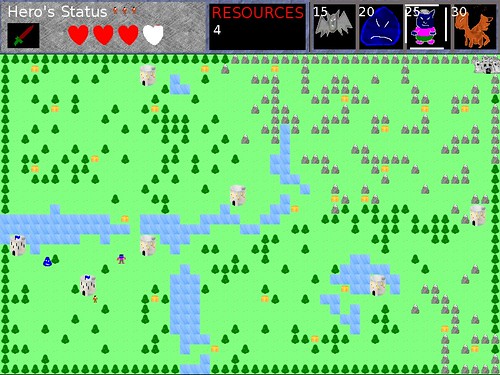
Do you see how the Hero’s health is down?

See enemies put on the hurt!

That’s the first time it has been like that outside of arbitrary tests being conducted. One of the dragons did that! Good job, my babies!

Since the main compo is over, the only option I have left is to continue on. I can still try to enter the Ludum Dare Jam, which gives me an extra 24 hours before the submission deadline.

For now, though, I’m going to bed. These last 48 hours have been grueling, frustrating, and exciting.

Categories
Game Design Game Development Geek / Technical Linux Game Development Personal Development

LD18: Good Morning, Ludum Dare!

Good Morning, Ludum Dare!

I went to bed after 5:30AM after getting some rudimentary AI in. I don’t know why the ground-based characters have no second-thoughts about going through the trees and mountains. If anything, they should want to avoid them. I’m sure there’s a bug in the implementation.

Watch them move!

I woke up feeling fairly crappy, but I know what will fix that!

Let's wake up and get this game done!

Yeah, OJ! Oh, and, yeah, sure, I suppose Banana can come along, too.